
Aer APK
Aer - Fork of Anemo
Private storage utility for android with support for external storage media
APK herunterladen v2024.12.25 · 1,3 MB- Version2024.12.25
- Größe1,3 MB
- BenötigtAndroid 8.0
- Aktualisiert6.1.2025
- LizenzGPL-3.0-only
- PreisKostenlos
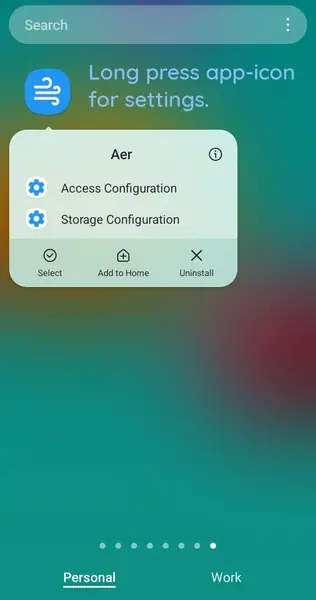
Über Aer
Beschreibung des Entwicklers (auf Englisch).
Aer is a private local (+secondary) storage utility application for android.
Do you worry about your private pictures or files appearing in other apps? That's where Aer private storage comes in. Files in Aer storage won't appear in the other apps.
Note: Aer is in development 🏗️. Accidents happen. Please keeps backups 👷♀️ for your protection.
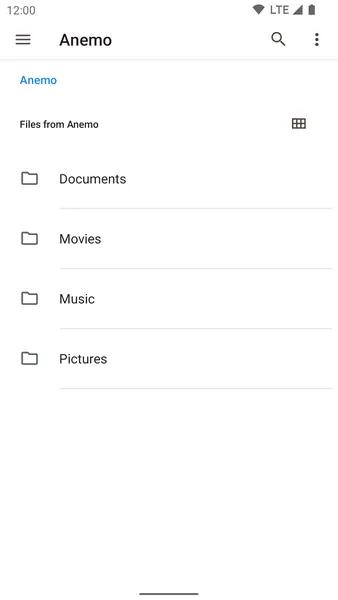
Instead of being a stand-alone file manager, Aer hooks into various components of Android, making it feel like a native part of the operating system. Moreover, it provides ways for the user to export contents from other apps and save them in Aer storage.
Features
- Create folders and organize files freely
- All files in the Aer private storage won't appear in the other apps
- Access using the system Files application (the DocumentsProviderUI)
- An optional shortcut is offered for devices that do not expose the system Files app
- The system Files app is also used as file picker, so you can pick Aer files to share
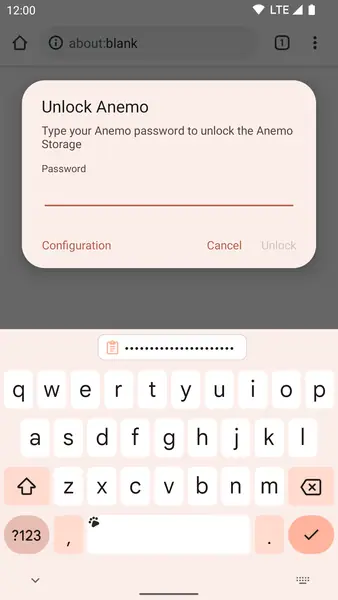
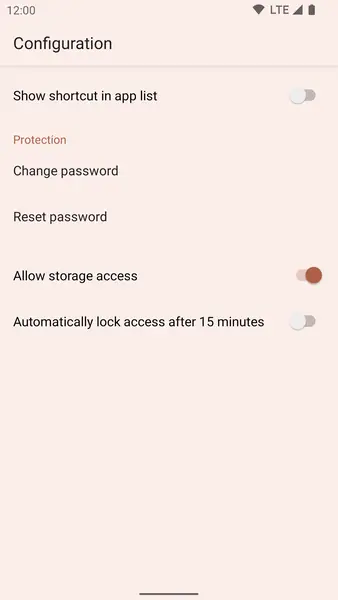
- Lock access to the private storage
- Quick tile
- Auto lock after set delay (experimental)
- Password for locking access to the files
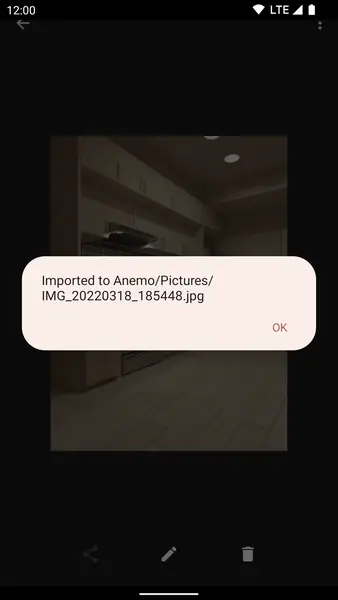
- Import content into Aer using the Android share functionality
Aer vs Anemo
In addition to Anemo features above, Aer adds support for external storage, like encrypted SD cards. When available Aer will store your files on external storage (which tend to have larger capacity). This also allows accessing your private files on your computer when connected using USB cable (MTP). The storage backend used is also manually configurable.
Informationen zur APK-Datei
| Paketname | alt.nainapps.aer |
|---|---|
| Version | 2024.12.25 (Code 1735160000) |
| Mindestens | Android 8.0 · ausgelegt für Android 15 |
| Architekturen | arm64-v8a, armeabi-v7a, x86, x86_64 |
| SHA-256 | b2d42a4f59c7d3a248c69c7b1fac925bb90d05322814268eb9cb5eeb96d707b5 |
| Signatur | dbfa3ff8626f69ec6ec7f4c1645b0954d66f91d419629ee19683b5e2c4499c07 |
| Lizenz | GPL-3.0-only — freie Copyleft-Lizenz: Der Code ist öffentlich und veränderte Versionen müssen frei bleiben |
| Quellcode | github.com/nain-F49FF806/anemo-aer |
Berechtigungen
- Fingerabdruck / Biometrie
- Speicher lesen
- Auf Speicher schreiben
- Zugriff auf alle Dateien sensibel
Ältere Versionen
- Aer 2024.12.256. Januar 2025 · 1,3 MB
- Aer 2024.10.315. November 2024 · 1,3 MB
- Aer 2024.10.1017. Oktober 2024 · 1,3 MB
So installieren Sie Aer APK
- Tippen Sie oben auf APK herunterladen und öffnen Sie die Datei nach dem Download.
- Wenn Android fragt, erlauben Sie Ihrem Browser, unbekannte Apps zu installieren.
- Tippen Sie auf Installieren. Aer erscheint dann bei Ihren anderen Apps.
→ APK-Datei auf Android installieren (Schritt für Schritt)
→ „App nicht installiert“: Ursachen und Lösungen
Häufige Fragen
Ist Aer kostenlos?
Ja. Aer steht unter der Lizenz GPL-3.0-only: kostenlos, ohne Abo, und der Quellcode ist öffentlich.
Ist diese APK-Datei sicher?
Die Datei wurde vom F-Droid-Repository aus dem öffentlichen Quellcode erstellt und veröffentlicht. Ihr SHA-256-Fingerabdruck steht oben, Sie können ihn nach dem Download vergleichen. Ist eine APK gefährlich? So prüfen Sie eine Datei vor der Installation
Läuft Aer auf meinem Handy?
Sie benötigen mindestens Android 8.0. Die App funktioniert auch ohne Google-Dienste, also auch auf aktuellen Huawei-Handys.





