
Dicio assistant APK
Voice assistant: multilanguage, configurable and libre
APK herunterladen v4.2 · 36,3 MB- Version4.2
- Größe36,3 MB
- BenötigtAndroid 5.0
- Aktualisiert14.10.2026
- LizenzGPL-3.0-only
- PreisKostenlos
Über Dicio assistant
Beschreibung des Entwicklers (auf Englisch).
Dicio is a free and open source voice assistant. It supports many different skills and input/output methods, and it provides both speech and graphical feedback to a question. It uses Vosk for speech to text. It has multilanguage support, and is currently available in Czech, Dutch, English, French, German, Greek, Italian, Polish, Russian, Slovenian, Spanish, Swedish, Turkish and Ukrainian.
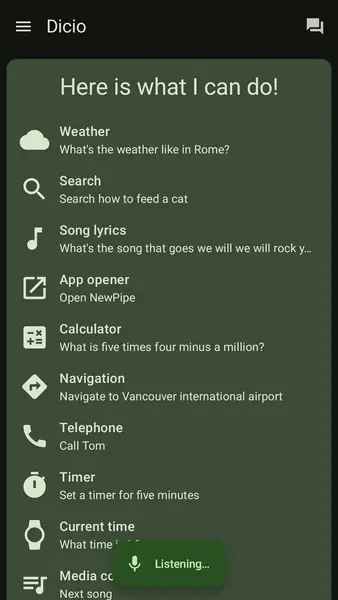
Dicio answers questions about:
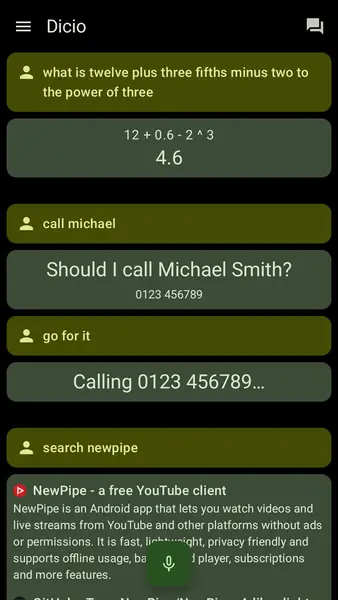
- search: looks up information on DuckDuckGo (and in the future more engines) - Search for Dicio
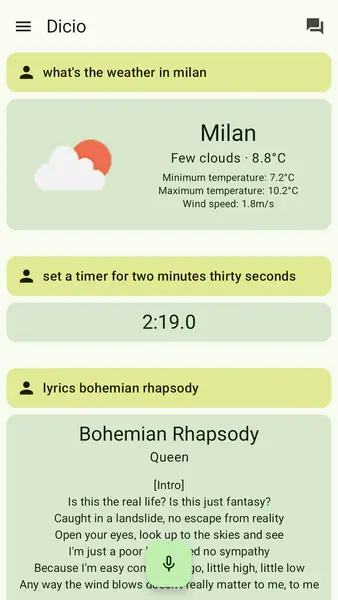
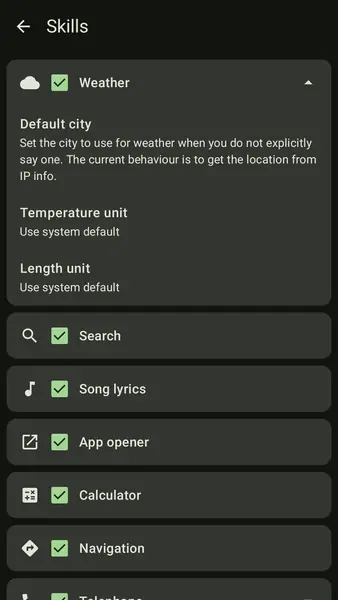
- weather: collects weather information from OpenWeatherMap - What's the weather like?
- lyrics: shows Genius lyrics for songs - What's the song that goes we will we will rock you?
- open: opens an app on your device - Open NewPipe
- calculator: evaluates basic calculations - What is four thousand and two times three minus a million divided by three hundred?
- telephone: view and call contacts - Call Tom
- timer: set, query and cancel timers - Set a timer for eleven minutes
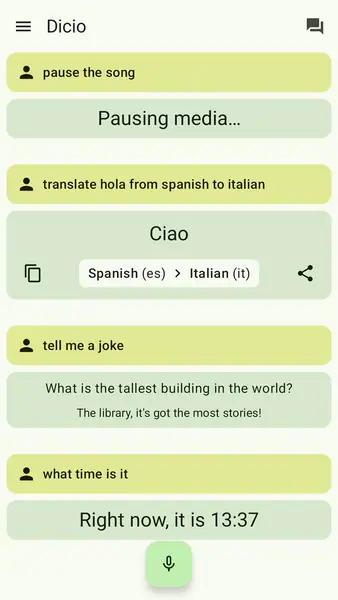
- current time: query current time - What time is it?
- navigation: opens the navigation app at the requested position - Take me to New York, fifteenth avenue
- jokes: tells you a joke - Tell me a joke
- media: play, pause, previous, next song - Next Song
- translation: translate from/to any language with Lingva - How do I say Football in German?
- wake word control: turn on/off the wakeword - Stop listening
- notifications: reads all notifications currently in the status bar - What are my notifications?
- flashlight: turn on/off the phone's flashlight - Turn on the light
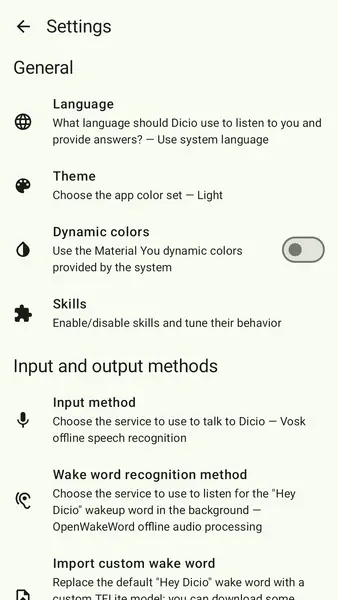
Dicio can receive input through a text box or through Vosk speech to text, and can talk using toasts or the Android speech synthesis engine. Interactive graphical output is provided by skills when they answer a question.
Each skill can be enabled, disabled or customized using the related settings screen. Dark, black and dynamic color themes are available.
The user input is interpreted by specific, yet reusable, libraries: dicio-sentences-compiler and dicio-numbers.
This app has the NonFreeNet anti-feature because some skills use non-free services to obtain the information requested by the user. You can easily disable unwanted skills or choose alternative services via settings.
Neu in Version 4.2
This time around the app received some improvements, to make the annoying a little less so, and to make the insecure a bit more secure. There was improvement... just not much!
New
- Added a link to our (new) documentation in the about page
Improved
- Update translations
Fixed
- Crash when trying to use the Calculator Skill
- Crash when switching locales
- F-Droid not being able to build and publish the app
Informationen zur APK-Datei
| Paketname | org.stypox.dicio |
|---|---|
| Version | 4.2 (Code 19) |
| Mindestens | Android 5.0 · ausgelegt für Android 16 |
| Architekturen | arm64-v8a, armeabi-v7a, x86, x86_64 |
| SHA-256 | f17270a0e8809a7c076a423e39cdbdd86dc487e881762eafca57e03f82258e80 |
| Signatur | f18a3aa28b65a3b67f1fc9f061aa345471aaabf006e3fa51387397754b86d71f |
| Lizenz | GPL-3.0-only — freie Copyleft-Lizenz: Der Code ist öffentlich und veränderte Versionen müssen frei bleiben |
| Quellcode | github.com/Stypox/dicio-android |
Berechtigungen
- Internetzugriff
- Mikrofon sensibel
- Benachrichtigungen anzeigen
- Beim Start ausführen
- Im Hintergrund laufen
- Auf Speicher schreiben
- Installierte Apps sehen sensibel
- Kontakte lesen sensibel
- Anrufe tätigen sensibel
- Speicher lesen
2 weitere technische Berechtigung(en)
USE_FULL_SCREEN_INTENT BIND_NOTIFICATION_LISTENER_SERVICE
Ältere Versionen
- Dicio assistant 4.214. Oktober 2026 · 36,3 MB
- Dicio assistant 4.012. Oktober 2025 · 36,5 MB
- Dicio assistant 3.211. Juli 2025 · 32,7 MB
So installieren Sie Dicio assistant APK
- Tippen Sie oben auf APK herunterladen und öffnen Sie die Datei nach dem Download.
- Wenn Android fragt, erlauben Sie Ihrem Browser, unbekannte Apps zu installieren.
- Tippen Sie auf Installieren. Dicio assistant erscheint dann bei Ihren anderen Apps.
→ APK-Datei auf Android installieren (Schritt für Schritt)
→ „App nicht installiert“: Ursachen und Lösungen
Häufige Fragen
Ist Dicio assistant kostenlos?
Ja. Dicio assistant steht unter der Lizenz GPL-3.0-only: kostenlos, ohne Abo, und der Quellcode ist öffentlich.
Ist diese APK-Datei sicher?
Die Datei wurde vom F-Droid-Repository aus dem öffentlichen Quellcode erstellt und veröffentlicht. Ihr SHA-256-Fingerabdruck steht oben, Sie können ihn nach dem Download vergleichen. Ist eine APK gefährlich? So prüfen Sie eine Datei vor der Installation
Läuft Dicio assistant auf meinem Handy?
Sie benötigen mindestens Android 5.0. Die App funktioniert auch ohne Google-Dienste, also auch auf aktuellen Huawei-Handys.





