
Home Assistant APK
Steuere alle Geräte in deiner Home Assistant-Instanz
APK herunterladen v2026.11.1-minimal · 52,5 MB- Version2026.11.1-minimal
- Größe52,5 MB
- BenötigtAndroid 6.0
- Aktualisiert6.11.2026
- LizenzApache-2.0
- PreisKostenlos
Über Home Assistant
Beschreibung des Entwicklers (auf Englisch).
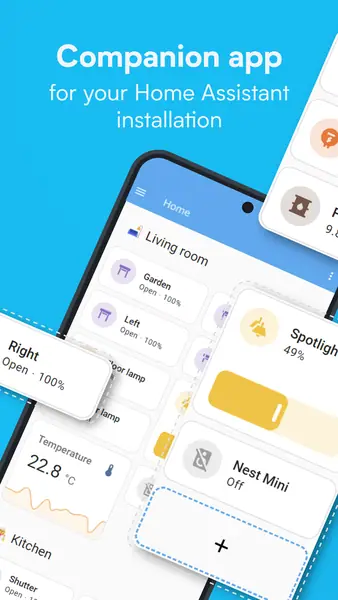
The Home Assistant Companion app allows you to access your Home Assistant instance on the go. Home Assistant is the smart home solution focused on privacy, choice, and sustainability. It runs locally in your home via a device like the Home Assistant Green or Raspberry Pi.
This app connects to all the most powerful features of Home Assistant,
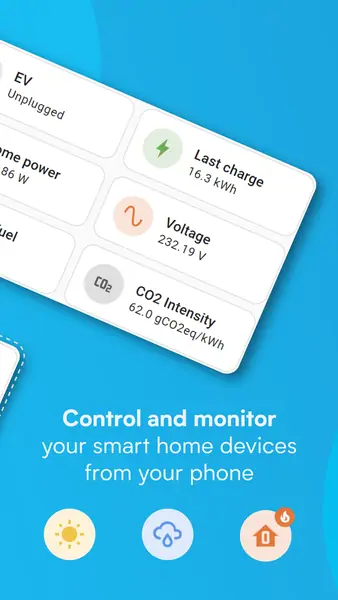
- One app to control the whole home - Home Assistant is compatible with the biggest brands in the smart home, connecting to thousands of smart devices and services.
- Discover automatically and quickly configure new devices - such as Philips Hue, Google Cast, Sonos, IKEA Tradfri and Apple Homekit compatible devices.
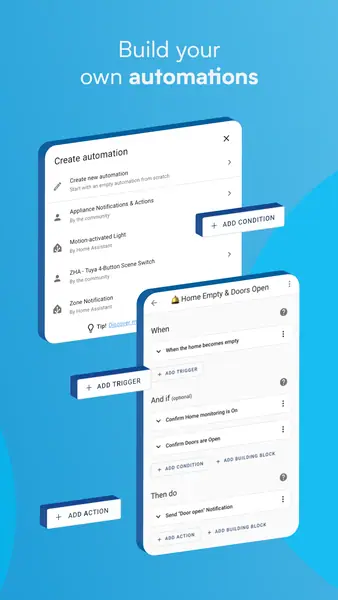
- Automate everything - Make all the devices in your home work in harmony - have your lights dim when you start watching a movie, or turn off your heat when you’re away from home.
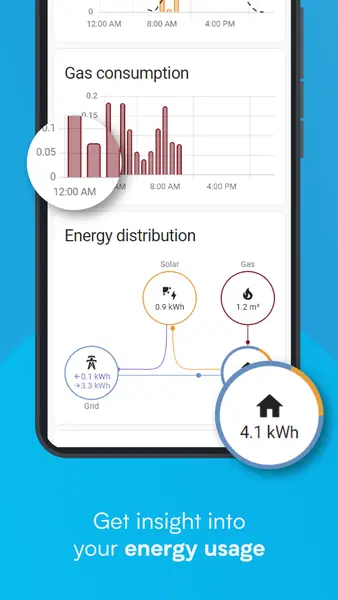
- Keep your home’s data in the home - use it privately to see past trends and averages.
- Connect to open standards with hardware add-ons - including Z-Wave, Zigbee, Matter, Thread, and Bluetooth.
- Connect Anywhere - If you would like to access this app while away from home, the most secure and simple way to get started is Home Assistant Cloud.
The app unlocks your smartphone or tablet as a home automation tool,
- Securely share your location, using it to automate heating, security, and so much more.
- Can share your phone's sensors with Home Assistant for automations including information on: steps taken, battery level, connectivity, next alarm, and many more.
- Get notifications on what's happening in your home, from detecting leaks to doors left open, you have full control over what it tells you.
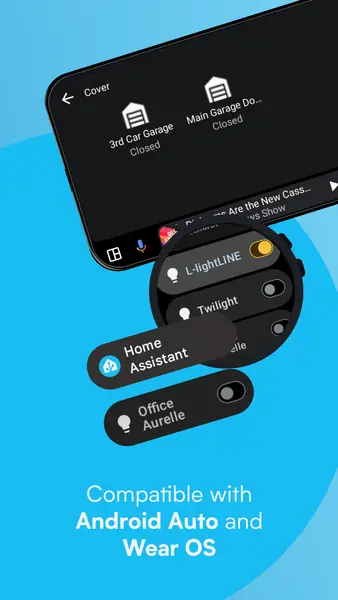
- Android Auto functionality lets you control your home from the dash of your car - open the garage, disable the security system, and more.
- Build your own widgets to control any device in your home with a tap.
- Text or talk to your local voice assistant on your device.
- Wear OS compatibility, with support for notifications, sensors, tiles and watchface complications.
Join the over 1 million users and empower your home with better privacy, choice and sustainability.
Compatible with: Airthings, Amazon Alexa, Amcrest, Android TVs, Apple HomeKit, Apple TV, ASUSWRT, August, Belink WeMo, Bluetooth, Bose SoundTouch, Broadlink, BTHome, deCONZ, Denon, Devolo, DLNA, Ecobee, Ecovacs, Ecowitt, Elgato, EZVIZ, Fritz, Fully Kiosk, GoodWe, Google Assistant, Google Cast, Google Home, Google Nest, Govee, Growatt, Hikvision, Hive, Home Connect, Homematic, HomeWizard, Honeywell, iCloud, IFTTT, IKEA Tradfri, Insteon, Jellyfin, LG Smart TVs, LIFX, Logitech Harmony, Lutron Caseta, Magic Home, Matter, MotionEye, MQTT, MusicCast, Nanoleaf, Netatmo, Nuki, OctoPrint, ONVIF, Opower, Overkiz, OwnTracks, Panasonic Viera, Philips Hue, Pi-hole, Plex, Reolink, Ring, Roborock, Roku, Samsung TVs, Sense, Sensiba, Shelly, SmartThings, SolarEdge, Sonarr, Sonos, Sony Bravia, Spotify, Steam, SwitchBot, Synology, Tado, Tasmota, Tesla Wall, Thread, Tile, TP-Link Smart Home, Tuya, UniFi, UPnP, Verisure, Vizio, Wallbox, WebRTC, WiZ, WLED, Xbox, Xiaomi BLE, Yale, Yeelight, YoLink, Z-Wave, Zigbee
Neu in Version 2026.11.1-minimal
Full release change log: https://github.com/home-assistant/android/releases/latest
Informationen zur APK-Datei
| Paketname | io.homeassistant.companion.android.minimal |
|---|---|
| Version | 2026.11.1-minimal (Code 25506) |
| Mindestens | Android 6.0 · ausgelegt für API 37 |
| Architekturen | arm64-v8a, armeabi-v7a, x86, x86_64 |
| SHA-256 | 61d96f4bcfb1f890aa10dd66dbeba55ffcdea8d98be56989360dbbffd0e81f49 |
| Signatur | 17485250a03a0f2b3f292a054f595a9e794beef80cf910f7b3bbb8098abf6d50 |
| Lizenz | Apache-2.0 — freie, freizügige Lizenz: Der Quellcode ist öffentlich und wiederverwendbar |
| Quellcode | github.com/home-assistant/android |
| Offizielle Website | companion.home-assistant.io/ |
Berechtigungen
- Netzwerkstatus sehen
- WLAN-Status sehen
- Bluetooth
- Per Bluetooth verbinden
- Bluetooth-Geräte suchen
- Internetzugriff
- Vibrieren
- Beim Start ausführen
- Genauer Standort (GPS) sensibel
- Ungefährer Standort sensibel
- Standort im Hintergrund sensibel
- Kamera sensibel
- Anrufe tätigen sensibel
- Mikrofon sensibel
- NFC
- Körperliche Aktivität sensibel
- Installierte Apps sehen sensibel
- Im Hintergrund laufen
- Über anderen Apps anzeigen sensibel
- Auf Speicher schreiben
- Ruhezustand verhindern
- Benachrichtigungen anzeigen
- Telefonstatus sensibel
- Fingerabdruck / Biometrie
- Fingerabdruck
- Speicher lesen
38 weitere technische Berechtigung(en)
ACCESS_LOCAL_NETWORK CHANGE_WIFI_MULTICAST_STATE BLUETOOTH_ADMIN BLUETOOTH_ADVERTISE MODIFY_AUDIO_SETTINGS REQUEST_IGNORE_BATTERY_OPTIMIZATIONS ACCESS_NOTIFICATION_POLICY MANAGE_ASSISTANT_AUDIO SCHEDULE_EXACT_ALARM PACKAGE_USAGE_STATS POST_PROMOTED_NOTIFICATIONS WRITE_SETTINGS health.READ_HEALTH_DATA_IN_BACKGROUND health.READ_ACTIVE_CALORIES_BURNED health.READ_BASAL_BODY_TEMPERATURE health.READ_BASAL_METABOLIC_RATE health.READ_BLOOD_GLUCOSE health.READ_BLOOD_PRESSURE health.READ_BODY_FAT health.READ_BODY_TEMPERATURE health.READ_BODY_WATER_MASS health.READ_BONE_MASS health.READ_DISTANCE health.READ_ELEVATION_GAINED health.READ_FLOORS_CLIMBED health.READ_HEART_RATE health.READ_HEART_RATE_VARIABILITY health.READ_HEIGHT health.READ_HYDRATION health.READ_LEAN_BODY_MASS health.READ_OXYGEN_SATURATION health.READ_RESPIRATORY_RATE health.READ_RESTING_HEART_RATE health.READ_SLEEP health.READ_STEPS health.READ_TOTAL_CALORIES_BURNED health.READ_VO2_MAX health.READ_WEIGHT
Ältere Versionen
- Home Assistant 2026.11.1-minimal6. November 2026 · 52,5 MB
- Home Assistant 2026.10.1-minimal29. Oktober 2026 · 52,1 MB
- Home Assistant 2026.8.4-minimal1. Oktober 2026 · 55,2 MB
So installieren Sie Home Assistant APK
- Tippen Sie oben auf APK herunterladen und öffnen Sie die Datei nach dem Download.
- Wenn Android fragt, erlauben Sie Ihrem Browser, unbekannte Apps zu installieren.
- Tippen Sie auf Installieren. Home Assistant erscheint dann bei Ihren anderen Apps.
→ APK-Datei auf Android installieren (Schritt für Schritt)
→ „App nicht installiert“: Ursachen und Lösungen
Häufige Fragen
Ist Home Assistant kostenlos?
Ja. Home Assistant steht unter der Lizenz Apache-2.0: kostenlos, ohne Abo, und der Quellcode ist öffentlich.
Ist diese APK-Datei sicher?
Die Datei wurde vom F-Droid-Repository aus dem öffentlichen Quellcode erstellt und veröffentlicht. Ihr SHA-256-Fingerabdruck steht oben, Sie können ihn nach dem Download vergleichen. Ist eine APK gefährlich? So prüfen Sie eine Datei vor der Installation
Läuft Home Assistant auf meinem Handy?
Sie benötigen mindestens Android 6.0. Die App funktioniert auch ohne Google-Dienste, also auch auf aktuellen Huawei-Handys.





