
Insigno APK
Report and collect garbage, earning points!
APK herunterladen v1.4.5 · 9,5 MB- Version1.4.5
- Größe9,5 MB
- BenötigtAndroid 5.0
- Aktualisiert1.3.2026
- LizenzGPL-3.0-only
- PreisKostenlos
Über Insigno
Beschreibung des Entwicklers (auf Englisch).
Insigno makes keeping your city clean enjoyable and inspiring. It is a project developed by the MindsHub Association: https://mindshub.it/.
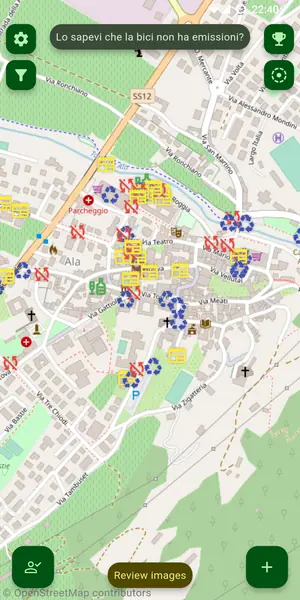
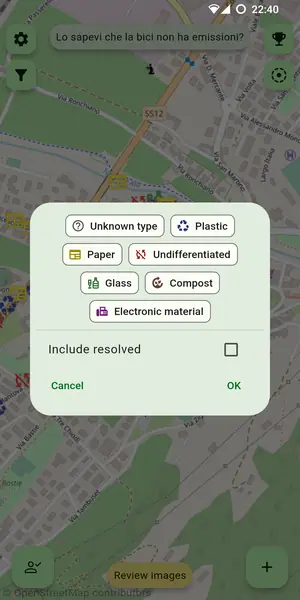
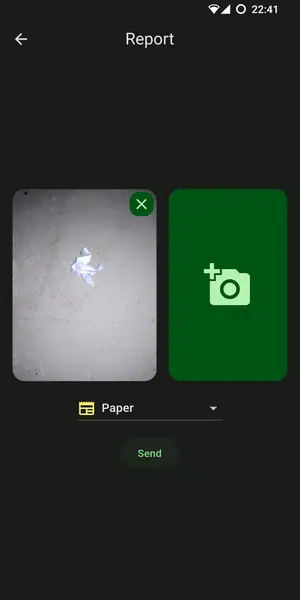
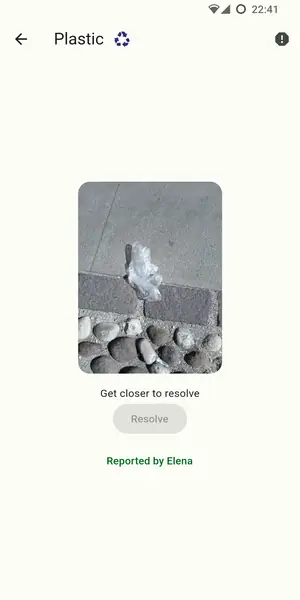
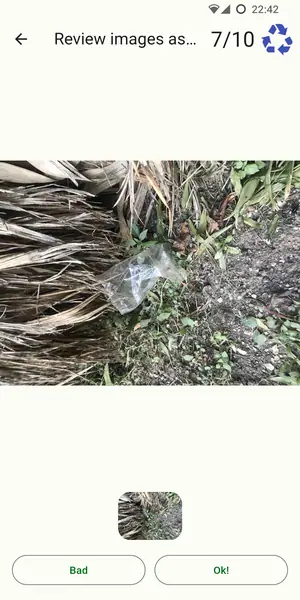
Any user can report abandoned garbage they find, classifying it by type (plastic, paper, ...) and taking a picture to make it simple to locate the object. All reports then appear on a map, allowing users to pick up nearby garbage, taking pictures to document the process. Reporting and collecting trash allow users to earn points, and require access to the phone's location in order to determine the object's position.
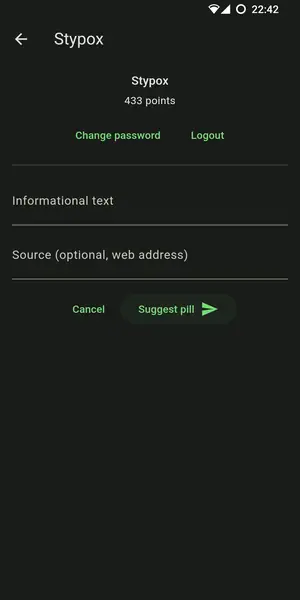
Informative pills will be shown each time the app is launched, with FAQs, news, and tips regarding ecology and environment protection.
Insigno is completely Free Software, you can find the code here:
- Frontend (app): https://github.com/MindsHub/insigno_frontend
- Backend (server): https://github.com/MindsHub/insigno_backend
Informationen zur APK-Datei
| Paketname | org.mindshub.insigno |
|---|---|
| Version | 1.4.5 (Code 1203) |
| Mindestens | Android 5.0 · ausgelegt für Android 16 |
| Architekturen | arm64-v8a |
| SHA-256 | b1324472afb43f51ab06601a4601251f5257002ebfcd314e01174982ce0c27f1 |
| Signatur | 8fa634071b0fe0fe0832fcc159aa412224489f19fda3ecf899bbafa6a5e1d3aa |
| Lizenz | GPL-3.0-only — freie Copyleft-Lizenz: Der Code ist öffentlich und veränderte Versionen müssen frei bleiben |
| Quellcode | github.com/MindsHub/insigno_frontend |
Berechtigungen
- Internetzugriff
- Genauer Standort (GPS) sensibel
Ältere Versionen
- Insigno 1.4.51. März 2026 · 9,5 MB
- Insigno 1.4.51. März 2026 · 9,0 MB
- Insigno 1.4.51. März 2026 · 9,6 MB
- Insigno 1.4.41. Juli 2025 · 9,5 MB
- Insigno 1.4.41. Juli 2025 · 9,0 MB
- Insigno 1.4.41. Juli 2025 · 9,6 MB
- Insigno 1.4.220. Oktober 2023 · 8,0 MB
- Insigno 1.4.220. Oktober 2023 · 7,7 MB
- Insigno 1.4.220. Oktober 2023 · 8,2 MB
So installieren Sie Insigno APK
- Tippen Sie oben auf APK herunterladen und öffnen Sie die Datei nach dem Download.
- Wenn Android fragt, erlauben Sie Ihrem Browser, unbekannte Apps zu installieren.
- Tippen Sie auf Installieren. Insigno erscheint dann bei Ihren anderen Apps.
→ APK-Datei auf Android installieren (Schritt für Schritt)
→ „App nicht installiert“: Ursachen und Lösungen
Häufige Fragen
Ist Insigno kostenlos?
Ja. Insigno steht unter der Lizenz GPL-3.0-only: kostenlos, ohne Abo, und der Quellcode ist öffentlich.
Ist diese APK-Datei sicher?
Die Datei wurde vom F-Droid-Repository aus dem öffentlichen Quellcode erstellt und veröffentlicht. Ihr SHA-256-Fingerabdruck steht oben, Sie können ihn nach dem Download vergleichen. Ist eine APK gefährlich? So prüfen Sie eine Datei vor der Installation
Läuft Insigno auf meinem Handy?
Sie benötigen mindestens Android 5.0. Die App funktioniert auch ohne Google-Dienste, also auch auf aktuellen Huawei-Handys.