Rhythm APK
Your Music, Your Rhythm - Privacy-first player with Material 3 design.
APK herunterladen v5.5.499.1302-fdroid · 29,9 MB- Version5.5.499.1302-fdroid
- Größe29,9 MB
- BenötigtAndroid 8.0
- Aktualisiert15.10.2026
- LizenzGPL-3.0-only
- PreisKostenlos
Über Rhythm
Beschreibung des Entwicklers (auf Englisch).
Your Music, Your Rhythm
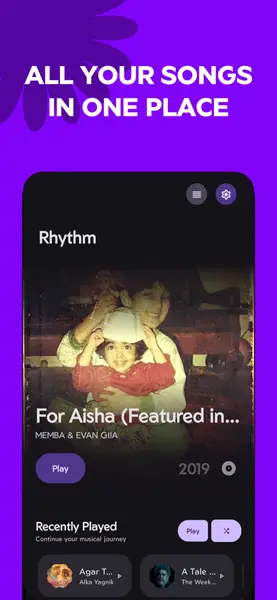
Experience your music collection like never before. Rhythm is a beautiful, open-source Material You music player built for audiophiles, supporting both local and streaming playback. Enjoy high-quality audio with zero tracking and absolutely no ads.
🔊 Audiophile-Grade Sound
- High-Res Audio: Preserves native sample rates and bit depths for pure, unaltered sound.
- Advanced EQ: Perfect your audio with a 10-band equalizer and over 6,000 AutoEQ presets tailored to your specific headphones.
- Premium Playback: Enjoy true gapless playback and support for all major formats (FLAC, ALAC, Opus, WAV, MP3, OGG, and Dolby Atmos/EAC3-JOC).
🎨 Gorgeous Material 3 Design
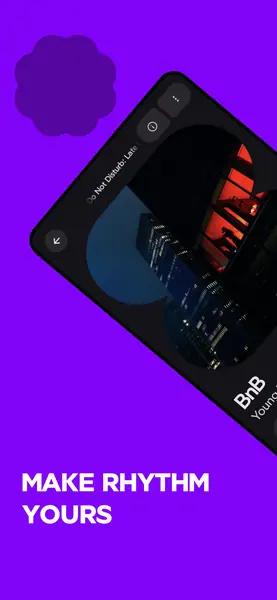
- Dynamic Colors: The app's theme adapts beautifully to your wallpaper (Android 12+) and the current album artwork.
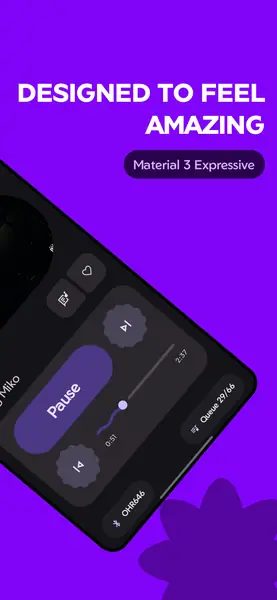
- Fluid UI: Experience expressive shapes, smooth animations, and an immersive, distraction-free lyrics view.
- Responsive Widgets: Control your music straight from your home screen with modern Material 3 layouts.
📚 Smart Library & Lyrics
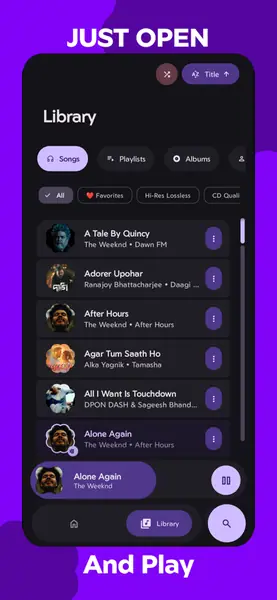
- Dual-Mode Playback: Seamlessly switch between your local music library and streaming servers (Subsonic, Navidrome, Jellyfin).
- Synced Lyrics: Sing along with word-by-word highlighting via LRCLib, or use the local editor for custom offsets.
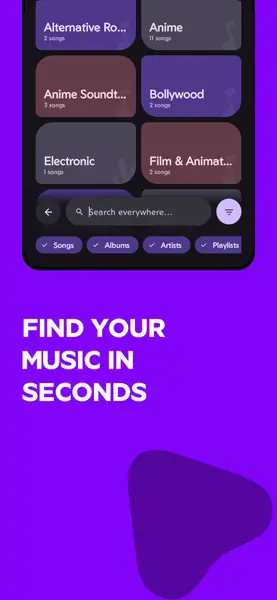
- Ultimate Organization: Browse by Songs, Liked, Playlists, Albums, Artists, Album Artists, Dates, or the folder Explorer.
- Multi-Select Power: Manage your queue, share, or delete multiple tracks at once with batch actions.
- Reliable Scanning: A full-scan media scanner ensures no songs are ever missed, with configurable allowed formats.
⚙️ Feature-Packed
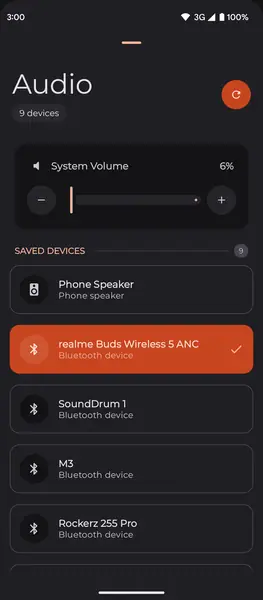
- Rhythm Guard: Integrated hearing safety system with age-aware volume protection.
- Built-in metadata editor with artwork integration from Deezer and YouTube Music.
- Sleep timer, playback statistics, and stability tools for a crash-free experience.
- Easy queue management and M3U playlist import/export.
- In-app auto-updates directly from GitHub.
🔒 100% Private Rhythm respects your data. There are no ads, no analytics, and no accounts required. It is completely offline-capable and proudly open-source (GPL v3).
Neu in Version 5.5.499.1302-fdroid
Rhythm v5.5 - Update
- Fixed speed & pitch controls not working on FLAC and high-res audio (#666)
- Custom playback speed and pitch now persist smoothly across track skips and crossfades
- Refined Dolby Atmos and surround sound badge detection in the player
- Improved audio engine stability with software effects and equalizer
Thanks for using Rhythm ;)
Informationen zur APK-Datei
| Paketname | chromahub.rhythm.app |
|---|---|
| Version | 5.5.499.1302-fdroid (Code 554991302) |
| Mindestens | Android 8.0 · ausgelegt für API 37 |
| Architekturen | arm64-v8a, armeabi-v7a, x86, x86_64 |
| SHA-256 | 860e8adedf833b2719a9ad65b1bc1586a644380f8e0b41e47b7604337ee5af69 |
| Signatur | cb9045124f6f7066c70f3b85c2bcfb75cc2293bb1b4ba1c3ec40e223a5cc6a35 |
| Lizenz | GPL-3.0-only — freie Copyleft-Lizenz: Der Code ist öffentlich und veränderte Versionen müssen frei bleiben |
| Quellcode | github.com/cromaguy/Rhythm |
Berechtigungen
- Speicher lesen
- Auf Speicher schreiben
- Musik lesen
- Benachrichtigungen anzeigen
- Im Hintergrund laufen
- Internetzugriff
- Netzwerkstatus sehen
- Andere Apps installieren sensibel
- Vibrieren
- Ruhezustand verhindern
- Bluetooth
- Per Bluetooth verbinden
- Bluetooth-Geräte suchen
- Beim Start ausführen
3 weitere technische Berechtigung(en)
MODIFY_AUDIO_SETTINGS CHANGE_WIFI_MULTICAST_STATE BLUETOOTH_ADMIN
Ältere Versionen
- Rhythm 5.5.499.1302-fdroid15. Oktober 2026 · 29,9 MB
- Rhythm 5.5.498.1300-fdroid14. Oktober 2026 · 29,9 MB
- Rhythm 5.5.487.1274-fdroid20. September 2026 · 29,8 MB
So installieren Sie Rhythm APK
- Tippen Sie oben auf APK herunterladen und öffnen Sie die Datei nach dem Download.
- Wenn Android fragt, erlauben Sie Ihrem Browser, unbekannte Apps zu installieren.
- Tippen Sie auf Installieren. Rhythm erscheint dann bei Ihren anderen Apps.
→ APK-Datei auf Android installieren (Schritt für Schritt)
→ „App nicht installiert“: Ursachen und Lösungen
Häufige Fragen
Ist Rhythm kostenlos?
Ja. Rhythm steht unter der Lizenz GPL-3.0-only: kostenlos, ohne Abo, und der Quellcode ist öffentlich.
Ist diese APK-Datei sicher?
Die Datei wurde vom F-Droid-Repository aus dem öffentlichen Quellcode erstellt und veröffentlicht. Ihr SHA-256-Fingerabdruck steht oben, Sie können ihn nach dem Download vergleichen. Ist eine APK gefährlich? So prüfen Sie eine Datei vor der Installation
Läuft Rhythm auf meinem Handy?
Sie benötigen mindestens Android 8.0. Die App funktioniert auch ohne Google-Dienste, also auch auf aktuellen Huawei-Handys.