
Sameura Dam Monitor APK
Storage rates and related data for 125 dams in Japan including Sameura Dam
APK herunterladen v1.0.0-beta.6 · 9,1 MB- Version1.0.0-beta.6
- Größe9,1 MB
- BenötigtAndroid 14
- Aktualisiert11.11.2026
- LizenzApache-2.0
- PreisKostenlos
Über Sameura Dam Monitor
Beschreibung des Entwicklers (auf Englisch).
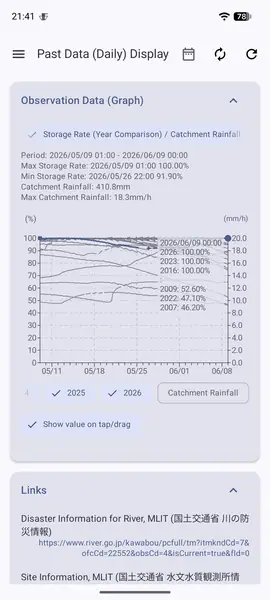
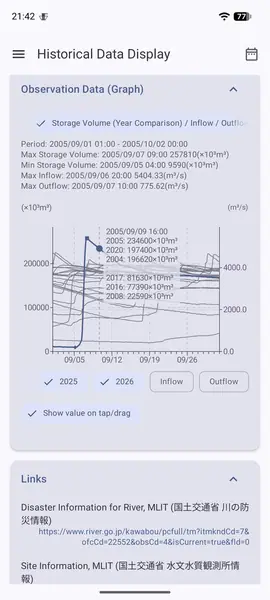
TCSameuraDamMonitor fetches dam data published by the Ministry of Land, Infrastructure, Transport and Tourism (MLIT) Hydrological and Water Quality Database and displays storage rates and related data for 125 dams in Japan, including Sameura Dam.
Features:
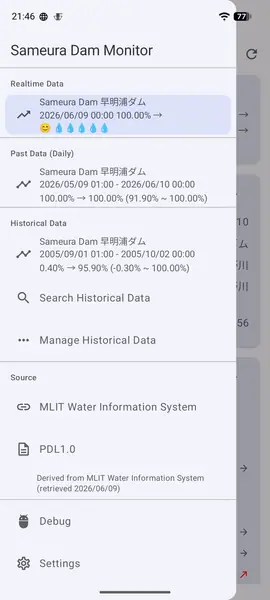
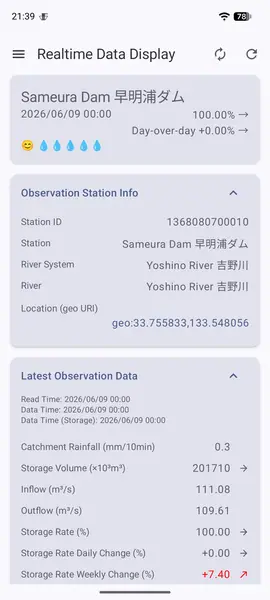
- Real-time data — fetches and stores real-time data, showing storage rate, storage volume, inflow, discharge and basin-average rainfall
- Storage rate messages — displays status and messages based on the storage rate, customizable
- Historical data — fetches and stores past data for any period, with offline search (Sameura Dam only)
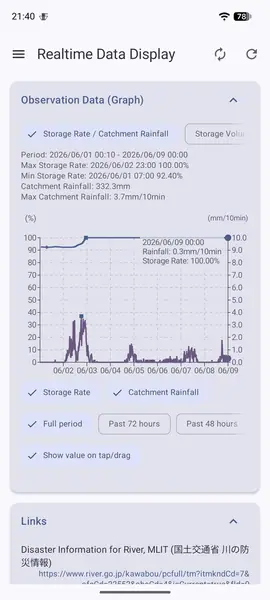
- Interactive graphs — graphs for real-time and historical data (rainfall/storage rate, storage volume/inflow/discharge)
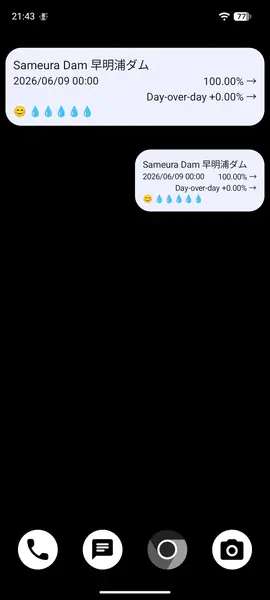
- Home screen widget — check the real-time storage rate and message at a glance
- Auto update and notifications — background real-time data fetching and storage change notifications
Data sources: The app fetches official dam data published by the Ministry of Land, Infrastructure, Transport and Tourism (MLIT) of Japan. Real-time data is fetched by default via sudmonitor (https://sudmonitor.kusugami-lab.net), a self-hosted, non-official caching relay of the same MLIT data; the official MLIT sources can be selected instead in the app settings. Daily historical data is provided through the sudmonitor relay only. This app contains no ads, trackers or analytics.
Anti-Feature (NonFreeNet): the default connection to the self-hosted sudmonitor relay is classified as a non-free network service.
Informationen zur APK-Datei
| Paketname | net.tecogonaz.tcsameuradammonitor |
|---|---|
| Version | 1.0.0-beta.6 (Code 7) |
| Mindestens | Android 14 · ausgelegt für API 37 |
| Architekturen | arm64-v8a, armeabi-v7a, x86, x86_64 |
| SHA-256 | fac8eab843a0ef5789b03ed573c956c82943f65ec5261fe8fa1d7b51b5937b73 |
| Signatur | 3aa2bf9724f409ec1fbea85b413d54bd0f834a1582a31512113484b7c34b3c12 |
| Lizenz | Apache-2.0 — freie, freizügige Lizenz: Der Quellcode ist öffentlich und wiederverwendbar |
| Quellcode | github.com/tecogonaz0439/TCSameuraDamMonitor-android |
Berechtigungen
- Internetzugriff
- Netzwerkstatus sehen
- Benachrichtigungen anzeigen
- Beim Start ausführen
- Ruhezustand verhindern
- Im Hintergrund laufen
Ältere Versionen
- Sameura Dam Monitor 1.0.0-beta.611. November 2026 · 9,1 MB
- Sameura Dam Monitor 1.0.0-beta.518. Oktober 2026 · 9,0 MB
- Sameura Dam Monitor 1.0.0-beta.414. Oktober 2026 · 9,0 MB
So installieren Sie Sameura Dam Monitor APK
- Tippen Sie oben auf APK herunterladen und öffnen Sie die Datei nach dem Download.
- Wenn Android fragt, erlauben Sie Ihrem Browser, unbekannte Apps zu installieren.
- Tippen Sie auf Installieren. Sameura Dam Monitor erscheint dann bei Ihren anderen Apps.
→ APK-Datei auf Android installieren (Schritt für Schritt)
→ „App nicht installiert“: Ursachen und Lösungen
Häufige Fragen
Ist Sameura Dam Monitor kostenlos?
Ja. Sameura Dam Monitor steht unter der Lizenz Apache-2.0: kostenlos, ohne Abo, und der Quellcode ist öffentlich.
Ist diese APK-Datei sicher?
Die Datei wurde vom F-Droid-Repository aus dem öffentlichen Quellcode erstellt und veröffentlicht. Ihr SHA-256-Fingerabdruck steht oben, Sie können ihn nach dem Download vergleichen. Ist eine APK gefährlich? So prüfen Sie eine Datei vor der Installation
Läuft Sameura Dam Monitor auf meinem Handy?
Sie benötigen mindestens Android 14. Die App funktioniert auch ohne Google-Dienste, also auch auf aktuellen Huawei-Handys.