Sumire Japanese Keyboard Lite F-Droid APK
Private offline Japanese keyboard with user dictionary and snippets
APK herunterladen v1.7.160-lite-fdroid · 55,7 MB- Version1.7.160-lite-fdroid
- Größe55,7 MB
- BenötigtAndroid 7.0
- Aktualisiert20.11.2026
- LizenzMIT
- PreisKostenlos
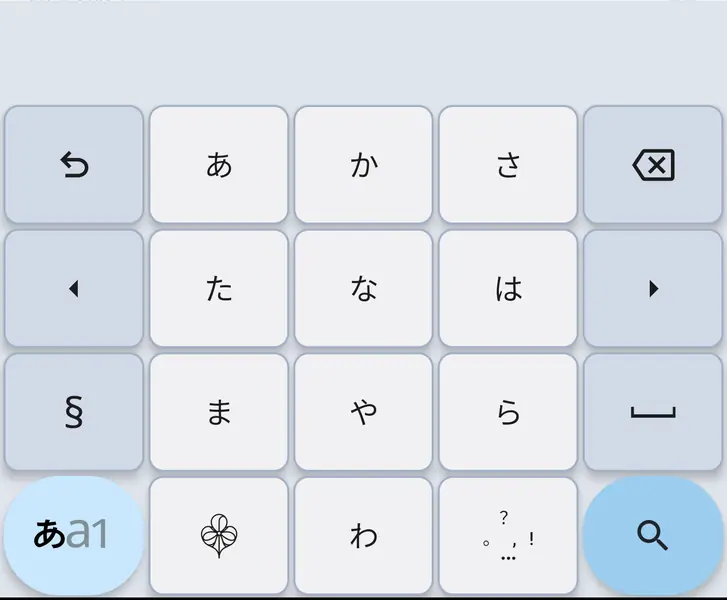
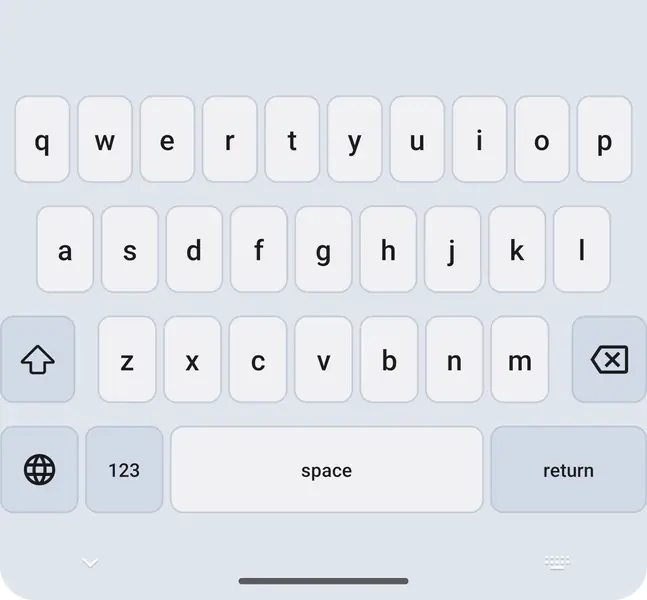
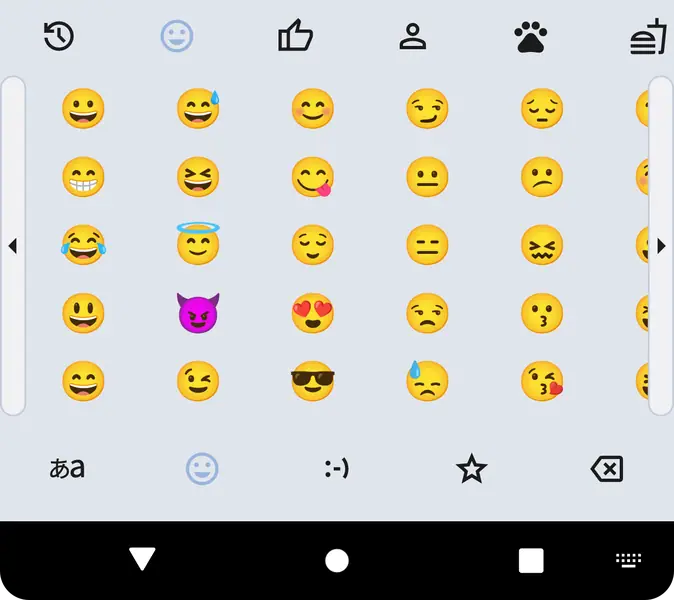
Über Sumire Japanese Keyboard Lite F-Droid
Beschreibung des Entwicklers (auf Englisch).
Sumire is a Japanese keyboard for people who want local-first input and predictable behavior. Typing, conversion, personalization, and learning data stay on the device.
The Lite F-Droid build focuses on the core keyboard experience:
- kana and romaji input with Japanese candidate conversion
- user dictionary and reusable text snippets
- clipboard-based helpers and customizable keyboard layouts
- emoji and symbol keyboards
This flavor excludes the optional Zenz and Gemma model features so it can be distributed on F-Droid with the free-software components needed for everyday typing.
The app does not request Internet access. Voice input uses the microphone permission only when you choose to use speech recognition provided by your device.
Informationen zur APK-Datei
| Paketname | com.kazumaproject.markdownhelperkeyboard.lite.fdroid |
|---|---|
| Version | 1.7.160-lite-fdroid (Code 873) |
| Mindestens | Android 7.0 · ausgelegt für API 37 |
| Architekturen | Alle (universell) |
| SHA-256 | 45c51e0c46f34e8f1ae7cf50f9023051f110ccfd0b214c95355884df5cba15ca |
| Signatur | ec676c30f05f3947a1aec86d02ecead150f772790b35fcaf8af484c1dd5eb4c0 |
| Lizenz | MIT — freie, freizügige Lizenz: Der Quellcode ist öffentlich und wiederverwendbar |
| Quellcode | github.com/KazumaProject/JapaneseKeyboard |
Berechtigungen
- Vibrieren
- Mikrofon sensibel
Ältere Versionen
- Sumire Japanese Keyboard Lite F-Droid 1.7.160-lite-fdroid20. November 2026 · 55,7 MB
- Sumire Japanese Keyboard Lite F-Droid 1.7.140-lite-fdroid4. November 2026 · 59,6 MB
- Sumire Japanese Keyboard Lite F-Droid 1.7.139-lite-fdroid29. Oktober 2026 · 59,4 MB
So installieren Sie Sumire Japanese Keyboard Lite F-Droid APK
- Tippen Sie oben auf APK herunterladen und öffnen Sie die Datei nach dem Download.
- Wenn Android fragt, erlauben Sie Ihrem Browser, unbekannte Apps zu installieren.
- Tippen Sie auf Installieren. Sumire Japanese Keyboard Lite F-Droid erscheint dann bei Ihren anderen Apps.
→ APK-Datei auf Android installieren (Schritt für Schritt)
→ „App nicht installiert“: Ursachen und Lösungen
Häufige Fragen
Ist Sumire Japanese Keyboard Lite F-Droid kostenlos?
Ja. Sumire Japanese Keyboard Lite F-Droid steht unter der Lizenz MIT: kostenlos, ohne Abo, und der Quellcode ist öffentlich.
Ist diese APK-Datei sicher?
Die Datei wurde vom F-Droid-Repository aus dem öffentlichen Quellcode erstellt und veröffentlicht. Ihr SHA-256-Fingerabdruck steht oben, Sie können ihn nach dem Download vergleichen. Ist eine APK gefährlich? So prüfen Sie eine Datei vor der Installation
Läuft Sumire Japanese Keyboard Lite F-Droid auf meinem Handy?
Sie benötigen mindestens Android 7.0. Die App funktioniert auch ohne Google-Dienste, also auch auf aktuellen Huawei-Handys.