
Zipline APK
An Android app to manage your self-hosted Zipline V4 instance.
APK herunterladen v2.1.10 · 5,8 MB- Version2.1.10
- Größe5,8 MB
- BenötigtAndroid 8.0
- Aktualisiert2.8.2026
- LizenzMIT
- PreisKostenlos
Über Zipline
Beschreibung des Entwicklers (auf Englisch).
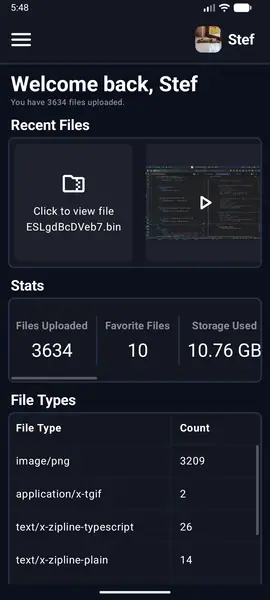
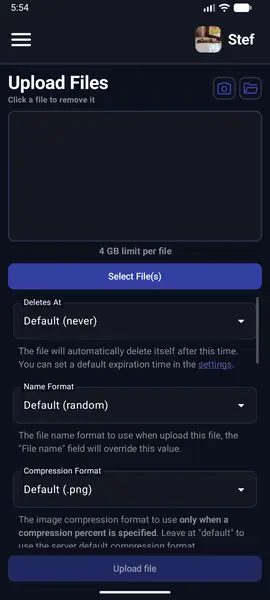
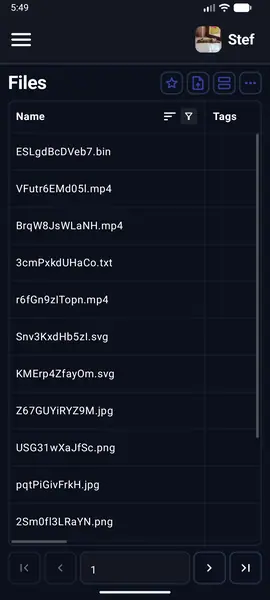
Zipline is an app that allows you to manage the files & URLs and shorten URLs & upload files to your self-hosted Zipline instance (Requires Zipline v4.2.3 or greater).
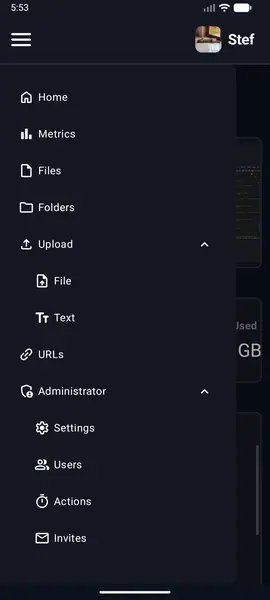
Upload Files: You can upload any file to your Zipline instance along with all of its settings such as hide the file behind a password, limit the amount of views it can receive or delete it after a specified amount of time.
Manage Files: You can see, download, edit and delete all the files on your Zipline instance.
Shorten URLs: You can shorten any URL through your Zipline instance with an optional vanity ID, password or max views.
Manage URLs: You can open, edit and delete all the shortened URLs on your Zipline instance.
Manage Folders: You can create, edit, delete, view and upload files to the folders you own on your Zipline instance.
View Metrics: You can view the stats of your uploads such as storage used, views, total files and URLs.
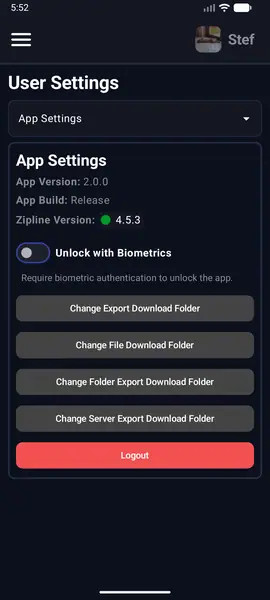
Manage your own User: You can change your username, password, avatar and any other personal setting (except for OAuth and sessions).
Manage other Users: If you are an admin, you can create, edit, delete and view the files of any user on your Zipline instance.
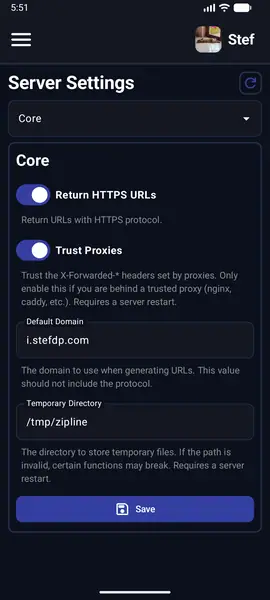
Manage Settings: If you are a Superadmin, you can view and modify the settings of your Zipline instance such as maximum file size, rateilimits etc.
The app is open source and available on GitHub: https://git.stefdp.com/Stef/Zipline-Android-App.
Informationen zur APK-Datei
| Paketname | com.stefdp.zipline |
|---|---|
| Version | 2.1.10 (Code 44) |
| Mindestens | Android 8.0 · ausgelegt für API 37 |
| Architekturen | arm64-v8a, armeabi-v7a, x86, x86_64 |
| SHA-256 | a06ac7df4c118bd5d4cc5cc4184ac4e6b4844402db8a687f32de446a9077db6e |
| Signatur | 18ce5ecbc7d3a3c591bcbbe9900d14becdbb91617300198c9cca07d737dd1e26 |
| Lizenz | MIT — freie, freizügige Lizenz: Der Quellcode ist öffentlich und wiederverwendbar |
| Quellcode | git.stefdp.com/Stef/Zipline-Android-App |
| Offizielle Website | zipline.stefdp.com |
Berechtigungen
- Internetzugriff
- Netzwerkstatus sehen
- Im Hintergrund laufen
- Benachrichtigungen anzeigen
- Kamera sensibel
- Fingerabdruck / Biometrie
- Fingerabdruck
- Ruhezustand verhindern
- Beim Start ausführen
So installieren Sie Zipline APK
- Tippen Sie oben auf APK herunterladen und öffnen Sie die Datei nach dem Download.
- Wenn Android fragt, erlauben Sie Ihrem Browser, unbekannte Apps zu installieren.
- Tippen Sie auf Installieren. Zipline erscheint dann bei Ihren anderen Apps.
→ APK-Datei auf Android installieren (Schritt für Schritt)
→ „App nicht installiert“: Ursachen und Lösungen
Häufige Fragen
Ist Zipline kostenlos?
Ja. Zipline steht unter der Lizenz MIT: kostenlos, ohne Abo, und der Quellcode ist öffentlich.
Ist diese APK-Datei sicher?
Die Datei wurde vom F-Droid-Repository aus dem öffentlichen Quellcode erstellt und veröffentlicht. Ihr SHA-256-Fingerabdruck steht oben, Sie können ihn nach dem Download vergleichen. Ist eine APK gefährlich? So prüfen Sie eine Datei vor der Installation
Läuft Zipline auf meinem Handy?
Sie benötigen mindestens Android 8.0. Die App funktioniert auch ohne Google-Dienste, also auch auf aktuellen Huawei-Handys.





