
Ambio APK
Ambio: Focus Timer & Sounds
Blend up to 3 of 12 ambient sounds into a focus soundscape you build yourself
Download APK v2.1.5 · 11.9 MB- Version2.1.5
- Size11.9 MB
- RequiresAndroid 12
- Updated11/4/2026
- LicenceMIT
- PriceFree
About Ambio
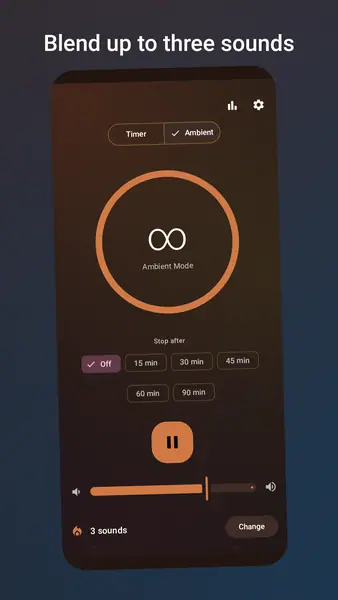
Ambio turns focus time into an environment you build yourself. Pick up to three ambient sounds, set how loud each one sits in the mix, and the whole app answers — colour, light and motion follow what you made.
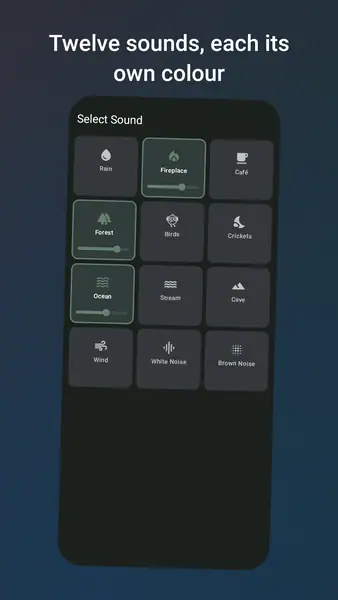
THE MIXER Twelve sounds, three at a time, each with its own level. Rain over a distant café. Fireplace under wind. Ocean with crickets at dusk. Every blend is yours to balance, and Ambio remembers it for next time.
- Rain, Fireplace, Café, Forest
- Birds, Crickets, Ocean, Stream
- Cave, Wind, White Noise, Brown Noise
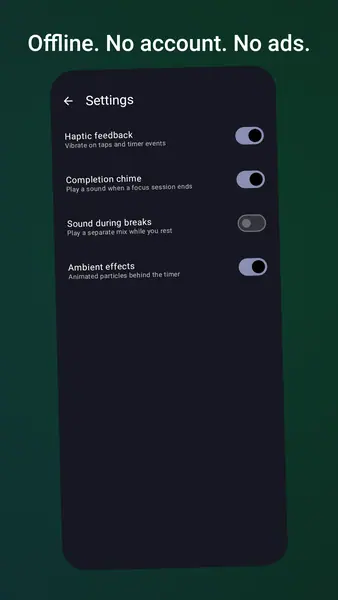
IT LOOKS LIKE IT SOUNDS The background is a living gradient blended from every sound in your mix — cool blues for rain, warm amber for fireplace, deep green for forest. Particles drift behind the timer and answer the whole mix, not just one sound. Prefer stillness? Turn the effects off.
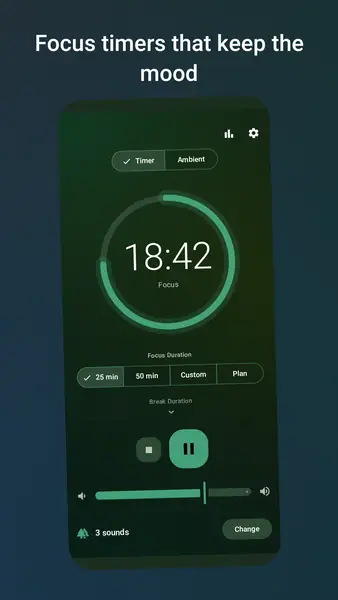
FOCUS TIMER Pomodoro presets at 25 or 50 minutes, or set your own focus and break lengths. A gentle chime closes the session without pulling you out of it. Made for studying, writing, coding, or anything that needs sustained attention.
SESSION PLANS Need more than one round? The Plan preset lets you line up focus and break steps in any order, loop them or end there. A success chime marks the end of the plan.
A MIX FOR BREAKS Rest to a different sound. Turn on sound during breaks and pick a second mix that plays only while you rest — the focus mix returns when the break ends.
AMBIENT MODE Not timing anything? Switch to ambient mode and let the mix run. For reading, meditation, winding down, or sleep — a sleep timer stops the mix for you once you have drifted off.
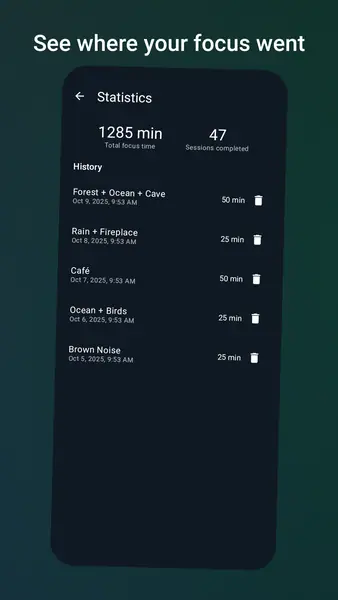
SEE WHERE YOUR FOCUS WENT A session history keeps track of the hours you actually put in.
BUILT FOR EVERY SCREEN On tablets, the mixer sits permanently beside the timer — two panes, no switching back and forth.
HELLO, HOLA, BONJOUR, こんにちは Ambio speaks your language now — the whole app, not just this page. On Android 13+ you can set its language on its own, without touching the rest of your phone.
PRIVACY FIRST Ambio respects your time AND your data:
- Works completely offline
- No account required
- No ads, ever
- No tracking or analytics
- No data leaves your device
- Open source (MIT License)
BACKGROUND PLAYBACK Start a session and put the phone down. Ambio keeps playing with full media controls — pause, resume or stop from the notification shade, the lock screen, or the Quick Settings tile.
BUILT FOR MODERN ANDROID
- Material Design 3
- Adaptive icons with Android 13+ monochrome support
- Efficient battery usage
- Small app size
WHO IS AMBIO FOR?
- Students preparing for exams
- Remote workers needing focus
- Writers battling distractions
- Developers in the zone
- Anyone who wants peaceful productivity
All ambient sounds are CC0 licensed (public domain). The app itself is open source under the MIT License.
Download Ambio and build the quiet you work best in.
What's new in version 2.1.5
Ambio 2.1.5
IMPROVEMENTS
- The media controls now take on the colors of your mix
APK file information
| Package name | com.jbgsoft.ambio |
|---|---|
| Version | 2.1.5 (code 9) |
| Minimum Android | Android 12 · targets API 37 |
| Architectures | arm64-v8a, armeabi-v7a, x86, x86_64 |
| SHA-256 | 0f9ff6cbf820140812d9ff7fa94343fe290182036e853850ddf66b0737211a1f |
| Signature | 4af641cff280d0c867f858328cdd8b94645b4555f563dcad56207c8f196e91b9 |
| Licence | MIT — permissive free licence: the source code is public and reusable |
| Source code | github.com/jaimebg/Ambio |
| Official website | jbgsoft.com |
Permissions
- Run in the background
- Show notifications
- Vibrate
- Keep the device awake
Older versions
- Ambio 2.1.5November 4, 2026 · 11.9 MB
- Ambio 2.1.4October 14, 2026 · 11.9 MB
- Ambio 2.1.3September 28, 2026 · 11.9 MB
How to install Ambio APK
- Tap Download APK above, then open the file once the download has finished.
- If Android asks, allow your browser to install unknown apps.
- Tap Install. Ambio then appears with your other apps.
Having trouble? Read our guides how to install an APK on Android and "App not installed": how to fix it.
Frequently asked questions
Is Ambio free?
Yes. Ambio is distributed under the MIT licence: free, no subscription, and its source code is public.
Is this APK file safe?
The file is the one built and published by the F-Droid repository from the public source code. Its SHA-256 fingerprint is shown above, so you can compare it after downloading. How to check an APK.
Will Ambio work on my phone?
You need at least Android 12. The app also works without Google services, so it runs on recent Huawei phones too.