Chroma Launcher APK
Your home screen, sorted by color. Find any app at a glance.
Download APK v2.17.0 · 2.1 MB- Version2.17.0
- Size2.1 MB
- RequiresAndroid 8.0
- Updated11/13/2026
- LicenceMIT
- PriceFree
About Chroma Launcher
Your home screen, sorted by color.
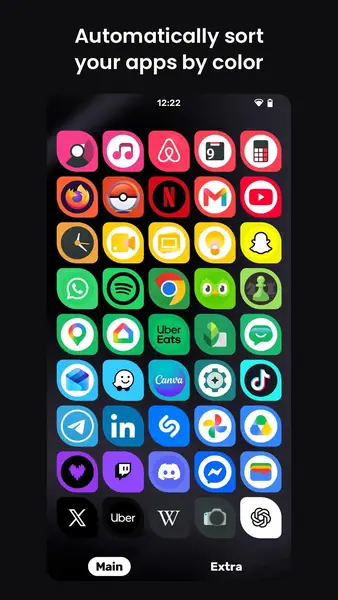
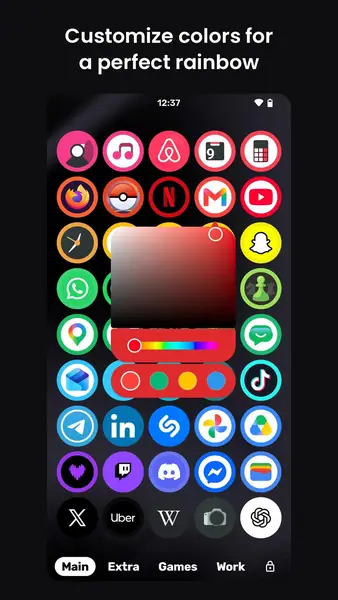
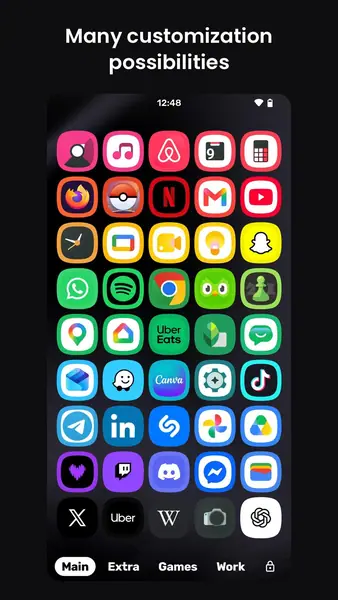
Look for the red apps: your eyes have already found them. Chroma Launcher sorts every app by the color of its icon, so you find apps by color instead of reading names.
- Find apps at a glance. YouTube is red, WhatsApp is green, Facebook is blue: brands already taught you their colors.
- Always tidy. New apps drop into their place automatically, with nothing to arrange.
- Your color, your call. Pick another color from the icon, or any color at all.
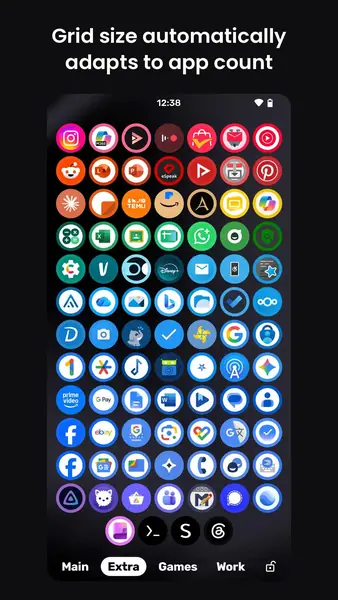
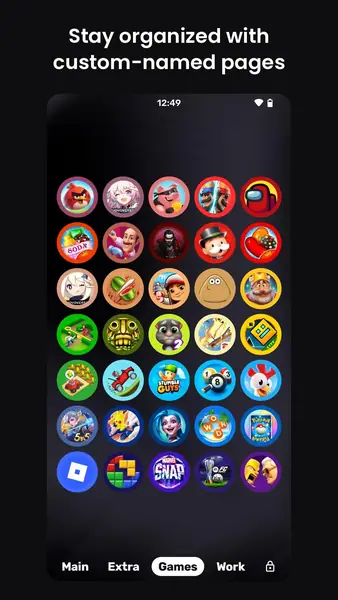
- Pages, not folders. Everything starts on Main; move rarely used apps to Extra, or name your own pages.
- Grid size that fits. Each page picks the column count that fits its apps.
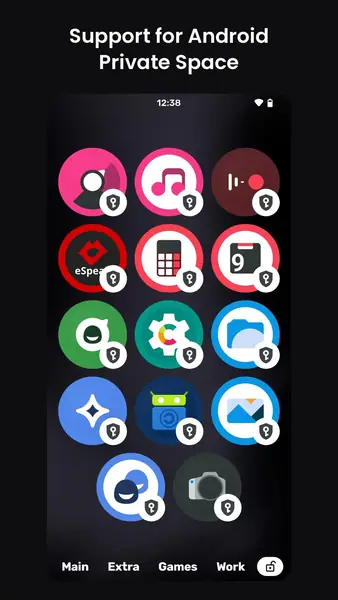
- Private space. Android's private space gets a page of its own, unlocked right from your home screen.
- Make it yours. Circle, squircle, hexagon, teardrop and more icon shapes, square or hexagon grid, joined icons, sizes and borders.
- Live icons. Calendar and clock icons show today's date and the time.
- In your language. 26 languages, right to left included, with TalkBack support.
- Fast and private. Opens in a blink and works fully offline.
- Free and open source: gitlab.com/rcmz/chromalauncherreborn
What's new in version 2.17.0
- Added support for Android Private Space
- Now in 26 languages, with right-to-left layouts
- Better TalkBack support
- New pages are added next to the current one
- Redesigned app menu, with the app's name and actions in a row
- Hexagon icons now point up, like the hexagon grid
- Whole icons are tinted, not only their greys
- Auto grid size fills the width better
- Fixed icons appearing late when flicking pages
APK file information
| Package name | com.rcmz.chromalauncher |
|---|---|
| Version | 2.17.0 (code 28) |
| Minimum Android | Android 8.0 · targets API 37 |
| Architectures | All (universal) |
| SHA-256 | 750866c7506fd2d6c81f59aede1cd29759274b513331320a779488fb53a300af |
| Signature | 76e19e8c1bc62377c544e272ee30f1d479ab41af87990ca5c6c7f01a2f036582 |
| Licence | MIT — permissive free licence: the source code is public and reusable |
| Source code | gitlab.com/rcmz/chromalauncherreborn |
| Official website | rcmz.gitlab.io |
Permissions
No special permissions.
2 other technical permission(s)
REQUEST_DELETE_PACKAGES ACCESS_HIDDEN_PROFILES
Older versions
- Chroma Launcher 2.17.0November 13, 2026 · 2.1 MB
- Chroma Launcher 2.16.0October 25, 2026 · 2.0 MB
- Chroma Launcher 2.15.1October 3, 2026 · 1.9 MB
How to install Chroma Launcher APK
- Tap Download APK above, then open the file once the download has finished.
- If Android asks, allow your browser to install unknown apps.
- Tap Install. Chroma Launcher then appears with your other apps.
Having trouble? Read our guides how to install an APK on Android and "App not installed": how to fix it.
Frequently asked questions
Is Chroma Launcher free?
Yes. Chroma Launcher is distributed under the MIT licence: free, no subscription, and its source code is public.
Is this APK file safe?
The file is the one built and published by the F-Droid repository from the public source code. Its SHA-256 fingerprint is shown above, so you can compare it after downloading. How to check an APK.
Will Chroma Launcher work on my phone?
You need at least Android 8.0. The app also works without Google services, so it runs on recent Huawei phones too.