
Cookie Extractor APK
Extract your own session cookies after a manual login
Download APK v1.3.0 · 4.6 MB- Version1.3.0
- Size4.6 MB
- RequiresAndroid 7.0
- Updated11/11/2026
- LicenceApache-2.0
- PriceFree
About Cookie Extractor
A developer tool for inspecting and verifying session information.
Headless automation is increasingly blocked by 2FA QR codes, interactive challenges, and anti-bot flows. This app takes the other road: you log in by hand, exactly like in a normal browser, then one tap pulls the session cookies for the loaded domain and hands them to the Android share sheet, ready for curl, wget, or any script that needs an authenticated session.
What is inside:
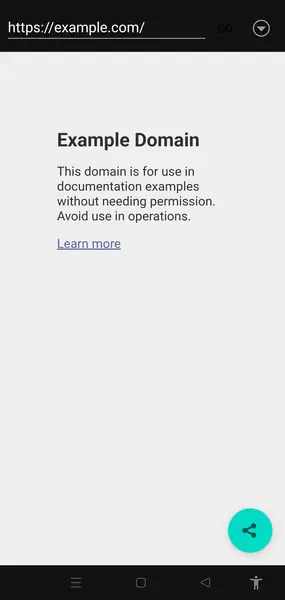
- Address bar and in-app WebView; log in with password, 2FA, OTP, or most
SSO-redirect flows. Passkeys for third-party sites do not work in a third-party WebView (Android privilege model); the README explains why.
- Non-http OAuth redirects are caught before an error page appears and
shared as one line, so relays cannot corrupt the authorization code.
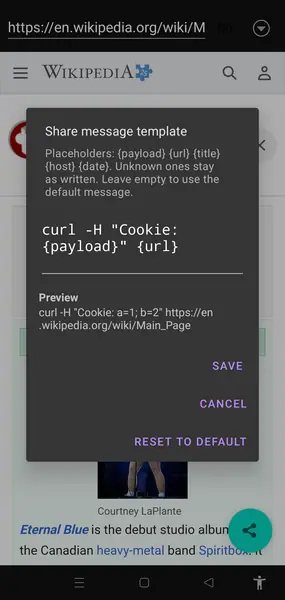
- A share template with live preview shapes the shared text: placeholders
for payload, URL, title, host, and date, for example a ready-to-paste curl command.
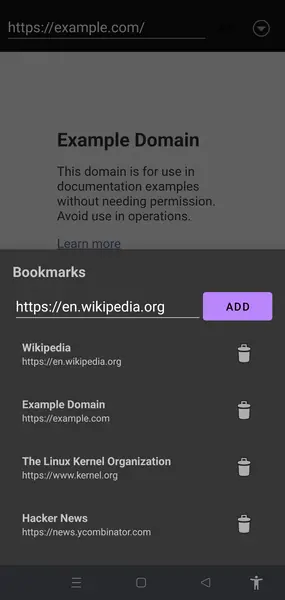
- Bookmarks with add-by-URL and entry-URL memory: what you typed, not
where the redirect landed.
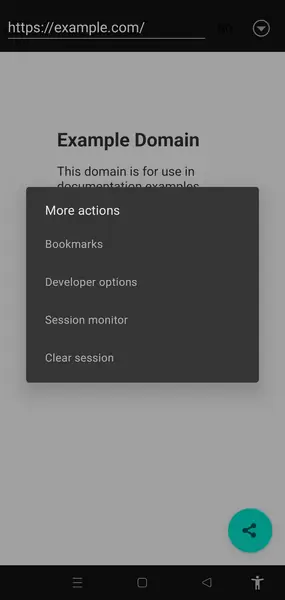
- A session monitor: point it at a state document on your own gateway and
get a native notification when a login expires.
- An opt-in, token-gated debug channel with a versioned agent API
(/api/v1) to drive the app programmatically: navigate, read text and cookies, fill and submit forms. Off by default; the README documents every endpoint and the threat model.
It reads only the cookies of its own WebView through the public CookieManager API: no root, no cross-app access, no automation of other apps. Extracted cookies are session credentials; share them only over channels you trust.
Licensed under the Apache License 2.0.
What's new in version 1.3.0
OAuth logins that end on a Microsoft sign-in page are now captured instead of loaded: the one-time code in the address is handed to the share sheet in one tap. The capture is a visible state: a banner names the source and the time, the share button becomes the code share, the state survives navigation, expiry turns the banner amber instead of hiding it, and after sharing the app concludes with a dedicated screen. The landing rule is now a profile list, ready for more identity providers.
APK file information
| Package name | com.cookiesextractor.app |
|---|---|
| Version | 1.3.0 (code 5) |
| Minimum Android | Android 7.0 · targets Android 16 |
| Architectures | All (universal) |
| SHA-256 | b1df8d1a9a96036667902a9a2576855c6d09574270d1f9f485764705909edb36 |
| Signature | ff0caf02db435a9e973744ffbabd4be24a694c1395f6632063d7bf849d7cc570 |
| Licence | Apache-2.0 — permissive free licence: the source code is public and reusable |
| Source code | github.com/paoloantinori/cookies-extractor |
Permissions
- Internet access
- Show notifications
- Start at boot
Older versions
- Cookie Extractor 1.3.0November 11, 2026 · 4.6 MB
- Cookie Extractor 1.2.0October 31, 2026 · 4.6 MB
- Cookie Extractor 1.1.0October 3, 2026 · 4.6 MB
How to install Cookie Extractor APK
- Tap Download APK above, then open the file once the download has finished.
- If Android asks, allow your browser to install unknown apps.
- Tap Install. Cookie Extractor then appears with your other apps.
Having trouble? Read our guides how to install an APK on Android and "App not installed": how to fix it.
Frequently asked questions
Is Cookie Extractor free?
Yes. Cookie Extractor is distributed under the Apache-2.0 licence: free, no subscription, and its source code is public.
Is this APK file safe?
The file is the one built and published by the F-Droid repository from the public source code. Its SHA-256 fingerprint is shown above, so you can compare it after downloading. How to check an APK.
Will Cookie Extractor work on my phone?
You need at least Android 7.0. The app also works without Google services, so it runs on recent Huawei phones too.





