
F-Droid Build Status APK
Shows and monitors build status from F-Droid
Download APK v5.15.0 · 8.8 MB- Version5.15.0
- Size8.8 MB
- RequiresAndroid 8.0
- Updated6/30/2026
- LicenceMIT
- PriceFree
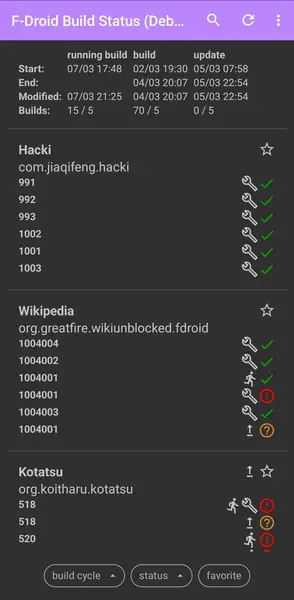
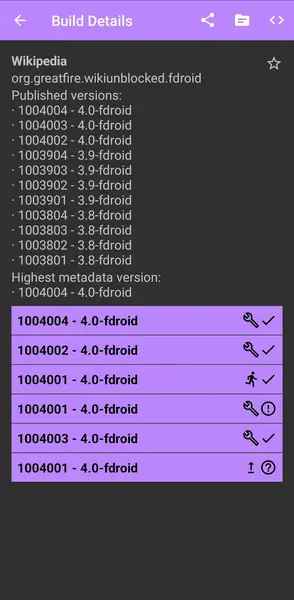
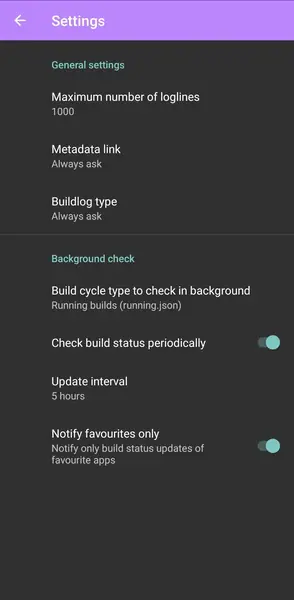
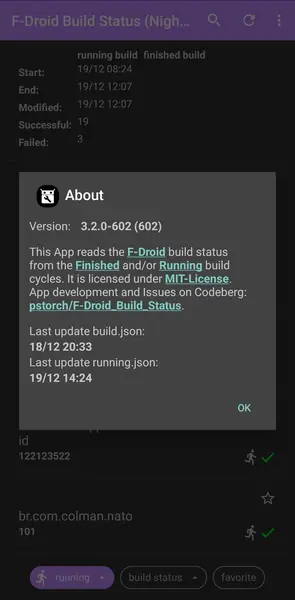
About F-Droid Build Status
Android App for the F-Droid build status API.
Features
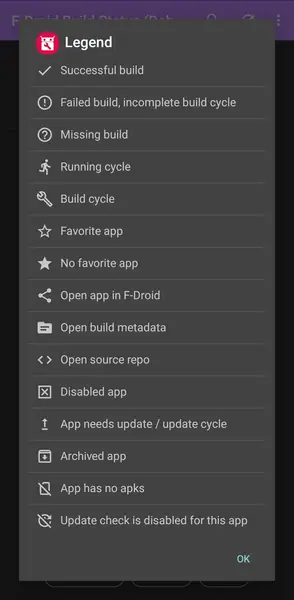
- Shows failed and successfull builds
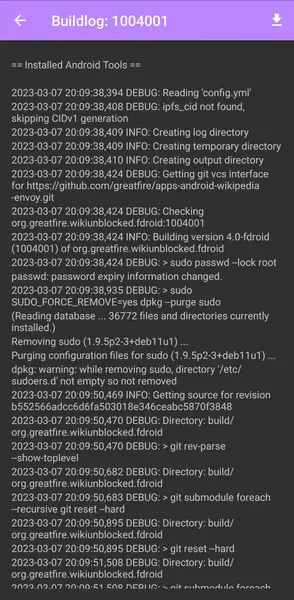
- Shows build log in detail screen
- Shows published versions of an app
- Shows if an app needs an update or is disabled
- Mark apps as favourite for sorting
- Notify about new builds or publishes of your favourite apps
F-Droid API used:
The App uses the following F-Droid API endpoints:
- running.json: the current running F-Droid buildserver process, https://f-droid.org/repo/status/running.json
- build.json: the last completed F-Droid buildserver build cycle, https://f-droid.org/repo/status/build.json
- update.json: the last update check of the F-Droid buildserver, https://f-droid.org/repo/status/update.json
- build.log: https://f-droid.org/repo/{id}_{versionCode}.log.gz
- published package info: https://f-droid.org/api/v1/packages/{id}, example https://f-droid.org/api/v1/packages/org.fdroid.fdroid
Artwork
Logo derived from F-Droid: https://gitlab.com/fdroid/artwork
What's new in version 5.15.0
- New: DateTime-format configurable
- Updated translations
- Updated dependencies
APK file information
| Package name | de.storchp.fdroidbuildstatus |
|---|---|
| Version | 5.15.0 (code 119) |
| Minimum Android | Android 8.0 · targets Android 16 |
| Architectures | All (universal) |
| SHA-256 | 7465df55ac683ccf2a8c70f02cefa9a70707d26c896a3290b3e73f2a3bd4bf3d |
| Signature | 4244fb475d6b30faafa23e30eb1ab538f317736638b8ac1561a9417a6ce4ece3 |
| Licence | MIT — permissive free licence: the source code is public and reusable |
| Source code | codeberg.org/pstorch/F-Droid_Build_Status |
| Official website | codeberg.org/pstorch/F-Droid_Build_Status |
Permissions
- Internet access
- Start at boot
- Keep the device awake
- Show notifications
- View network status
- Run in the background
Older versions
- F-Droid Build Status 5.15.0June 30, 2026 · 8.8 MB
- F-Droid Build Status 5.14.0February 8, 2026 · 8.4 MB
- F-Droid Build Status 5.13.0October 18, 2025 · 8.3 MB
How to install F-Droid Build Status APK
- Tap Download APK above, then open the file once the download has finished.
- If Android asks, allow your browser to install unknown apps.
- Tap Install. F-Droid Build Status then appears with your other apps.
Having trouble? Read our guides how to install an APK on Android and "App not installed": how to fix it.
Frequently asked questions
Is F-Droid Build Status free?
Yes. F-Droid Build Status is distributed under the MIT licence: free, no subscription, and its source code is public.
Is this APK file safe?
The file is the one built and published by the F-Droid repository from the public source code. Its SHA-256 fingerprint is shown above, so you can compare it after downloading. How to check an APK.
Will F-Droid Build Status work on my phone?
You need at least Android 8.0. The app also works without Google services, so it runs on recent Huawei phones too.





