
Home Medkit APK
Home Medkit — medicine storage and intake reminders.
Download APK v1.10.0 · 6.4 MB- Version1.10.0
- Size6.4 MB
- RequiresAndroid 8.0
- Updated11/1/2026
- LicenceGPL-3.0-only
- PriceFree
About Home Medkit
Home Medkit
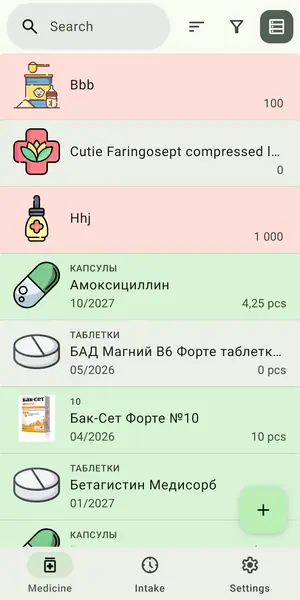
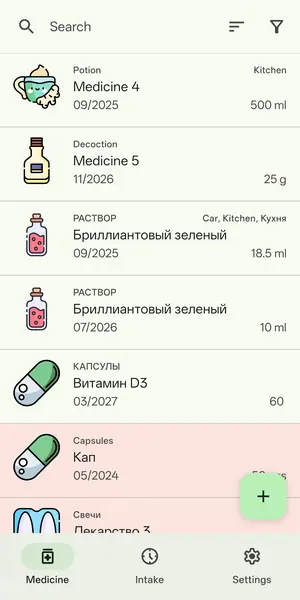
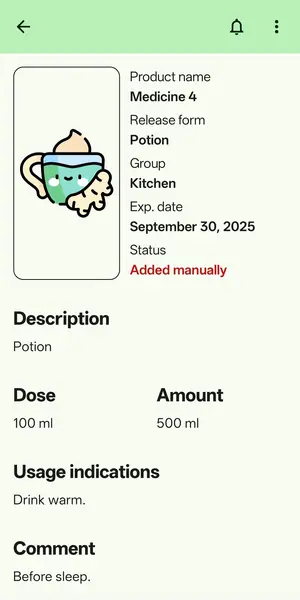
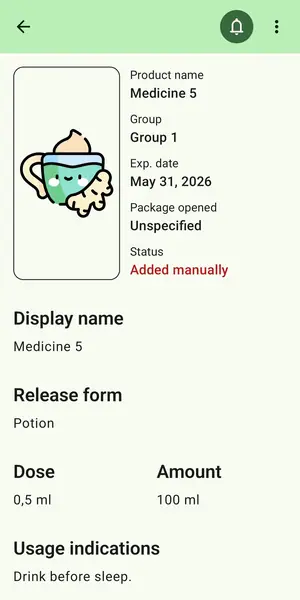
The application provides a simple and convenient way to add and store data about medications taken.
Features
- Automatically add medications by scanning codes.
- Cloud synchronization of the list of medicines.
- The ability to manually add medications.
- Update the information about the medicine if the scan was performed without an internet connection.
- Adding images of medicines.
- Sorting of medicines by expiration dates.
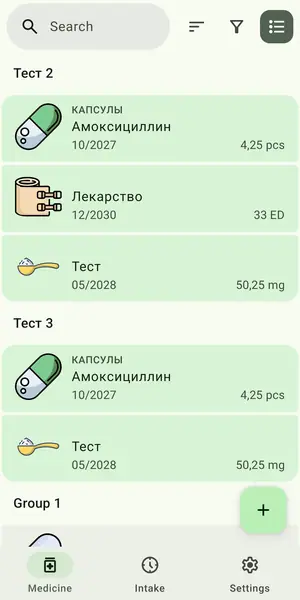
- Grouping of medicines by categories.
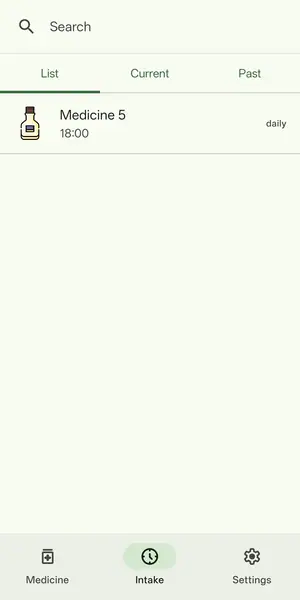
- Sound notification of the need to take medicine.
- Display of the nearest medication schedule.
- Reminder of the expiration date of medicines.
- The ability to export and import databases to other devices.
The application provides the ability to monitor the expiration dates of medicines, schedule their intake and receive reminders. It is an indispensable assistant that will help you keep abreast of your health.
What's new in version 1.10.0
— Added animation for highlighting the recognized code during scanning. — Added a window for processing code and uploading images with a progress display and a cancel button. — Added confirmation before adding the medicine using the EAN-13 barcode. — Fixed bugs that caused the medicines search to malfunction in rare cases.
APK file information
| Package name | ru.application.homemedkit |
|---|---|
| Version | 1.10.0 (code 79) |
| Minimum Android | Android 8.0 · targets API 37 |
| Architectures | arm64-v8a, armeabi-v7a |
| SHA-256 | 9773bdea69807e15d0e9b01ebf322afbd07e8c2e5fbcca7b47d33c61b78a01fc |
| Signature | d5f652d2ec10bfb7915a2981eb6426624fc5229293bf620a6124d6839af179ea |
| Licence | GPL-3.0-only — copyleft free licence: the code is public and modified versions must stay free |
| Source code | github.com/pewaru-333/HomeMedkit-App |
Permissions
- View network status
- Camera sensitive
- Internet access
- Show notifications
- Start at boot
- Vibrate
- Keep the device awake
- Run in the background
3 other technical permission(s)
REQUEST_IGNORE_BATTERY_OPTIMIZATIONS SCHEDULE_EXACT_ALARM USE_FULL_SCREEN_INTENT
Older versions
- Home Medkit 1.10.0November 1, 2026 · 6.4 MB
- Home Medkit 1.9.13August 28, 2026 · 15.6 MB
- Home Medkit 1.9.12August 27, 2026 · 15.5 MB
How to install Home Medkit APK
- Tap Download APK above, then open the file once the download has finished.
- If Android asks, allow your browser to install unknown apps.
- Tap Install. Home Medkit then appears with your other apps.
Having trouble? Read our guides how to install an APK on Android and "App not installed": how to fix it.
Frequently asked questions
Is Home Medkit free?
Yes. Home Medkit is distributed under the GPL-3.0-only licence: free, no subscription, and its source code is public.
Is this APK file safe?
The file is the one built and published by the F-Droid repository from the public source code. Its SHA-256 fingerprint is shown above, so you can compare it after downloading. How to check an APK.
Will Home Medkit work on my phone?
You need at least Android 8.0. The app also works without Google services, so it runs on recent Huawei phones too.