
Kalimory APK
Calm, offline bodyweight training with guided workouts and progressions
Download APK v1.1.0 · 4.4 MB- Version1.1.0
- Size4.4 MB
- RequiresAndroid 8.0
- Updated11/4/2026
- LicenceGPL-3.0-only
- PriceFree
About Kalimory
Kalimory plans your bodyweight training, runs it with you, and remembers every set. There is no account, and nothing goes online: your workouts stay on your phone.
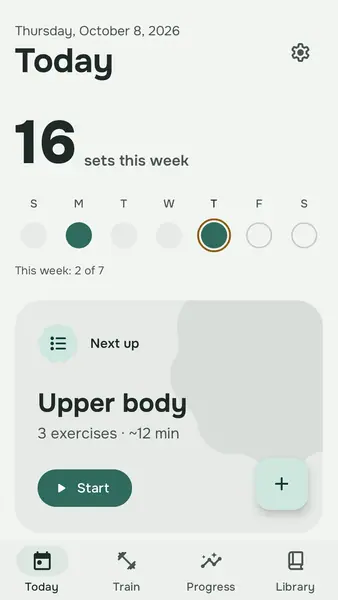
Today
- This week at a glance, what is due, and a suggestion for what to train next
- Start any workout from one button
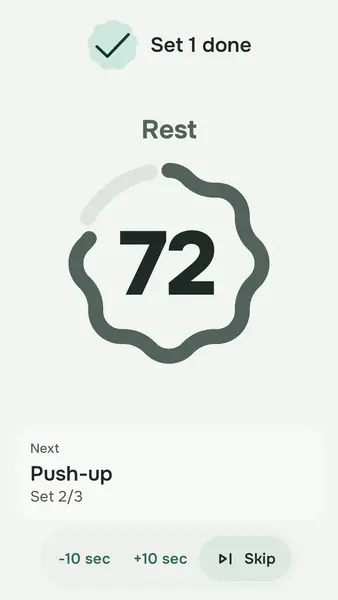
Guided workouts
- Rep counting, hold timers and rest timers that keep going with the screen off
- Programs of several exercises, which you can pause and resume later
- Interval routines with timed work and rest
- Log past workouts, with several exercises in one session
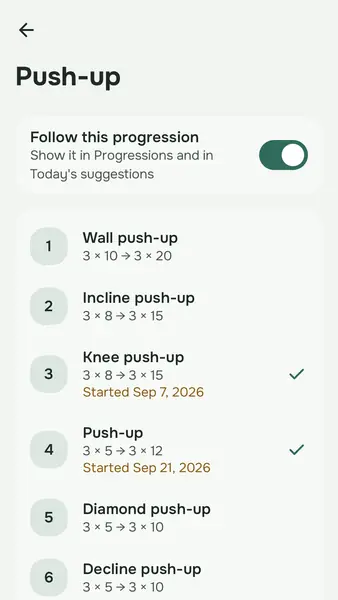
157 steps in 29 progression chains
- From the wall push-up to the planche, the dead hang to the front lever, and the assisted squat to the pistol squat
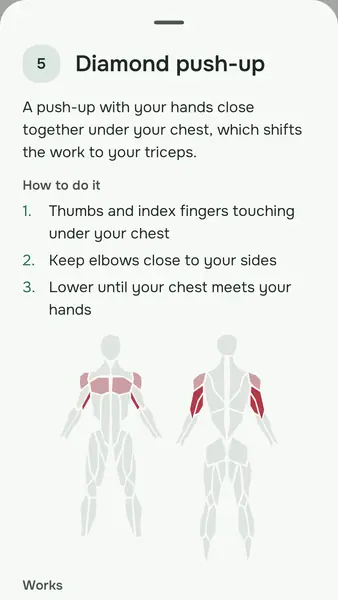
- Every step has form cues, a muscle map, the equipment it needs, and clear standards to start and to move on
- Skills such as the muscle-up and the human flag show the steps they build on
- Nothing is locked: train any step whenever you like
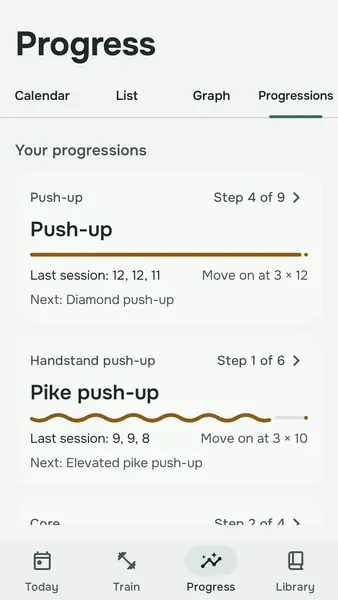
Progressions
- For each chain you follow: your current step, how close you are to moving on, and the dates you started and met each step
Progress
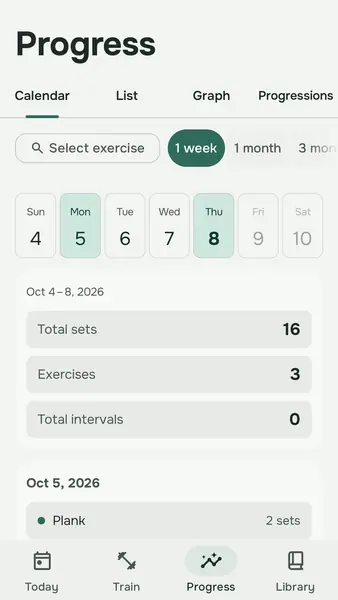
- Calendar, lists, graphs, personal bests and a weekly goal
Your data, your files
- Complete JSON backups, CSV import and export, and recovery files if the database is ever damaged
Calm by design
- Light, dark and true-black AMOLED themes, optional wallpaper colours, and ten languages
Privacy
- No internet permission, no ads, no analytics and no crash reporting
Kalimory began as a fork of Calisthenics Memory by Gonbei774 and is free software under the GPL-3.0.
What's new in version 1.1.0
Edit a whole saved workout, including its date and sets. The workout notification now shows your progress, in your chosen language, and crash reports stay on your phone until you share one. Restoring a backup first saves a checked copy of your data, and many fixes make the app sturdier: no double saves from quick taps, the new day after leaving the app open overnight, and whole labels at the largest font size.
APK file information
| Package name | io.github.wildebeast2521.kalimory |
|---|---|
| Version | 1.1.0 (code 4) |
| Minimum Android | Android 8.0 · targets Android 15 |
| Architectures | arm64-v8a, armeabi-v7a, x86, x86_64 |
| SHA-256 | 4caed0693fbcd2741f0bbcc8ed0ad8eb392657e6c581ff586cdbcdba73aa01e4 |
| Signature | bf768448fb8d632ffcc3c08321912cad47426fc2a094aa796e33ccf6cb083eae |
| Licence | GPL-3.0-only — copyleft free licence: the code is public and modified versions must stay free |
| Source code | github.com/WildeBeast2521/kalimory |
Permissions
- Keep the device awake
- Run in the background
- Show notifications
1 other technical permission(s)
FLASHLIGHT
Older versions
- Kalimory 1.1.0November 4, 2026 · 4.4 MB
- Kalimory 1.0.2October 12, 2026 · 4.3 MB
How to install Kalimory APK
- Tap Download APK above, then open the file once the download has finished.
- If Android asks, allow your browser to install unknown apps.
- Tap Install. Kalimory then appears with your other apps.
Having trouble? Read our guides how to install an APK on Android and "App not installed": how to fix it.
Frequently asked questions
Is Kalimory free?
Yes. Kalimory is distributed under the GPL-3.0-only licence: free, no subscription, and its source code is public.
Is this APK file safe?
The file is the one built and published by the F-Droid repository from the public source code. Its SHA-256 fingerprint is shown above, so you can compare it after downloading. How to check an APK.
Will Kalimory work on my phone?
You need at least Android 8.0. The app also works without Google services, so it runs on recent Huawei phones too.