
Mesh+ for Meshtastic APK
Chat over Meshtastic radios off-grid, and get your phone's texts over the mesh.
Download APK v0.6.1 · 4.1 MB- Version0.6.1
- Size4.1 MB
- RequiresAndroid 12
- Updated11/23/2026
- LicenceMIT
- PriceFree
About Mesh+ for Meshtastic
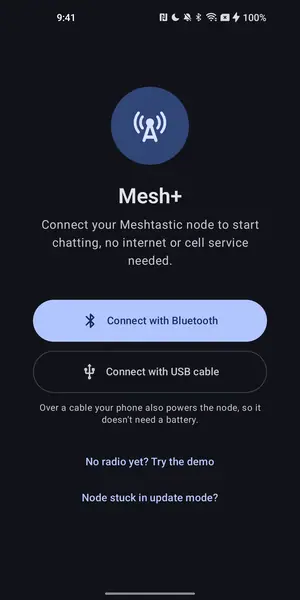
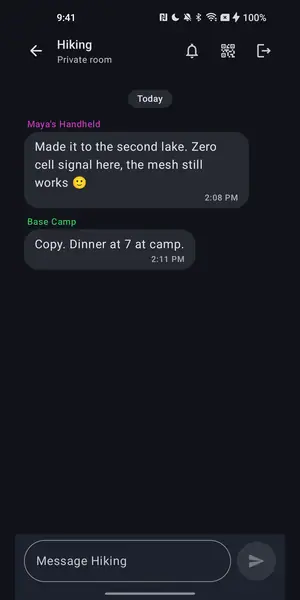
Mesh+ is a small, friendly alternative to the official Meshtastic app for Android, made for chatting over Meshtastic radios. Pair your radio over Bluetooth or plug it in with a USB-C cable, and you can chat with people nearby across the LoRa mesh and keep up with your phone's texts and calls, without internet or cell service anywhere along the way.
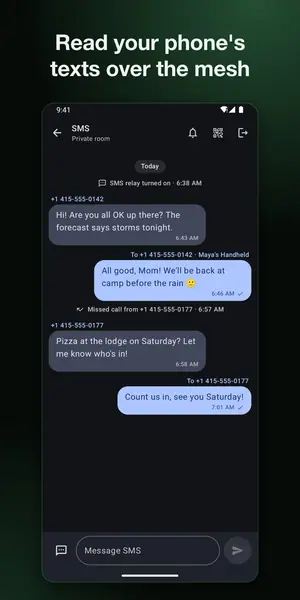
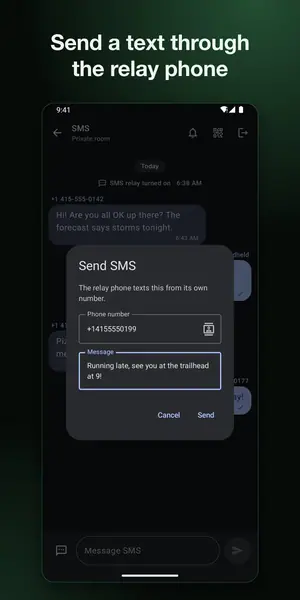
The SMS relay brings your texts over the mesh. Leave one phone where there's signal, at base camp, in the car or at home, and turn on its relay. Mesh+ forwards the SMS that phone receives and the number of each incoming call to a private, encrypted room on your radio, so you can read them wherever the mesh reaches. Answer from that room and the relay phone sends your reply as a regular SMS from its own number. Everyone in the room can read and answer, so keep it to people you trust. The relay is off until you turn it on in Settings, Android asks for SMS and call log access only then, and nothing is ever sent to us or any server.
Setting up takes about a minute: pick your radio, type the PIN from its screen, choose your region and a name, and you're ready to chat.
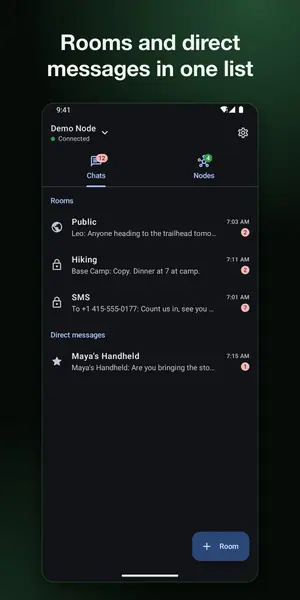
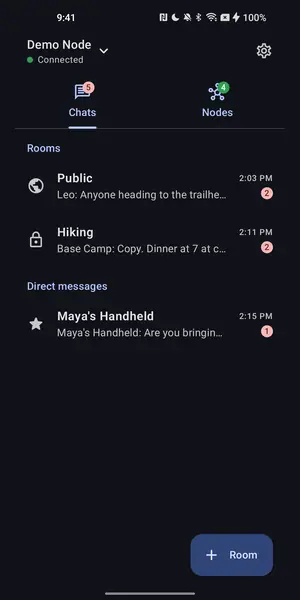
The public channel, private rooms you share with a QR code or link, and end-to-end encrypted direct messages all live in one list with unread badges, and you can mute the ones you don't want notifications from. Mesh+ keeps running in the background while you're connected and lets you know about new messages.
Every radio setting has a short note on what it does and when you'd change it, from radio presets and hop limits to Bluetooth pairing, power saving and the screen.
You can update nRF52 radios such as the Heltec T114 and RAK4631 from your phone, over a USB cable in about a minute or over Bluetooth, and pick the newest firmware release, a pre-release or any earlier version.
Switch between all your radios from the top bar and see which board each one is, the firmware it runs and its battery voltage. If you don't have a radio yet, you can try the built-in demo.
Mesh+ has no accounts, ads or analytics, and your messages stay on your phone. It's an independent open-source project and isn't affiliated with or endorsed by Meshtastic LLC. Meshtastic® is a registered trademark of Meshtastic LLC.
What's new in version 0.6.1
New Theme setting: keep Mesh+ dark or light whatever your phone uses, or let it follow the system. Find it in Settings.
APK file information
| Package name | com.borodutch.meshplus |
|---|---|
| Version | 0.6.1 (code 13) |
| Minimum Android | Android 12 · targets Android 16 |
| Architectures | arm64-v8a, armeabi-v7a, x86, x86_64 |
| SHA-256 | ab43ac014ab53cddcdb670812e05240d52c7cd4f4aa47fd2c52bb58c00b313a8 |
| Signature | 9216a9c3839474e6d9702f93baa0f4b7c26be5f606606c32d806f23ce91977a8 |
| Licence | MIT — permissive free licence: the source code is public and reusable |
| Source code | github.com/backmeupplz/meshtastic-plus |
| Official website | meshplus.app |
Permissions
- Scan for Bluetooth devices
- Connect via Bluetooth
- Internet access
- Run in the background
- Show notifications
- Receive SMS sensitive
- Send SMS sensitive
- Phone status sensitive
- Call log sensitive
- Bluetooth
- Camera sensitive
1 other technical permission(s)
BLUETOOTH_ADMIN
Older versions
- Mesh+ for Meshtastic 0.6.1November 23, 2026 · 4.1 MB
- Mesh+ for Meshtastic 0.6.0November 20, 2026 · 4.1 MB
- Mesh+ for Meshtastic 0.5.2November 17, 2026 · 4.0 MB
How to install Mesh+ for Meshtastic APK
- Tap Download APK above, then open the file once the download has finished.
- If Android asks, allow your browser to install unknown apps.
- Tap Install. Mesh+ for Meshtastic then appears with your other apps.
Having trouble? Read our guides how to install an APK on Android and "App not installed": how to fix it.
Frequently asked questions
Is Mesh+ for Meshtastic free?
Yes. Mesh+ for Meshtastic is distributed under the MIT licence: free, no subscription, and its source code is public.
Is this APK file safe?
The file is the one built and published by the F-Droid repository from the public source code. Its SHA-256 fingerprint is shown above, so you can compare it after downloading. How to check an APK.
Will Mesh+ for Meshtastic work on my phone?
You need at least Android 12. The app also works without Google services, so it runs on recent Huawei phones too.





