microMathematics Plus APK
Computer algebra system
Download APK v2.23.3 · 8.3 MB- Version2.23.3
- Size8.3 MB
- RequiresAndroid 4.0
- Updated3/1/2026
- LicenceGPL-3.0-only
- PriceFree
About microMathematics Plus
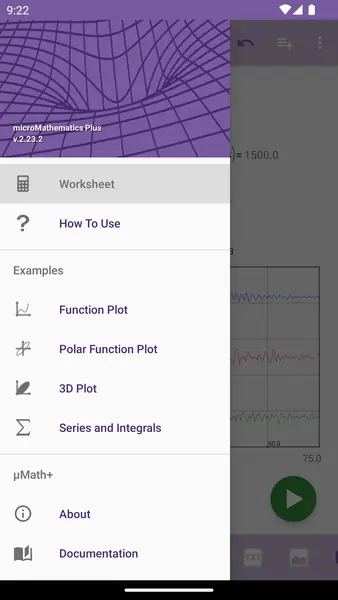
With microMathematics Plus, you can not only perform mathematical calculations in naturally readable form, but can also create and manage your own collection of interactive formulas!
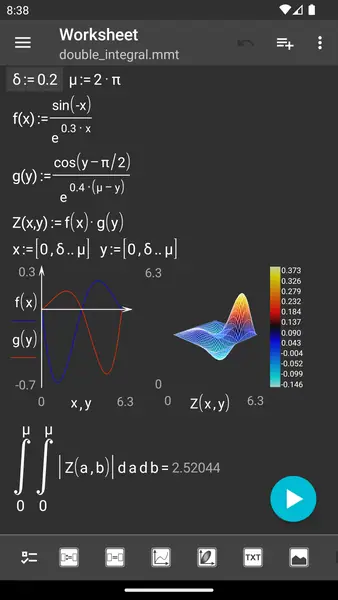
The microMathematics Plus is a revolutionary new kind of mobile calculator. It is the world’s first scientific graphing calculator and function plotter on Android oriented around a worksheet. It allows live editing of mathematical identities combined with highly accurate computations.
The app is 100% open source. Please feel free to download, explore, fork or contribute to it on https://github.com/mkulesh/microMathematics
Not only students, but also everybody who likes mathematics or needs more than just a basic calculator will benefit from this amazing technique of mathematical calculations and plotting.
Benefits and features:
- Maximum privacy: No ads, no trackers, no telemetry, no special permissions
- The modern Material design supports different color themes and works on smartphones and/or tablets in portrait and landscape mode
- Verification, validation, documentation and re-use of mathematical calculations
- Works on smartphone or tablet in portrait and landscape mode
- Supports all commonly used mathematical operations
- Mathematical expressions are written in an intuitive and naturally readable form
- Supports SI and non-SI units (including units of information)
- Powerful mathematical touch-screen editor with undo function makes editing easier
- You can do multiple calculations and subsequently correct or change all used formulas
- It is possible to store intermediate results into 1D, 2D, or 3D array that can improve calculation performance
- Mathematical expressions are collected in a document, that includes not only formulas and plots, but also additional text and images (SVG format is also supported)
- You can store your document on SD card and export it into LaTeX format or an image (SD writing permission is needed)
- SD card on Android 6+ is also supported
- The app contains detailed "How to use" page and several examples
- Supports data import from ASCII files
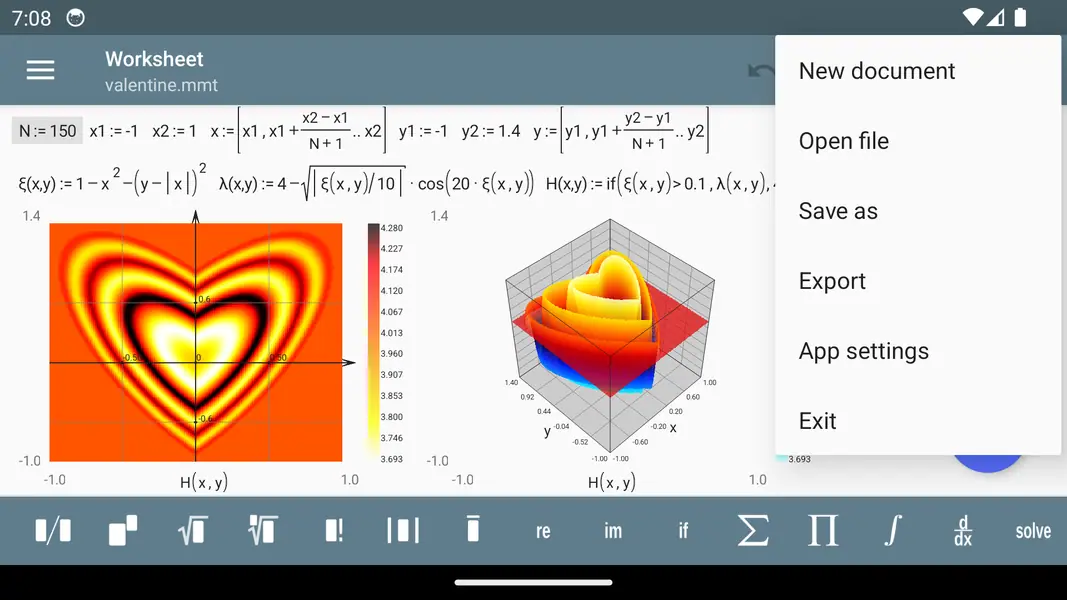
- Supports units of measurements, arrays, complex numbers, functions of many arguments, plots for several functions, contour and 3D plots, summation and product operations, derivative and definite integrals, if-function and logical operators, Fourier transform, root finding.
This version has following mathematical limitations: it does not support special functions, vectors, matrices and many other things from high-level mathematics.
Languages: English, Russian, German, Brazilian Portuguese, Chinese, Spanish
APK file information
| Package name | com.mkulesh.micromath.plus |
|---|---|
| Version | 2.23.3 (code 325) |
| Minimum Android | Android 4.0 · targets Android 16 |
| Architectures | All (universal) |
| SHA-256 | 07fdb9f23f8ecc1f9ad1726a1491ffd08bd92750fdb9db94b841d02168dc4c08 |
| Signature | a7f4545d30fa5ebc7b55880f29b50d012345ac62a61429f4aa3b71dcd18e74e3 |
| Licence | GPL-3.0-only — copyleft free licence: the code is public and modified versions must stay free |
| Source code | github.com/mkulesh/microMathematics |
Permissions
- Read storage
- Write to storage
Older versions
- microMathematics Plus 2.23.3March 1, 2026 · 8.3 MB
- microMathematics Plus 2.23.2April 17, 2024 · 5.9 MB
- microMathematics Plus 2.23.1December 23, 2022 · 5.6 MB
How to install microMathematics Plus APK
- Tap Download APK above, then open the file once the download has finished.
- If Android asks, allow your browser to install unknown apps.
- Tap Install. microMathematics Plus then appears with your other apps.
Having trouble? Read our guides how to install an APK on Android and "App not installed": how to fix it.
Frequently asked questions
Is microMathematics Plus free?
Yes. microMathematics Plus is distributed under the GPL-3.0-only licence: free, no subscription, and its source code is public.
Is this APK file safe?
The file is the one built and published by the F-Droid repository from the public source code. Its SHA-256 fingerprint is shown above, so you can compare it after downloading. How to check an APK.
Will microMathematics Plus work on my phone?
You need at least Android 4.0. The app also works without Google services, so it runs on recent Huawei phones too.