Mood Cairns APK
Private, fully offline mood tracker with tags and charts. No network access.
Download APK v1.2.2 · 25.3 MB- Version1.2.2
- Size25.3 MB
- RequiresAndroid 10
- Updated11/20/2026
- LicenceGPL-3.0-only
- PriceFree
About Mood Cairns
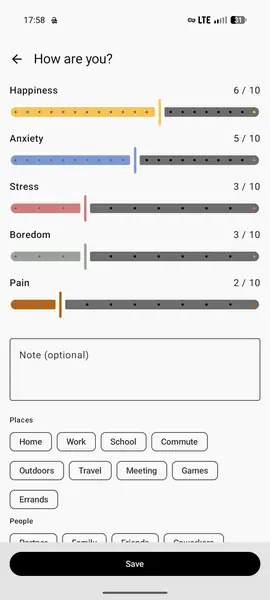
A private, fully offline Android mood tracker. Log how you're feeling against your own Scales, with your own Tags, in your own time windows, on your own device. Nothing is ever uploaded - backup, if you want it, is done your own way (hint: Syncthing works well on the encrypted backups you save.).
Features
- Custom Scales. Five built-in scales (Happiness, Anxiety, Stress, Boredom, Pain), each numeric and color-tagged. Add your own; archive the ones you don't want.
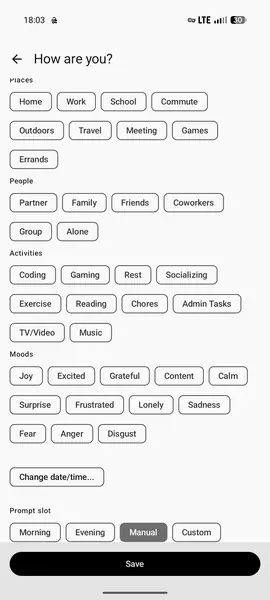
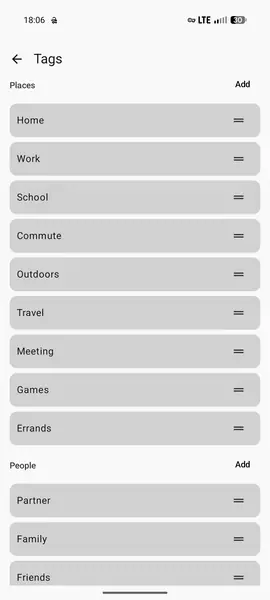
- Custom Tags. Choose from many built-in Tags for Places, People, Activities, Moods, etc. or add your own to customize your tracking!
- Prompt windows. Define time-of-day windows (e.g. morning 08:00-12:00, evening 18:00-20:00). The app fires one notification per window per day. Tap the notification to jump straight to the log entry screen.
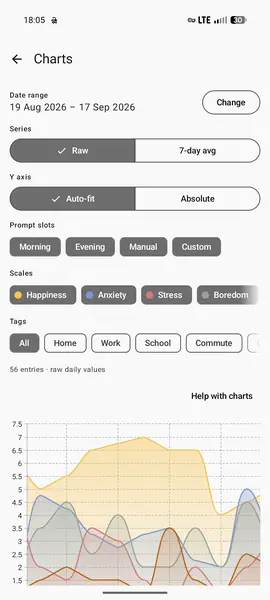
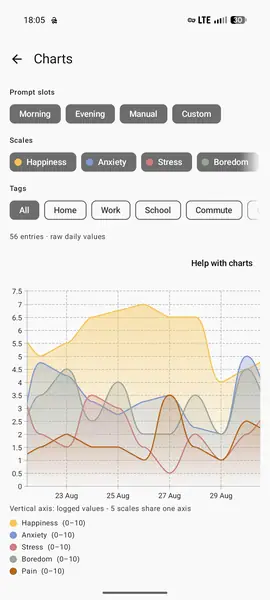
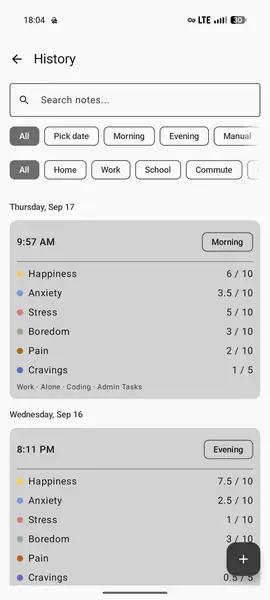
- History and charts. Browse past entries, see per-scale trends over time.
- In your language. Available in English, Spanish, and German. Choose the app language in Settings, independent of your phone's language.
- Encrypted on-disk storage. The mood database is encrypted at rest using SQLCipher. The key lives in memory only while the app is unlocked, and is wiped when you lock it.
- PIN + biometric lock. PIN-gated app entry, with optional biometric unlock. PIN is hashed with PBKDF2-HMAC-SHA256 (600k iterations) before being stored.
- Encrypted backups. Manual export writes an AES-GCM-encrypted JSON file to Documents/MoodCairns/. The encryption key is derived from a backup passphrase you choose (minimum 8 characters) with PBKDF2-HMAC-SHA256 (600k iterations) and a fresh per-backup salt embedded in the envelope, so any install (including a fresh one) can decrypt with the same passphrase. Backups from older versions, which were encrypted with the app PIN, still import with that PIN.
Privacy contract
The app declares no network permissions. Without internet, the process literally cannot open a socket, which makes phone-home impossible regardless of what any included library tries to do. The build enforces this, so a network permission can never be silently introduced by a dependency update. If you want backups synced off-device, point Syncthing (or any file manager that can sync a folder) at Documents/MoodCairns/.
Contact
The best way to get in touch for issues, feature requests, etc. is the Issues page on github.com/lcdcode/mood-cairns. I will usually respond within 3 business days.
Source
Fully open source under GPL-3.0-only. Built on Kotlin, Jetpack Compose, Room, SQLCipher, and AndroidX.
What's new in version 1.2.2
New Features:
- Polish language translation
- New "Hourly" chart: averages your entries by hour of day to show time-of-day patterns
- Zoom into the Raw chart to see each entry plotted at the time you logged it
- Add your own Categories for Tags
- Configuration-only export option
- Custom colors for Scales
Fixes:
- The 7-day average is now centered on each day, so spikes no longer drag the days after them
- Additional UI polish
APK file information
| Package name | com.lcdcode.moodcairns |
|---|---|
| Version | 1.2.2 (code 12) |
| Minimum Android | Android 10 · targets Android 14 |
| Architectures | arm64-v8a, armeabi-v7a, x86, x86_64 |
| SHA-256 | 34b3405745fef96129bdc6580feade6bedae0793b567a48b70edbb7373eab93d |
| Signature | 493609b8137babcda2d59684cda7112fcc7eb52e9d32ddda8d74f857ef13151b |
| Licence | GPL-3.0-only — copyleft free licence: the code is public and modified versions must stay free |
| Source code | github.com/lcdcode/mood-cairns |
Permissions
- Show notifications
- Start at boot
- Fingerprint / biometrics
- Fingerprint
- Keep the device awake
- Run in the background
Older versions
- Mood Cairns 1.2.2November 20, 2026 · 25.3 MB
- Mood Cairns 1.2.1November 9, 2026 · 25.2 MB
- Mood Cairns 1.2.0October 1, 2026 · 24.8 MB
How to install Mood Cairns APK
- Tap Download APK above, then open the file once the download has finished.
- If Android asks, allow your browser to install unknown apps.
- Tap Install. Mood Cairns then appears with your other apps.
Having trouble? Read our guides how to install an APK on Android and "App not installed": how to fix it.
Frequently asked questions
Is Mood Cairns free?
Yes. Mood Cairns is distributed under the GPL-3.0-only licence: free, no subscription, and its source code is public.
Is this APK file safe?
The file is the one built and published by the F-Droid repository from the public source code. Its SHA-256 fingerprint is shown above, so you can compare it after downloading. How to check an APK.
Will Mood Cairns work on my phone?
You need at least Android 10. The app also works without Google services, so it runs on recent Huawei phones too.