My Expenses APK
Easy to use personal finance manager: rich functionality and Open Source
Download APK v4.1.4 · 35.0 MB- Version4.1.4
- Size35.0 MB
- RequiresAndroid 8.0
- Updated11/23/2026
- LicenceGPL-3.0-only
- PriceFree
About My Expenses
My Expenses is your ultimate, privacy-friendly personal finance manager—giving you total control over daily expense tracking, budgeting, and investment portfolios with open-source transparency.
Key Features:
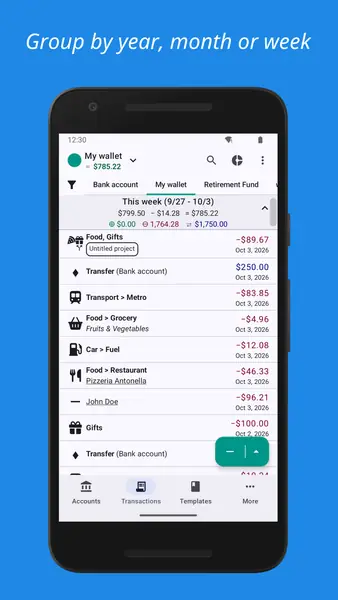
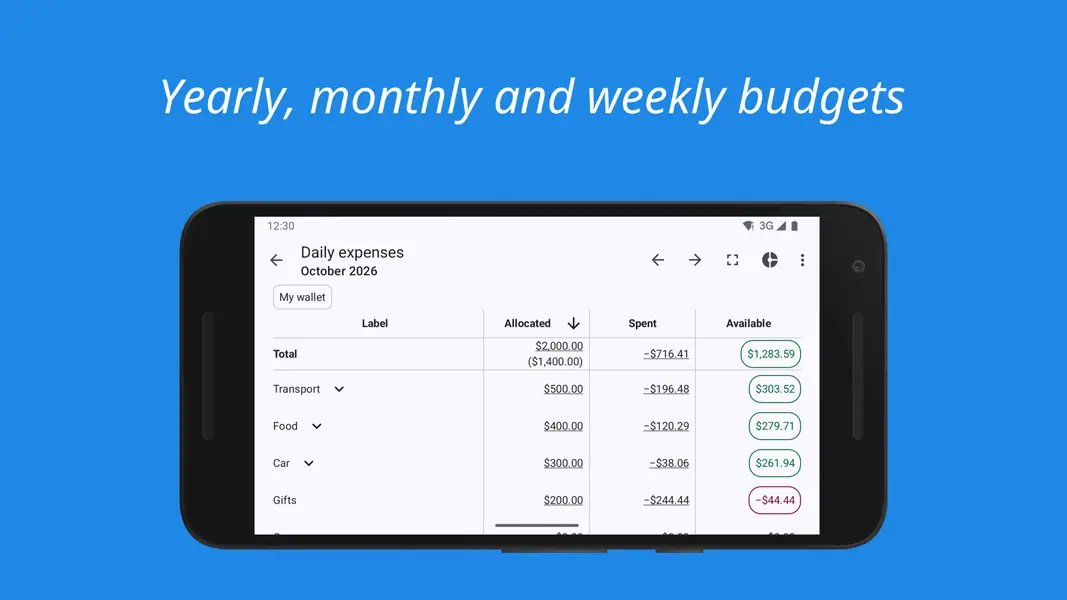
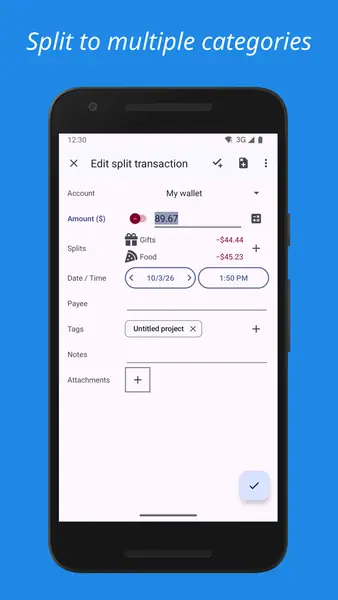
- Daily Expense & Budget Tracking: Effortlessly keep tabs on income and expenses on your phone or tablet. Create budgets, split transactions, and set up recurring transaction plans.
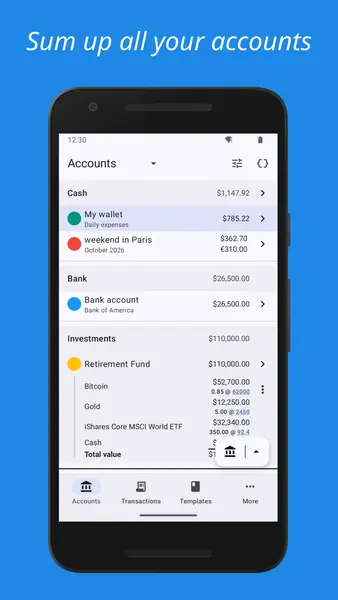
- Investment & Portfolio Management: Track stock, crypto, or custom asset portfolios, monitor price history, and manage multi-currency investments in real time.
- Bank Integration & Reconciliation: Connect directly to supported banks via FinTS or reconcile transactions manually against your bank statements for pixel-perfect balance tracking.
- Smart Receipt Scanning (OCR): Automatically extract transaction details from photo receipts using advanced optical character recognition.
- Web Interface for Desktop: Access and manage your transactions from any web browser on your local network.
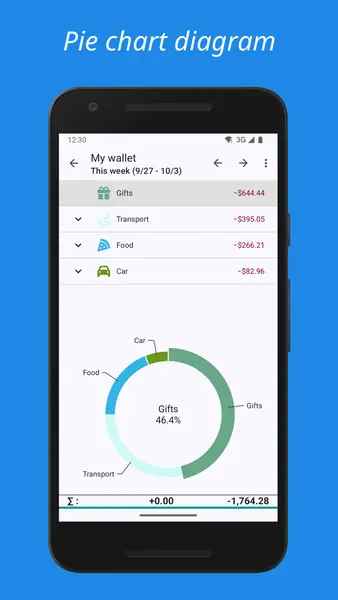
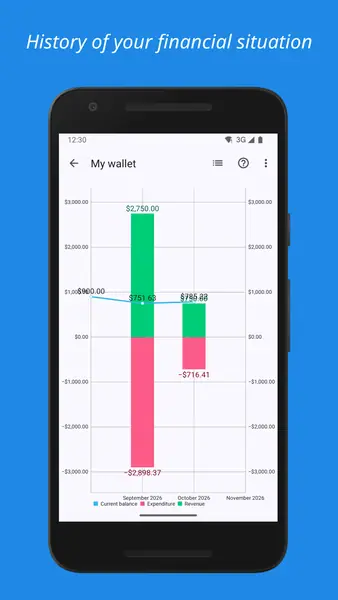
- Powerful Analytics: Visualize spending trends, distribution pie charts, and historical reports with customizable dynamic graphs.
- Flexible Sync & Data Control: Export and import data easily in QIF and CSV formats. Sync seamlessly across devices using WebDAV, Nextcloud, Google Drive, Dropbox, or OneDrive with client certificate support.
- Privacy & Security First: Open-source transparency, password or biometric lock screen security, and encrypted database protection.
Unlock Premium Features:
- Contrib Key: Highlights include unlocking unlimited accounts, unlimited recurring plans, PDF list exports, category distribution charts, and more.
- Extended Key: Includes all Contrib features, plus automated cloud synchronization, and advanced CSV import rules.
- Professional Key: Includes all Extended features, plus investment & portfolio tracking, history charts, budget monitoring, receipt OCR scanning, local web desktop interface, direct bank sync (Germany), and more.
Permissions Transparency:
- Calendar: Recurrent plans are saved to a dedicated local calendar or any calendar you assign.
- Internet: Anonymous usage tracking (opt-in), cloud synchronization and crash reports (opt-in).
Take control of your money and net worth today with My Expenses!
What's new in version 4.1.4
- Full text search
https://github.com/users/mtotschnig/projects/200 https://mastodon.social/@myexpenses/117598998214483743
APK file information
| Package name | org.totschnig.myexpenses |
|---|---|
| Version | 4.1.4 (code 892) |
| Minimum Android | Android 8.0 · targets Android 16 |
| Architectures | arm64-v8a, armeabi-v7a, x86, x86_64 |
| SHA-256 | 2663816b73db4bc24fc72e40cdc04e88e020d4a3cb3094f9973171b28364379a |
| Signature | cc73d1af732cd02b84a9c7d56b7b64b9d69d47a265ec34b088d6857d9fbf97ce |
| Licence | GPL-3.0-only — copyleft free licence: the code is public and modified versions must stay free |
| Source code | github.com/mtotschnig/MyExpenses |
| Official website | www.myexpenses.mobi |
Permissions
- Keep the device awake
- Internet access
- View network status
- Edit calendar sensitive
- Read calendar sensitive
- Start at boot
- Show notifications
- Write to storage
- Run in the background
- View Wi-Fi status
- NFC
- Read storage
7 other technical permission(s)
GET_ACCOUNTS MANAGE_ACCOUNTS AUTHENTICATE_ACCOUNTS USE_CREDENTIALS READ_SYNC_SETTINGS READ_SYNC_STATS WRITE_SYNC_SETTINGS
Older versions
- My Expenses 4.1.4November 23, 2026 · 35.0 MB
- My Expenses 4.1.3.1October 22, 2026 · 34.7 MB
- My Expenses 4.1.3October 12, 2026 · 49.8 MB
How to install My Expenses APK
- Tap Download APK above, then open the file once the download has finished.
- If Android asks, allow your browser to install unknown apps.
- Tap Install. My Expenses then appears with your other apps.
Having trouble? Read our guides how to install an APK on Android and "App not installed": how to fix it.
Frequently asked questions
Is My Expenses free?
Yes. My Expenses is distributed under the GPL-3.0-only licence: free, no subscription, and its source code is public.
Is this APK file safe?
The file is the one built and published by the F-Droid repository from the public source code. Its SHA-256 fingerprint is shown above, so you can compare it after downloading. How to check an APK.
Will My Expenses work on my phone?
You need at least Android 8.0. The app also works without Google services, so it runs on recent Huawei phones too.