NoNonsense Notes APK
A simple notepad and to-do app with an excellent navigation
Download APK v7.2.7 · 3.1 MB- Version7.2.7
- Size3.1 MB
- RequiresAndroid 6.0
- Updated10/14/2026
- LicenceGPL-3.0-or-later
- PriceFree
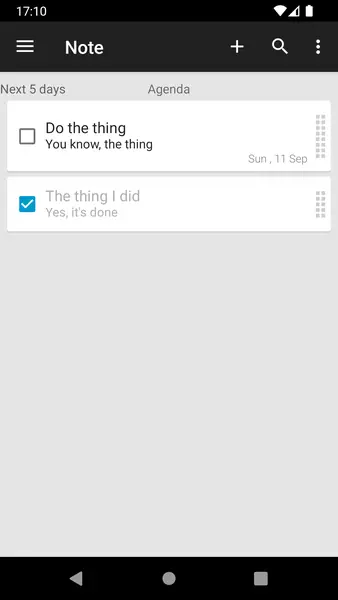
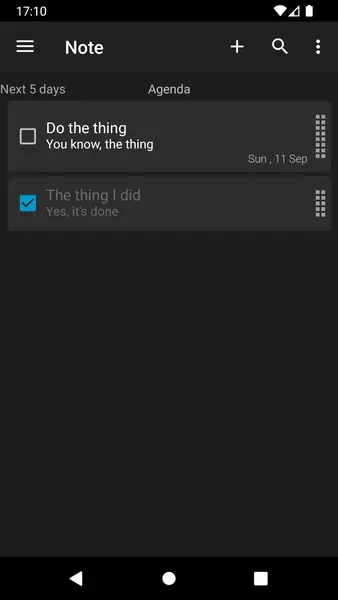
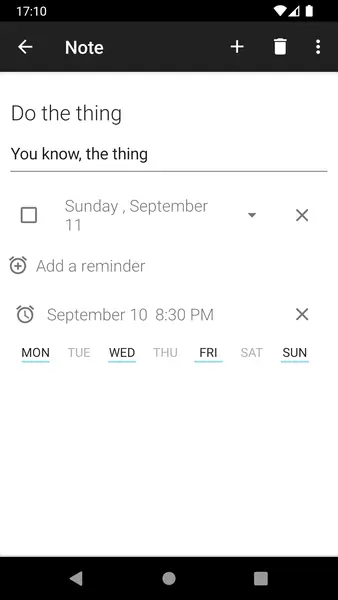
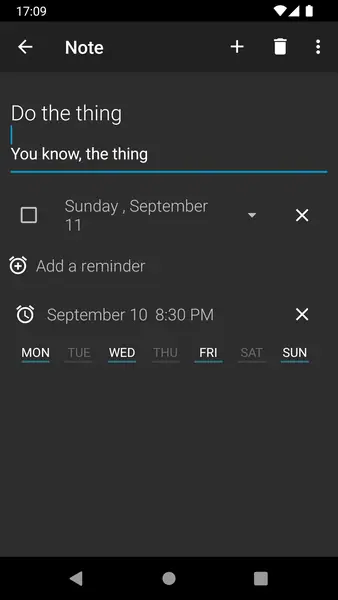
About NoNonsense Notes
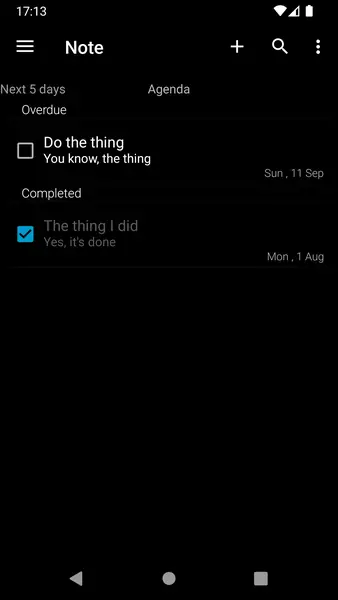
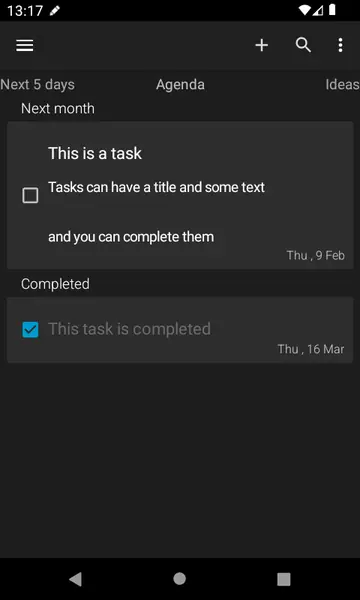
Open source notepad and to-do list app using the latest Android technologies.
- Dash clock support (yes, it still works)
- Notifications: set reminders at a certain time, with optional repetition on certain weekdays
- Language selection
- Widget, with lockscreen support, resizeable and configurable
- Password-protect important notes
- Move tasks between different lists
- Drag to reorder tasks
- Integration with Android Agenda widget
- Search
- Use emojis as tags 🏷️
- Light and dark themes
- Back up (import and export) notes to a JSON file
- Sync with an ORG file on the local storage
- note history with all previous versions
- recycle bin for deleted notes
To improve this app, make a donation, or simply share ideas, come visit at https://github.com/spacecowboy/NotePad
What's new in version 7.2.7
NoNonsense Notes v7.2.7
Highlights:
- updated translations using Weblate
- updated build tools and dependencies
APK file information
| Package name | com.nononsenseapps.notepad |
|---|---|
| Version | 7.2.7 (code 72700) |
| Minimum Android | Android 6.0 · targets Android 16 |
| Architectures | All (universal) |
| SHA-256 | 0d79884020f2a09e0787282e345d7e8808826e0fb09135f620007015b30630b0 |
| Signature | 5e15c9c2e52b246364372b4ef9cd08605528f69a4bc7a82a50cd6809097273c7 |
| Licence | GPL-3.0-or-later — copyleft free licence: the code is public and modified versions must stay free |
| Source code | github.com/spacecowboy/NotePad |
Permissions
- Start at boot
- Show notifications
4 other technical permission(s)
READ_SYNC_SETTINGS READ_SYNC_STATS WRITE_SYNC_SETTINGS SCHEDULE_EXACT_ALARM
Older versions
- NoNonsense Notes 7.2.7October 14, 2026 · 3.1 MB
- NoNonsense Notes 7.2.6August 17, 2025 · 2.9 MB
- NoNonsense Notes 7.2.2August 10, 2025 · 2.9 MB
How to install NoNonsense Notes APK
- Tap Download APK above, then open the file once the download has finished.
- If Android asks, allow your browser to install unknown apps.
- Tap Install. NoNonsense Notes then appears with your other apps.
Having trouble? Read our guides how to install an APK on Android and "App not installed": how to fix it.
Frequently asked questions
Is NoNonsense Notes free?
Yes. NoNonsense Notes is distributed under the GPL-3.0-or-later licence: free, no subscription, and its source code is public.
Is this APK file safe?
The file is the one built and published by the F-Droid repository from the public source code. Its SHA-256 fingerprint is shown above, so you can compare it after downloading. How to check an APK.
Will NoNonsense Notes work on my phone?
You need at least Android 6.0. The app also works without Google services, so it runs on recent Huawei phones too.