Nori APK
Bookmark manager & read-later app: save links with previews, tags and notes.
Download APK v0.2.9 · 38.5 MB- Version0.2.9
- Size38.5 MB
- RequiresAndroid 7.0
- Updated11/23/2026
- LicenceAGPL-3.0-only
- PriceFree
About Nori
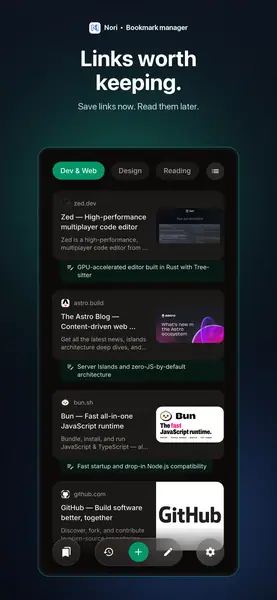
Nori is a bookmark manager and read-later app that gives your saved links a home. Collect articles, videos, tools, and inspiration, then find them again with visual previews, lists, tags, and notes.
Save links from any app Share a link from your browser or any other app to Nori and pick the list it belongs in. Keep a reading list for later, or gather resources for a project. Turn on quick save to file links into your favorite list in one tap.
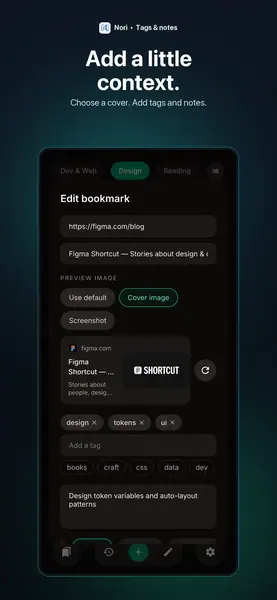
Visual bookmarks with context Every bookmark becomes a rich card with a cover image or page screenshot. Add tags and personal notes so you remember why you saved it, or switch to a compact list.
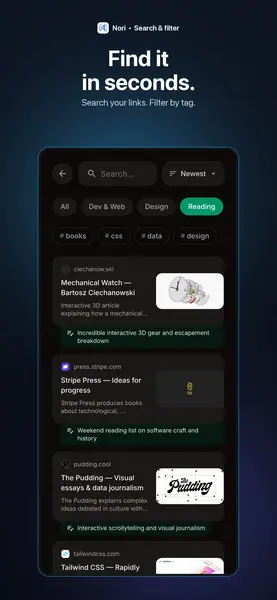
Find any link in seconds Search your bookmarks and filter by list or tag. Jump back to recently opened links from history.
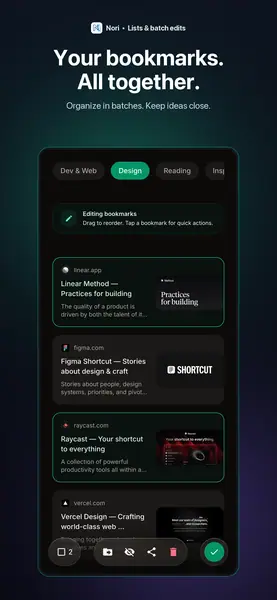
Organize in batches Sort bookmarks into custom lists. Select several at once to move, hide, share, or delete them together.
Home screen widget Pin a list to your home screen with preview thumbnails and open links in one tap.
Import and export Bring bookmarks over from your browser or another bookmark manager as an HTML file or a plain list of URLs. Export to HTML or plain text at any time.
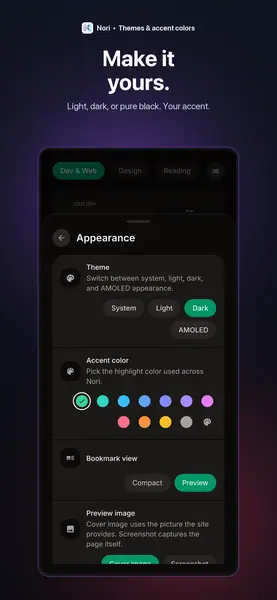
Make it yours Choose light, dark, or pure black AMOLED themes. Pick an accent color or create your own, adjust text size, and choose the bookmark layout that suits you.
Read your way Open saved links inside Nori or in your default browser.
On your phone, computer, and browser Nori is available for Android, iPhone, iPad, Windows, macOS, and Linux, with extensions for Chrome and Firefox. Your bookmarks are stored on your device, and an optional paid Nori Sync plan keeps lists and bookmarks in sync across all of them after you sign in.
Looking for a new home for your reading list after Pocket? Nori keeps it simple, visual, and yours.
What's new in version 0.2.9
- Save social posts offline (X, Instagram, Threads, TikTok, Facebook)
- Share bookmarks as image cards
- Per-list bookmark sorting and list editing
- Sync and scrolling fixes
APK file information
| Package name | jp.nonbili.nori |
|---|---|
| Version | 0.2.9 (code 2404) |
| Minimum Android | Android 7.0 · targets Android 16 |
| Architectures | arm64-v8a |
| SHA-256 | 4673118648f628e2c2dbcc6120e6f533ad2ab4ad97c69ef319b204fc34e8c253 |
| Signature | a14d119c07eb772a4ae7c4a8f0c1c51a68cedf0eed4806cfe6209d96f7813f60 |
| Licence | AGPL-3.0-only — copyleft free licence: the code is public and modified versions must stay free |
| Source code | github.com/nonbili/Nori |
Permissions
- Internet access
- Draw over other apps sensitive
- Vibrate
- Write to storage
- View network status
- Read storage
Older versions
- Nori 0.2.9November 23, 2026 · 38.5 MB
- Nori 0.2.9November 23, 2026 · 30.8 MB
- Nori 0.2.7October 22, 2026 · 37.5 MB
- Nori 0.2.7October 22, 2026 · 29.7 MB
- Nori 0.2.5October 15, 2026 · 37.8 MB
- Nori 0.2.5October 15, 2026 · 30.6 MB
How to install Nori APK
- Tap Download APK above, then open the file once the download has finished.
- If Android asks, allow your browser to install unknown apps.
- Tap Install. Nori then appears with your other apps.
Having trouble? Read our guides how to install an APK on Android and "App not installed": how to fix it.
Frequently asked questions
Is Nori free?
Yes. Nori is distributed under the AGPL-3.0-only licence: free, no subscription, and its source code is public.
Is this APK file safe?
The file is the one built and published by the F-Droid repository from the public source code. Its SHA-256 fingerprint is shown above, so you can compare it after downloading. How to check an APK.
Will Nori work on my phone?
You need at least Android 7.0. The app also works without Google services, so it runs on recent Huawei phones too.