
OpenTopoMap Viewer APK
Online client for maps from OTM project, import GPX and show own location
Download APK v1.43 · 4.5 MB- Version1.43
- Size4.5 MB
- RequiresAndroid 7.0
- Updated11/23/2026
- LicenceApache-2.0
- PriceFree
About OpenTopoMap Viewer
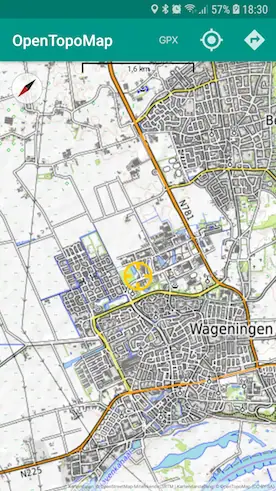
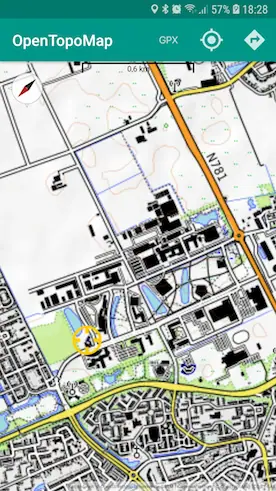
OpenTopoMap Viewer is an open-source Android app for exploring topographic maps, viewing tracks and planning routes. Use it for hiking, cycling and discovering places, with detailed terrain maps and your own waypoints.
MAPS AND LOCATION
- Choose from OpenTopoMap, OpenTopoMap-R, Top-O-Map, OpenStreetMap, OpenHikingMap and Freemap.sk.
- Add Waymarked Trails overlays for hiking and cycling routes.
- Follow your location, return to it quickly and rotate the map using the compass or GPS bearing.
- View coordinates and elevation information.
TRACKS AND WAYPOINTS
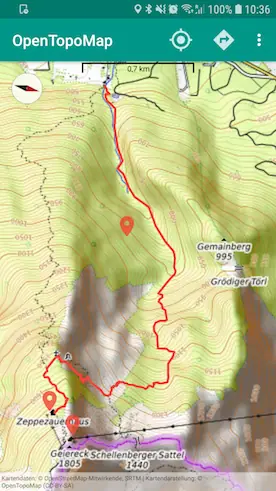
- Open GPX files to display tracks, routes and waypoints.
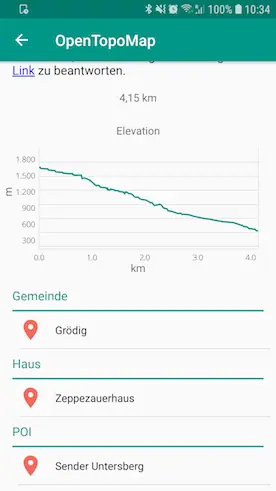
- Inspect track distance, elevation profiles, descriptions and waypoint details.
- Choose track colors and zoom to imported content.
- Enable KML/KMZ import to display additional map content.
MARKERS AND NEARBY PLACES
- Long-press the map to save a marker, then move, edit or delete it.
- Add names, descriptions, colors and optional labels.
- Import and export markers as GPX waypoints.
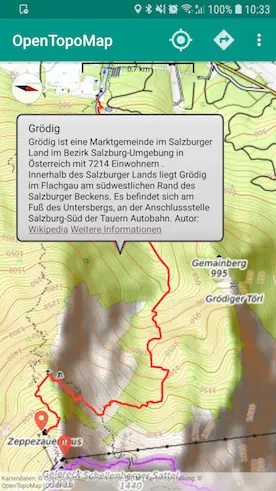
- Browse nearby Wikipedia places and show selected results on the map.
OPTIONAL ROUTE PLANNING AND PLACE SEARCH Configure your own OpenRouteService (ORS) API key to search for places and calculate routes between markers. Choose profiles for driving, cycling, walking, hiking or wheelchair routing. Adjust waypoints on the map and inspect the resulting route and elevation data.
OFFLINE MAP TILES Previously cached tiles can be viewed without an internet connection. You can also import a prepared OpenTopoMap tile ZIP into the cache and configure its location and size. Offline coverage depends on the tiles available on your device; uncached areas and zoom levels require an internet connection.
MAKE IT YOUR OWN Keep the screen on while viewing the map and adjust map display settings. The interface is available in English, German, Spanish, French, Italian and Dutch.
Online map loading, Wikipedia lookups and ORS services require an internet connection. ORS routing, place search and optional elevation lookup require an API key and are subject to the service's usage limits.
OpenTopoMap Viewer is licensed under Apache 2.0. The F-Droid edition contains no ads.
APK file information
| Package name | org.nitri.opentopo |
|---|---|
| Version | 1.43 (code 87) |
| Minimum Android | Android 7.0 · targets API 37 |
| Architectures | arm64-v8a, armeabi-v7a, x86, x86_64 |
| SHA-256 | 7f19be996494ce6bee8f4eb20a38de0f87efae83275a4bb715471ff5965e1691 |
| Signature | 0973936af17d47d3c8ee3b793b8250c8df3815c97b924ea35c510a2175ce0a92 |
| Licence | Apache-2.0 — permissive free licence: the source code is public and reusable |
| Source code | github.com/Pygmalion69/OpenTopoMapViewer |
Permissions
- View network status
- View Wi-Fi status
- Internet access
- Approximate location sensitive
- Precise location (GPS) sensitive
1 other technical permission(s)
REORDER_TASKS
Older versions
- OpenTopoMap Viewer 1.43November 23, 2026 · 4.5 MB
- OpenTopoMap Viewer 1.42November 11, 2026 · 4.5 MB
- OpenTopoMap Viewer 1.40October 22, 2026 · 4.5 MB
How to install OpenTopoMap Viewer APK
- Tap Download APK above, then open the file once the download has finished.
- If Android asks, allow your browser to install unknown apps.
- Tap Install. OpenTopoMap Viewer then appears with your other apps.
Having trouble? Read our guides how to install an APK on Android and "App not installed": how to fix it.
Frequently asked questions
Is OpenTopoMap Viewer free?
Yes. OpenTopoMap Viewer is distributed under the Apache-2.0 licence: free, no subscription, and its source code is public.
Is this APK file safe?
The file is the one built and published by the F-Droid repository from the public source code. Its SHA-256 fingerprint is shown above, so you can compare it after downloading. How to check an APK.
Will OpenTopoMap Viewer work on my phone?
You need at least Android 7.0. The app also works without Google services, so it runs on recent Huawei phones too.