PDF Docket APK
Keep PDF tickets and passes at hand and show their barcodes in fullscreen
Download APK v1.13.0 · 10.6 MB- Version1.13.0
- Size10.6 MB
- RequiresAndroid 7.0
- Updated11/20/2026
- LicenceGPL-3.0-only
- PriceFree
About PDF Docket
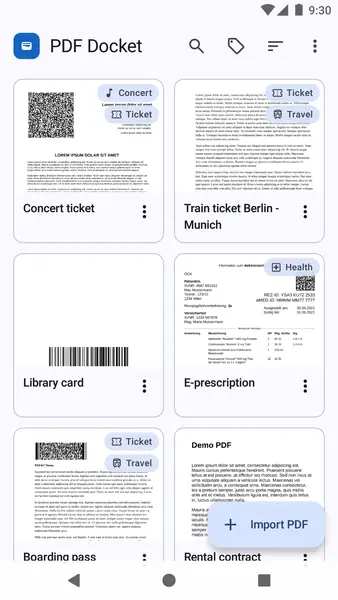
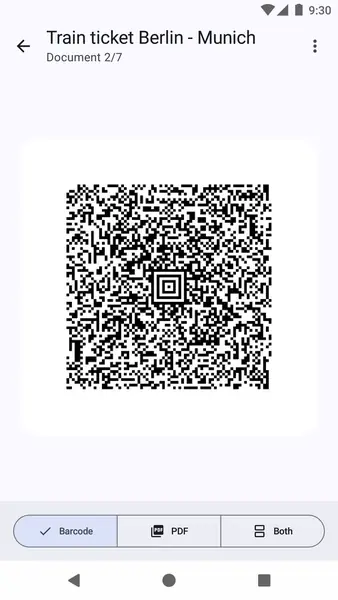
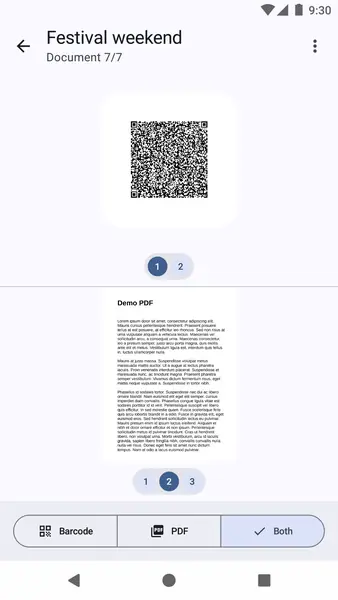
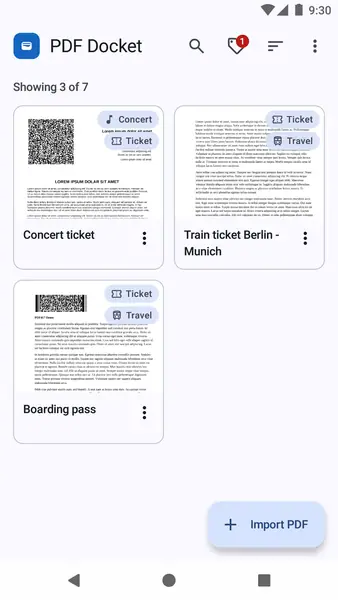
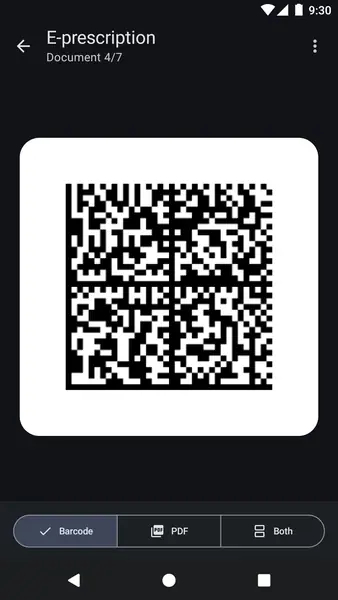
PDF Docket stores and displays your most important PDFs, such as tickets, passes and certificates. It includes a convenient fullscreen barcode rendering, if a barcode is present in the PDF.
Brief Instruction
- Open "PDF Docket"
- Import PDF
- Done
Alternative Brief Instruction
- Go to your file browser, email, web browser or PDF reader app
- Open/Share the PDF with "PDF Docket"
- Done
Description A very simple app that does nothing more than conveniently store and display PDF certificates. You can use it for public transport tickets, bills, contracts, certificates and any other PDF file. The PDF file has to be imported into the app. Following that, the barcode is displayed in fullscreen, as well as the PDF document itself. That's already it.
Currently supported barcode formats are:
- Matrix (2D) codes: QR, Aztec, DataMatrix and PDF417
- Linear (1D) codes: UPC-A, UPC-E, EAN-8, EAN-13, CODE-39, CODE-93, CODE-128, ITF and Codabar
More Features
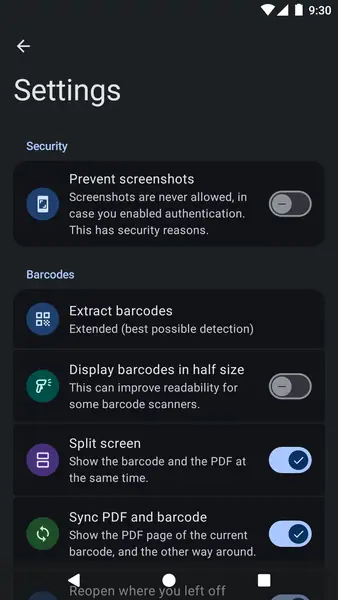
- Can detect and extract barcodes in PDFs
- Split screen shows the barcode and the PDF at the same time, and the PDF turns to the page of each barcode
- The split screen divider can be dragged, and barcodes can be turned by 90° with a double tap
- PDF pages can be shown whole or fitted to the width
- Turn the screen or pin the app before handing your phone over
- Documents reopen at the barcode and page they were left on
- (Optional) biometric authentication
- PDFs can be sorted by name, file size, import date, or dragged into your own order
- PDFs can be individually named
- Assign tags to documents and filter documents by tags
- Tags can have icons
- Documents can have a note, e.g. a seat or booking number, and are found by it
- Documents can be shown as a grid or a list
- Documents can be archived instead of deleted, right away or automatically on a chosen date, with a reminder the day before
- PDFs can be shared from other apps, also several at once
- Documents can be added to the home screen, also as a widget that shows the barcode
- Encrypted backups of all documents and tags
- PDFs can be shared with other apps (indirectly allows printing)
- Dark Mode support (document stays in original color, optionally inverted)
- Also supports password protected PDFs
Privacy This app values your privacy by working fully offline. No ads, no tracking.
What's new in version 1.13.0
- Rotate the screen and share a document from the document's header.
- The Quick Settings tile is only added once you accept it, and Remove now takes it out of Quick Settings.
APK file information
| Package name | me.d3sox.pdfwallet |
|---|---|
| Version | 1.13.0 (code 867) |
| Minimum Android | Android 7.0 · targets API 37 |
| Architectures | arm64-v8a, armeabi-v7a, x86, x86_64 |
| SHA-256 | 575f9404aa7072775db84bcebb19fdbb56f53f12341357614d79b2b89e26ed5b |
| Signature | 5de94793532b65a47ff529d0ba9254338aa3879bf3c696aefa3faf56d05d08bb |
| Licence | GPL-3.0-only — copyleft free licence: the code is public and modified versions must stay free |
| Source code | github.com/D3SOX/pdf-docket |
| Official website | pdf-docket.d3sox.me/ |
Permissions
- Show notifications
- Start at boot
- Fingerprint / biometrics
- Fingerprint
1 other technical permission(s)
HIDE_OVERLAY_WINDOWS
Older versions
- PDF Docket 1.13.0November 20, 2026 · 10.6 MB
- PDF Docket 1.11.0November 13, 2026 · 10.4 MB
- PDF Docket 1.10.1November 6, 2026 · 10.4 MB
How to install PDF Docket APK
- Tap Download APK above, then open the file once the download has finished.
- If Android asks, allow your browser to install unknown apps.
- Tap Install. PDF Docket then appears with your other apps.
Having trouble? Read our guides how to install an APK on Android and "App not installed": how to fix it.
Frequently asked questions
Is PDF Docket free?
Yes. PDF Docket is distributed under the GPL-3.0-only licence: free, no subscription, and its source code is public.
Is this APK file safe?
The file is the one built and published by the F-Droid repository from the public source code. Its SHA-256 fingerprint is shown above, so you can compare it after downloading. How to check an APK.
Will PDF Docket work on my phone?
You need at least Android 7.0. The app also works without Google services, so it runs on recent Huawei phones too.