Shelf APK
Private book app: find, track and read books, fully offline.
Download APK v1.6.1 · 4.4 MB- Version1.6.1
- Size4.4 MB
- RequiresAndroid 8.0
- Updated11/23/2026
- LicenceMIT
- PriceFree
About Shelf
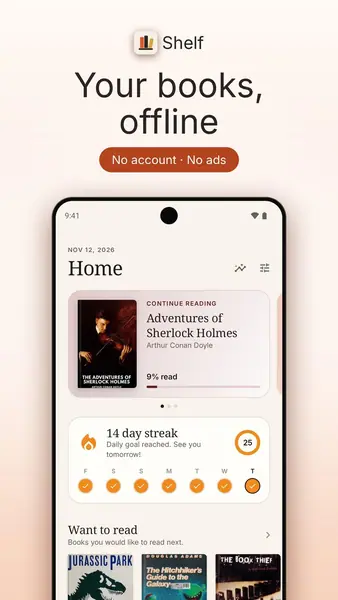
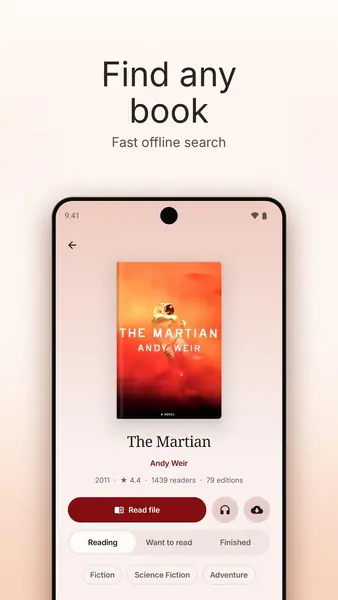
Shelf is a private, offline book app. The whole catalogue lives on your phone, built from Open Library, the British Library and national libraries. No account, no ads, no tracking.
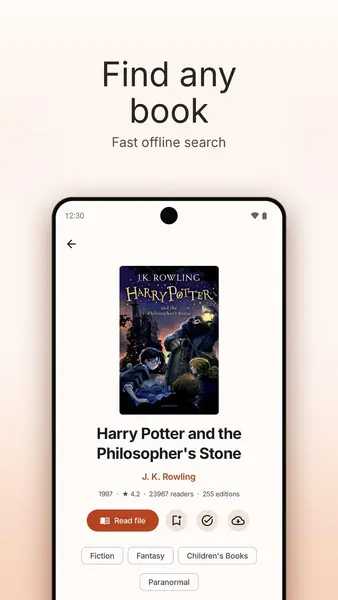
- Typo-tolerant search for titles, authors, series and ISBNs
- Scan a book cover or barcode to find it
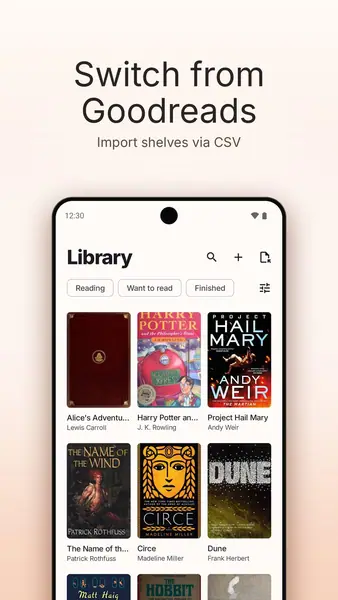
- Want to read, Reading and Finished shelves, daily goal and streaks
- Explore genres, series and authors, with recommendations made on your phone
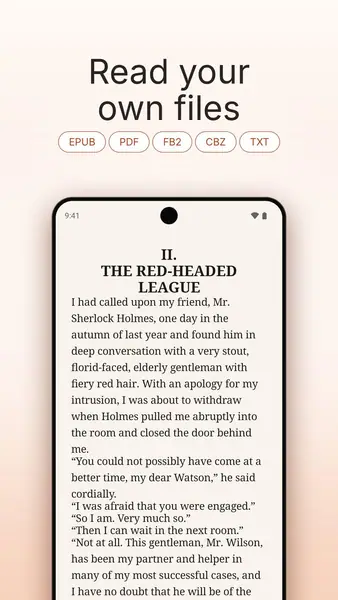
- Read EPUB, Kindle, PDF, comics, Word files and more
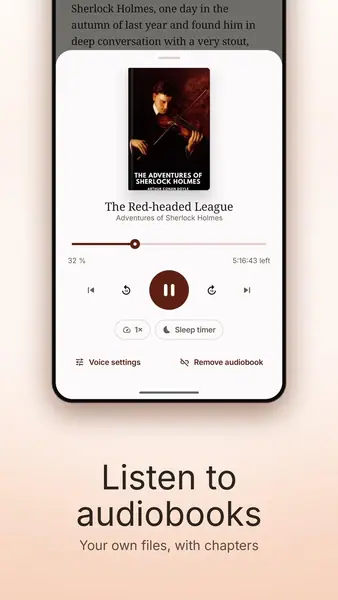
- Listen to audiobooks, or have any book read aloud with voices that run on your phone
- Highlights, notes, ratings, reviews and custom lists
- Reading stats and a year-in-books recap to share
- Import from Goodreads and StoryGraph
- Catalogues in English, German, French, Spanish, Estonian, Swedish, Polish, Czech, Korean, Finnish, Japanese, Latvian, Portuguese, Russian and Italian
One switch turns off all network. Your library never leaves your phone.
What's new in version 1.6.1
- 200 new topics like dragons, shapeshifters or school life on book pages and in Explore, for sharper recommendations
- Redesigned Explore with genre covers
- Dutch translation
- Suggest features and report bugs from the app
- Faster search, recommendations and reader, smaller app
- Fixes for reader line spacing and the bottom bar
APK file information
| Package name | dev.tn3w.shelf |
|---|---|
| Version | 1.6.1 (code 18) |
| Minimum Android | Android 8.0 · targets API 37 |
| Architectures | arm64-v8a, armeabi-v7a, x86, x86_64 |
| SHA-256 | b3db8602d7957a18e5024fa3494f396f0afa5f4a115089a7e4bc61750d1018bb |
| Signature | 3e2d6f2866c8fa3ea8927ec59747aada5dfd52162fdf087568002095ab654a7d |
| Licence | MIT — permissive free licence: the source code is public and reusable |
| Source code | github.com/tn3w/Shelf |
| Official website | shelf.tn3w.dev |
Permissions
- Internet access
- Camera sensitive
- Run in the background
- Show notifications
Older versions
- Shelf 1.6.1November 23, 2026 · 4.4 MB
- Shelf 1.6.0November 17, 2026 · 4.8 MB
- Shelf 1.5.0November 4, 2026 · 4.4 MB
How to install Shelf APK
- Tap Download APK above, then open the file once the download has finished.
- If Android asks, allow your browser to install unknown apps.
- Tap Install. Shelf then appears with your other apps.
Having trouble? Read our guides how to install an APK on Android and "App not installed": how to fix it.
Frequently asked questions
Is Shelf free?
Yes. Shelf is distributed under the MIT licence: free, no subscription, and its source code is public.
Is this APK file safe?
The file is the one built and published by the F-Droid repository from the public source code. Its SHA-256 fingerprint is shown above, so you can compare it after downloading. How to check an APK.
Will Shelf work on my phone?
You need at least Android 8.0. The app also works without Google services, so it runs on recent Huawei phones too.