
清正学園将棋部 APK
Offline Shogi with an AlphaZero-style AI and eight opponents.
Download APK v1.1.4 · 72.1 MB- Version1.1.4
- Size72.1 MB
- RequiresAndroid 7.0
- Updated11/20/2026
- LicenceGPL-3.0-or-later
- PriceFree
About 清正学園将棋部
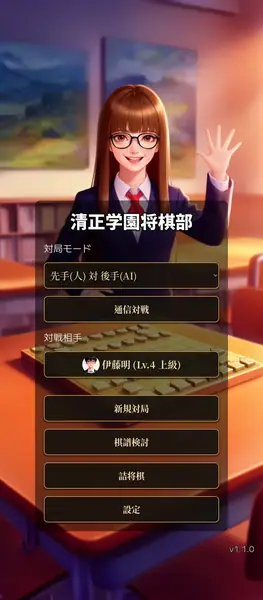
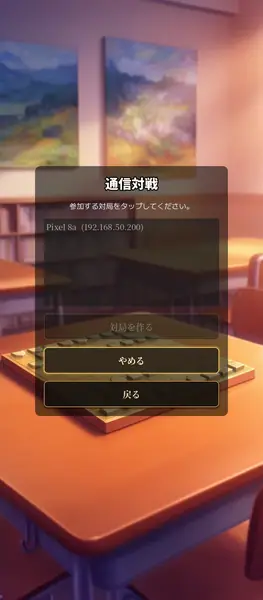
Seishin Gakuen Shogi Club (清正学園将棋部) is a Shogi (Japanese chess) game played against an on-device AI, or against a friend on the same Wi-Fi (通信対戦). The app never connects to the internet.
Features
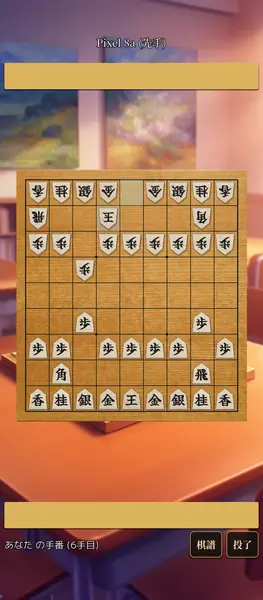
- Complete Shogi rules — check, nifu (double pawn), uchifuzume (pawn-drop mate), sennichite (repetition, including the perpetual-check loss) and nyuugyoku (entering-king, 27-point rule).
- Offline AI — an AlphaZero-style policy + value network (Bonanza-method trained) runs on-device through a single-threaded PUCT MCTS. Eight strength levels.
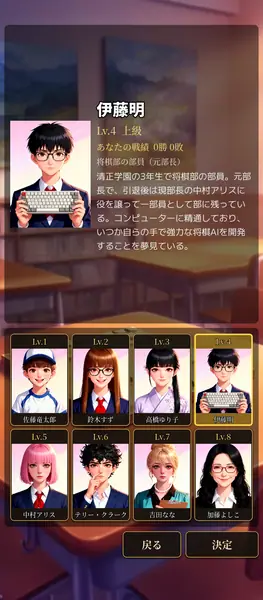
- Eight opponents — club members and teachers from Lv 1 to Lv 8, each with a portrait and a short bio.
- Your avatar — pick one of 16 students to stand for you. Your portrait sits under the board and changes expression with the game; in 通信対戦 your opponent sees it too.
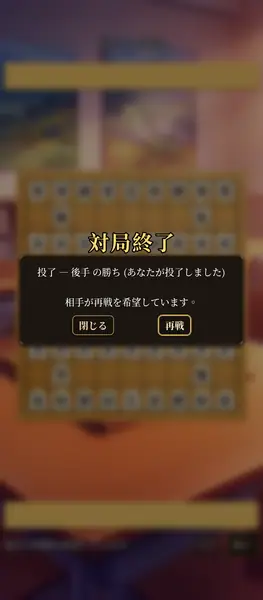
- LAN play (通信対戦) — two devices on the same Wi-Fi play each other over a direct connection, no server. The player with gote sees the board turned round, and a rematch swaps the sides.
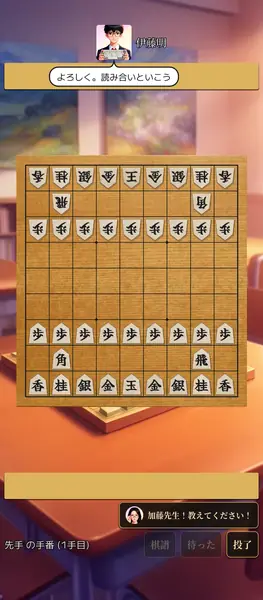
- Teacher mode — tap "Ask Kato-sensei!" during a game to see the top three candidate moves with win rates. You still choose the move yourself.
- Play experience — multi-step undo, resign, last-move highlight, piece and UI sounds, haptics, save and resume.
- Kifu save and review — export games as .kif, then replay and analyse them from the title screen. Every move is evaluated by MCTS and tagged ◎ good / △ dubious / × blunder, with a recommended move for blunders.
- Board — kaya-style wood grain, traditional pentagonal pieces, brush-script piece kanji (Fude Goshirae).
The user interface is in Japanese.
Privacy
No ads, tracking or analytics. The AI model runs locally. The network permissions are used only for 通信対戦 (play against a friend on the same Wi-Fi); the app never contacts the internet.
License
GPL-3.0-or-later. Source code: https://github.com/hiroshiyui/SeiShinGakuen_ShougiBu
What's new in version 1.1.4
- The board no longer flickers while it shrinks and grows in teacher mode.
- Closing the teacher's suggestions now fades them out as the board zooms back, in one smooth motion.
- While Kato-sensei is thinking, a cloud-shaped thought balloon with animated dots appears above the teacher's icon.
APK file information
| Package name | org.seishingakuen.shougibu |
|---|---|
| Version | 1.1.4 (code 28) |
| Minimum Android | Android 7.0 · targets Android 16 |
| Architectures | arm64-v8a |
| SHA-256 | 1de0160fa20c1289fafe5057ef57e81552c70b8f8dfbda730800c4a54a5b9ac1 |
| Signature | f284d194f8cd8a51a358ffe26402172e11f3d777a8ba5e3acf413b9bfc2f97c8 |
| Licence | GPL-3.0-or-later — copyleft free licence: the code is public and modified versions must stay free |
| Source code | github.com/hiroshiyui/SeiShinGakuen_ShougiBu |
Permissions
- Internet access
- Vibrate
1 other technical permission(s)
CHANGE_WIFI_MULTICAST_STATE
Older versions
- 清正学園将棋部 1.1.4November 20, 2026 · 72.1 MB
- 清正学園将棋部 1.1.2November 17, 2026 · 72.1 MB
- 清正学園将棋部 1.0.15November 13, 2026 · 67.1 MB
How to install 清正学園将棋部 APK
- Tap Download APK above, then open the file once the download has finished.
- If Android asks, allow your browser to install unknown apps.
- Tap Install. 清正学園将棋部 then appears with your other apps.
Having trouble? Read our guides how to install an APK on Android and "App not installed": how to fix it.
Frequently asked questions
Is 清正学園将棋部 free?
Yes. 清正学園将棋部 is distributed under the GPL-3.0-or-later licence: free, no subscription, and its source code is public.
Is this APK file safe?
The file is the one built and published by the F-Droid repository from the public source code. Its SHA-256 fingerprint is shown above, so you can compare it after downloading. How to check an APK.
Will 清正学園将棋部 work on my phone?
You need at least Android 7.0. The app also works without Google services, so it runs on recent Huawei phones too.