Tremotesf APK
Remote-control Transmission BitTorrent client
Download APK v2.13.1 · 2.9 MB- Version2.13.1
- Size2.9 MB
- RequiresAndroid 8.0
- Updated1/16/2026
- LicenceGPL-3.0-or-later
- PriceFree
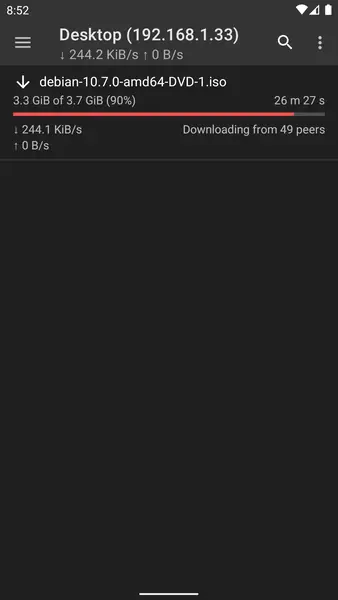
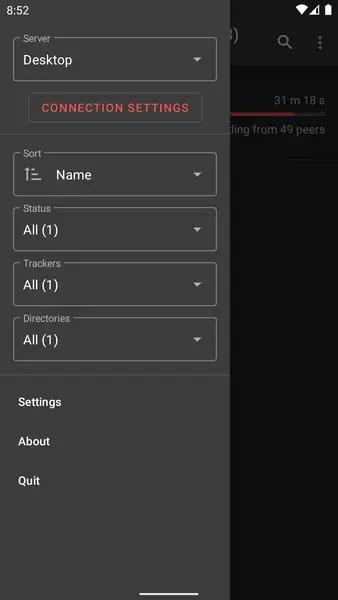
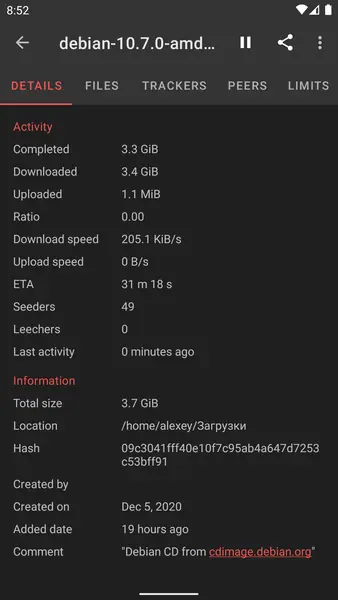
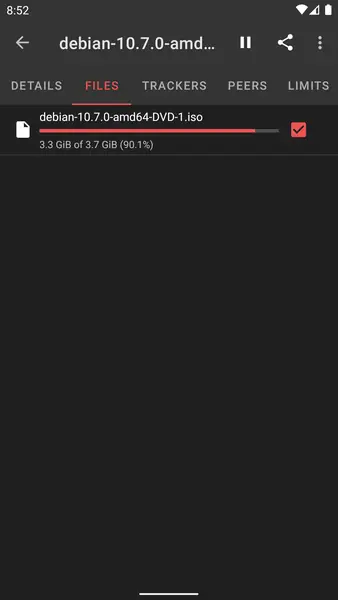
About Tremotesf
Remote GUI for Transmission BitTorrent client.
Features:
- View torrent list
- Sort torrents
- Filter torrents by name, status and trackers
- Start/stop/verify/remove torrents with multi-selection
- Add torrents from torrent files and magnet links
- Select which files to download when adding torrent
- Manage torrent files
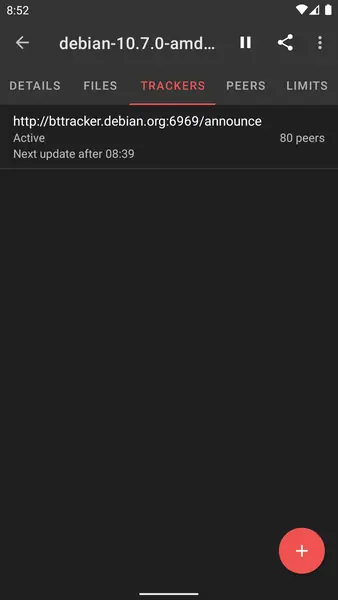
- Add and remove torrent trackers
- View torrent peers
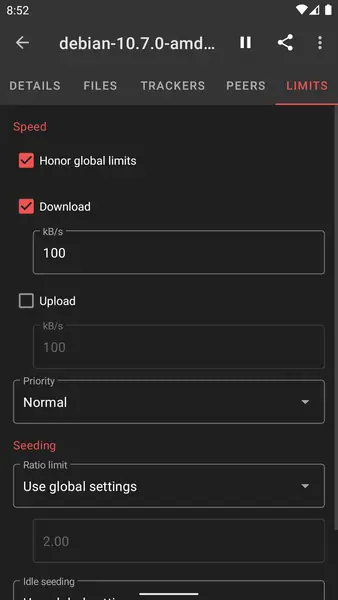
- Set torrent limits
- Change remote server settings
- View server statistics
- Multiple servers
- Supports HTTPS connection
- Can connect to servers with self-signed certificates (you need to add certificate to server settings)
- Client certificate authentication
Source code: https://github.com/equeim/tremotesf-android Translations: https://www.transifex.com/equeim/tremotesf-android
What's new in version 2.13.1
Fixed restoration of torrent adding parameters (download directory, etc) when adding torrent file Fixed saving of certificates and proxy settings when editing/adding server Fixed torrents links text field filling the whole screen when long/multiple torrent links are entered Fixed peer progress display (thanks @sommd)
APK file information
| Package name | org.equeim.tremotesf |
|---|---|
| Version | 2.13.1 (code 4063) |
| Minimum Android | Android 8.0 · targets Android 16 |
| Architectures | arm64-v8a, armeabi-v7a, x86, x86_64 |
| SHA-256 | 2c30e62d4429622b239827a94bd9d4b3a1fe792bd593aaa47f08131c5efeeb27 |
| Signature | 80a3a00fffef9159479dd161bf6ad58a50db37993812adc505143958455a906a |
| Licence | GPL-3.0-or-later — copyleft free licence: the code is public and modified versions must stay free |
| Source code | github.com/equeim/tremotesf-android |
Permissions
- Internet access
- Read storage
- Run in the background
- Show notifications
- View network status
- View Wi-Fi status
- Keep the device awake
- Start at boot
Older versions
- Tremotesf 2.13.1January 16, 2026 · 2.9 MB
- Tremotesf 2.13.0December 29, 2025 · 2.9 MB
- Tremotesf 2.12.1July 1, 2025 · 3.2 MB
How to install Tremotesf APK
- Tap Download APK above, then open the file once the download has finished.
- If Android asks, allow your browser to install unknown apps.
- Tap Install. Tremotesf then appears with your other apps.
Having trouble? Read our guides how to install an APK on Android and "App not installed": how to fix it.
Frequently asked questions
Is Tremotesf free?
Yes. Tremotesf is distributed under the GPL-3.0-or-later licence: free, no subscription, and its source code is public.
Is this APK file safe?
The file is the one built and published by the F-Droid repository from the public source code. Its SHA-256 fingerprint is shown above, so you can compare it after downloading. How to check an APK.
Will Tremotesf work on my phone?
You need at least Android 8.0. The app also works without Google services, so it runs on recent Huawei phones too.