
Voclet APK
Learn vocabulary with playful practice, camera import and optional offline AI
Download APK v1.0 · 51.1 MB- Version1.0
- Size51.1 MB
- RequiresAndroid 9
- Updated11/23/2026
- LicenceApache-2.0
- PriceFree
About Voclet
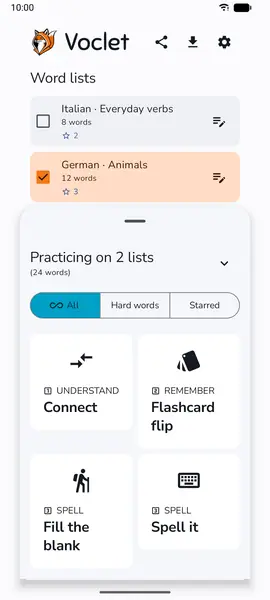
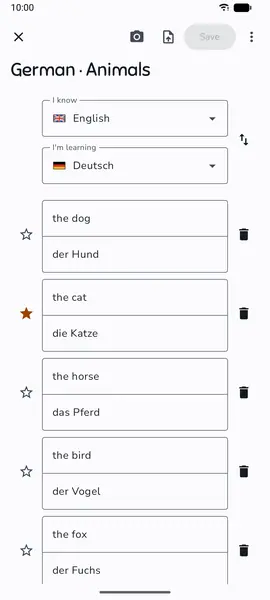
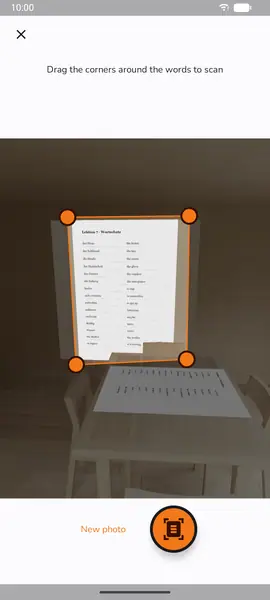
Voclet helps you learn vocabulary with short, playful practice. Make word lists by typing, by importing a file, or by photographing a page of your workbook, then practise them in four ways.
Four ways to practise
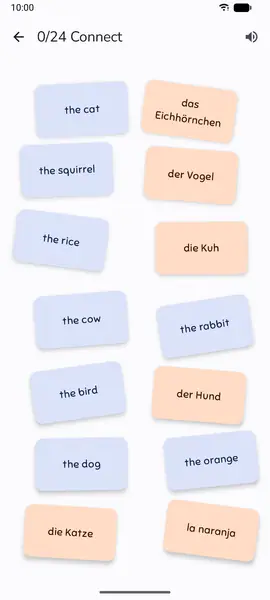
- Connect: draw lines between words and their translations
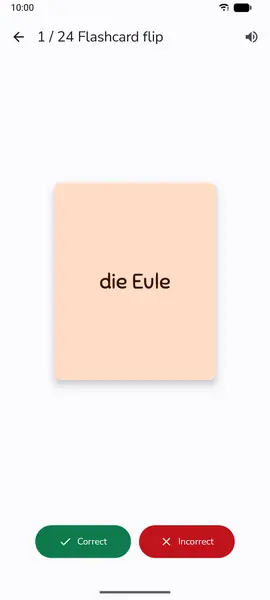
- Flashcards: flip a card, then say whether you knew it
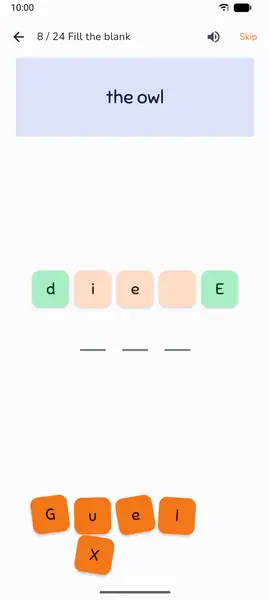
- Fill the blank: drag the missing letters into the word
- Spell it: type the word; a letter-by-letter comparison shows what went wrong
Words are read aloud with your device's text-to-speech voices.
Focus on what is hard
- Practise one list, several at once, or only the pairs you starred
- "Hard words" picks the pairs you got wrong recently
Build lists quickly
- Photograph a vocabulary page, mark the area, and the word pairs are added to your list for review
- Get translation suggestions while you type
- Import pairs from CSV files; share lists and back them up as files
AI on your terms Camera import and translation suggestions are optional. They can run entirely on your device with small models you download in Settings, or use a cloud AI provider with your own API key: Google Gemini, Groq, OpenRouter, Mistral, or any compatible server. Voclet has no server of its own.
Private by design
- No account, no ads, no tracking
- Your lists stay on your device
- Free and open-source software (Apache 2.0)
Languages Word lists in English, German, French, Spanish, Portuguese, Italian, Dutch, Polish, Swedish, Norwegian, Danish, Finnish and Hungarian, in any combination. The app itself is available in the same thirteen languages.
Made for tablets, works on phones. Light and dark themes.
What's new in version 1.0
First release.
APK file information
| Package name | com.github.mwiest.voclet |
|---|---|
| Version | 1.0 (code 1) |
| Minimum Android | Android 9 · targets API 37 |
| Architectures | arm64-v8a |
| SHA-256 | a3bc478756182653cc65e6cf865ff0be76f0591073b6516004a467990c41b04f |
| Signature | 987b106af4a14aa8095c104bac270eb7ebf7febec6e4cfdfe834b1ce90ea041a |
| Licence | Apache-2.0 — permissive free licence: the source code is public and reusable |
| Source code | github.com/mwiest/voclet |
Permissions
- Camera sensitive
- Internet access
- View network status
- Run in the background
- Show notifications
- Keep the device awake
- Start at boot
How to install Voclet APK
- Tap Download APK above, then open the file once the download has finished.
- If Android asks, allow your browser to install unknown apps.
- Tap Install. Voclet then appears with your other apps.
Having trouble? Read our guides how to install an APK on Android and "App not installed": how to fix it.
Frequently asked questions
Is Voclet free?
Yes. Voclet is distributed under the Apache-2.0 licence: free, no subscription, and its source code is public.
Is this APK file safe?
The file is the one built and published by the F-Droid repository from the public source code. Its SHA-256 fingerprint is shown above, so you can compare it after downloading. How to check an APK.
Will Voclet work on my phone?
You need at least Android 9. The app also works without Google services, so it runs on recent Huawei phones too.




