
WiFi Password Manager APK
Simple app using Shizuku or root access to manage WiFi passwords
Download APK v1.23 · 5.7 MB- Version1.23
- Size5.7 MB
- RequiresAndroid 10
- Updated11/20/2026
- LicenceMIT
- PriceFree
About WiFi Password Manager
View, manage, backup/restore saved WiFi passwords using Shizuku or root access.
Requirements:
- Android 10 or higher
- Shizuku or root access
- On Android 10, Shizuku running as shell (uid 2000) is not supported because it lacks permissions. Only root access or Shizuku running as root (uid 0) or system (uid 1000) works.
Features:
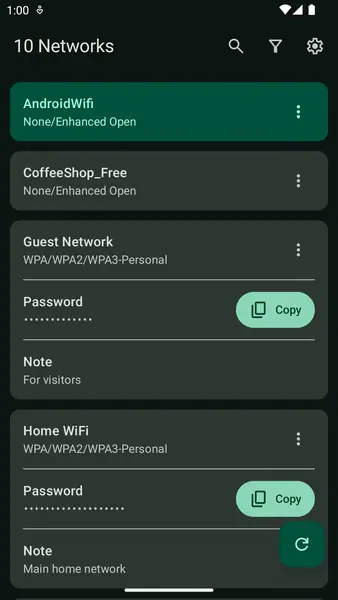
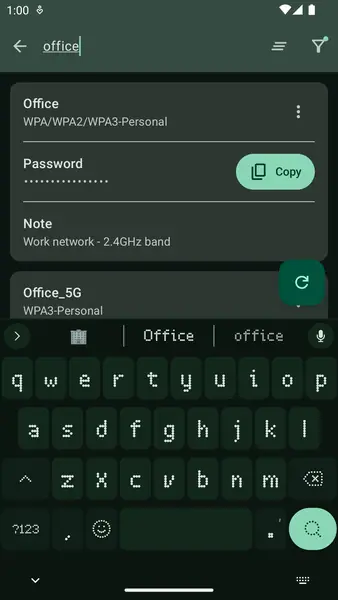
- View all saved networks with their passwords
- Connect, disconnect and forget networks directly from the app
- Copy passwords and generate QR codes
- Add notes to networks
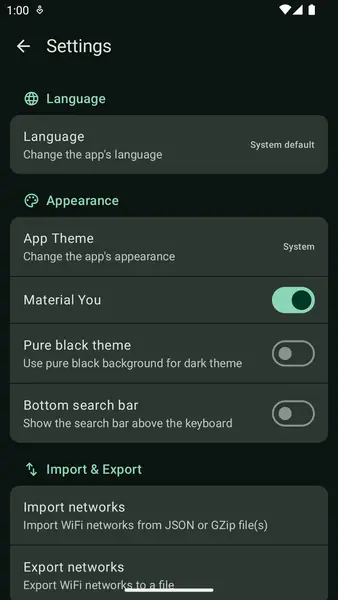
- Import/export networks as JSON with GZip compression and encryption options
- Auto-save temporary networks
Optional permissions
- ACCESS_WIFI_STATE: Allows the app to access information about WiFi networks
- ACCESS_FINE_LOCATION: Android requires this to access certain WiFi information for security reasons
- ACCESS_COARSE_LOCATION: Android requires this alongside fine location
What's new in version 1.23
- Added sort by creation and update time
- Added auto-sync networks setting
- Improved network list UI
- Fixed crash caused by incompatible system APIs on some phone manufacturers
APK file information
| Package name | io.github.wifi_password_manager |
|---|---|
| Version | 1.23 (code 24) |
| Minimum Android | Android 10 · targets API 37 |
| Architectures | arm64-v8a, armeabi-v7a, x86, x86_64 |
| SHA-256 | 2d2d1fb4c9e8b998bc0003211bf024a068e71aa486377d292d51fdd2223955f0 |
| Signature | 34ffa2ee658fe036b6c5d292aeb25145de6957ed52edd99f4beb8d6b3631c1ff |
| Licence | MIT — permissive free licence: the source code is public and reusable |
| Source code | github.com/Khh-vu/wifi-password-manager |
Permissions
- View Wi-Fi status
- Precise location (GPS) sensitive
- Approximate location sensitive
- Fingerprint / biometrics
- Fingerprint
- Keep the device awake
- View network status
- Start at boot
- Run in the background
Older versions
- WiFi Password Manager 1.23November 20, 2026 · 5.7 MB
- WiFi Password Manager 1.22November 9, 2026 · 5.7 MB
- WiFi Password Manager 1.21November 1, 2026 · 5.7 MB
How to install WiFi Password Manager APK
- Tap Download APK above, then open the file once the download has finished.
- If Android asks, allow your browser to install unknown apps.
- Tap Install. WiFi Password Manager then appears with your other apps.
Having trouble? Read our guides how to install an APK on Android and "App not installed": how to fix it.
Frequently asked questions
Is WiFi Password Manager free?
Yes. WiFi Password Manager is distributed under the MIT licence: free, no subscription, and its source code is public.
Is this APK file safe?
The file is the one built and published by the F-Droid repository from the public source code. Its SHA-256 fingerprint is shown above, so you can compare it after downloading. How to check an APK.
Will WiFi Password Manager work on my phone?
You need at least Android 10. The app also works without Google services, so it runs on recent Huawei phones too.





