BinClockWidget APK
AMOLED-black monochrome binary-clock home-screen widget
Scarica l'APK v1.1.2 · 14,4 MB- Versione1.1.2
- Dimensione14,4 MB
- RichiedeAndroid 8.0
- Aggiornata06/11/2026
- LicenzaGPL-3.0-or-later
- PrezzoGratis


Informazioni su BinClockWidget
Descrizione fornita dallo sviluppatore (in inglese).
An AMOLED-black, monochrome binary-clock Android home-screen widget.
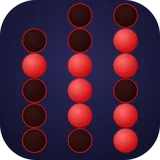
It renders the current time and date as a 6×4 grid of dots. Cells that would otherwise go unused carry a couple of small extras: the device alarm state and a weather glyph. The aesthetic is deliberately austere — solid dots on true black, no chrome, no colour — so it disappears into an AMOLED wallpaper and sips battery.
How to read it
The face is a grid of rows (values) and columns (place values):
- Rows encode, top to bottom: hours, minutes, day (of month), month.
- Columns are binary place values: 32 · 16 · 8 · 4 · 2 · 1.
- A lit (solid) dot means that place value is on; an unlit dot is off. Add the lit columns in a row to read that row's number.
For example, a minutes row with the 32, 8, and 2 dots lit reads 32 + 8 + 2 = 42.
The cells not needed by the low-value ends of the shorter rows are reused to show the alarm state and a weather condition glyph.
Battery indicator
Between the minutes and day rows sits a battery readout that's always on: a level gauge showing charge percentage, plus a state glyph (charging bolt, low-battery warning triangle, or very-low filled triangle). The warning thresholds are configurable in settings — adjust them to match your device and usage patterns.
Weather, network & privacy
Weather is off by default and opt-in: on a fresh install the widget makes no network or location calls, and no weather glyph is shown. Weather stays entirely dormant until you enter a weather server URL in the widget settings.
When you turn it on, weather uses the keyless Open-Meteo API. Tapping "Use Open-Meteo" fills in the public endpoint (https://api.open-meteo.com/), which is then contacted over the INTERNET permission to fetch current conditions and a short forecast. You can instead point the setting at your own self-hosted Open-Meteo instance — any http(s) URL is accepted.
With weather on, the widget also needs coarse location (ACCESS_COARSE_LOCATION) to fetch conditions for where you are. Location is read via the platform LocationManager only — there are no Google Play Services, no fused/Play location, and no proprietary SDKs. The coordinates are sent only to the weather server you configured, and only while weather is enabled.
Informazioni sul file APK
| Nome del pacchetto | fr.shiningcat.binclockwidget |
|---|---|
| Versione | 1.1.2 (codice 8) |
| Android minimo | Android 8.0 · pensata per API 37 |
| Architetture | arm64-v8a, armeabi-v7a, x86, x86_64 |
| SHA-256 | 8d65fd1dde79d02e6ea368ccc69b4581d7d567750cae8d7a656b381f915d5a3e |
| Firma | 33f29317567277d8b7a42ed7870916a2dd2c1edda08fe402ee5fe572fa322fcc |
| Licenza | GPL-3.0-or-later — licenza libera copyleft: il codice è pubblico e le versioni modificate devono restare libere |
| Codice sorgente | github.com/shining-cat/binary-clock-widget |
Autorizzazioni richieste
- Accesso a Internet
- Posizione approssimativa sensibile
- Avviarsi all'accensione
- Impedire lo standby
- Vedere lo stato della rete
- Funzionare in background
Altre 2 autorizzazioni tecniche
SCHEDULE_EXACT_ALARM USE_EXACT_ALARM
Versioni precedenti
- BinClockWidget 1.1.26 novembre 2026 · 14,4 MB
- BinClockWidget 1.1.114 settembre 2026 · 14,4 MB
- BinClockWidget 1.1.017 agosto 2026 · 14,1 MB
Come installare BinClockWidget APK
- Tocca Scarica l'APK qui sopra, poi apri il file al termine del download.
- Se Android lo chiede, consenti al browser di installare app sconosciute.
- Tocca Installa. BinClockWidget comparirà insieme alle altre app.
→ Come installare un file APK su Android (passo passo)
→ «App non installata»: cause e soluzioni
Domande frequenti
BinClockWidget è gratis?
Sì. BinClockWidget è distribuita con licenza GPL-3.0-or-later: gratuita, senza abbonamento e con codice sorgente pubblico.
Questo file APK è sicuro?
Il file è quello compilato e pubblicato dal repository F-Droid a partire dal codice sorgente pubblico. L'impronta SHA-256 è indicata qui sopra: puoi confrontarla dopo il download. Un APK è pericoloso? Come verificare un file prima di installarlo
BinClockWidget funziona sul mio telefono?
Serve almeno Android 8.0. L'app funziona anche senza i servizi Google, quindi anche sui telefoni Huawei recenti.