
GPS Cockpit APK
GPS Cockpit & Head-Up Display
Scarica l'APK v3.0 · 2,2 MB- Versione3.0
- Dimensione2,2 MB
- RichiedeAndroid 7.0
- Aggiornata29/10/2026
- LicenzaAGPL-3.0-or-later
- PrezzoGratis
Informazioni su GPS Cockpit
Descrizione fornita dallo sviluppatore (in inglese).
Features:
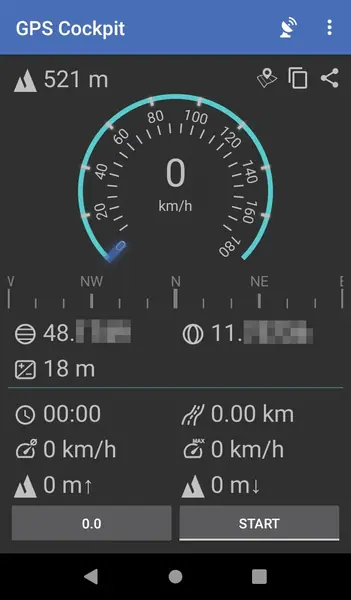
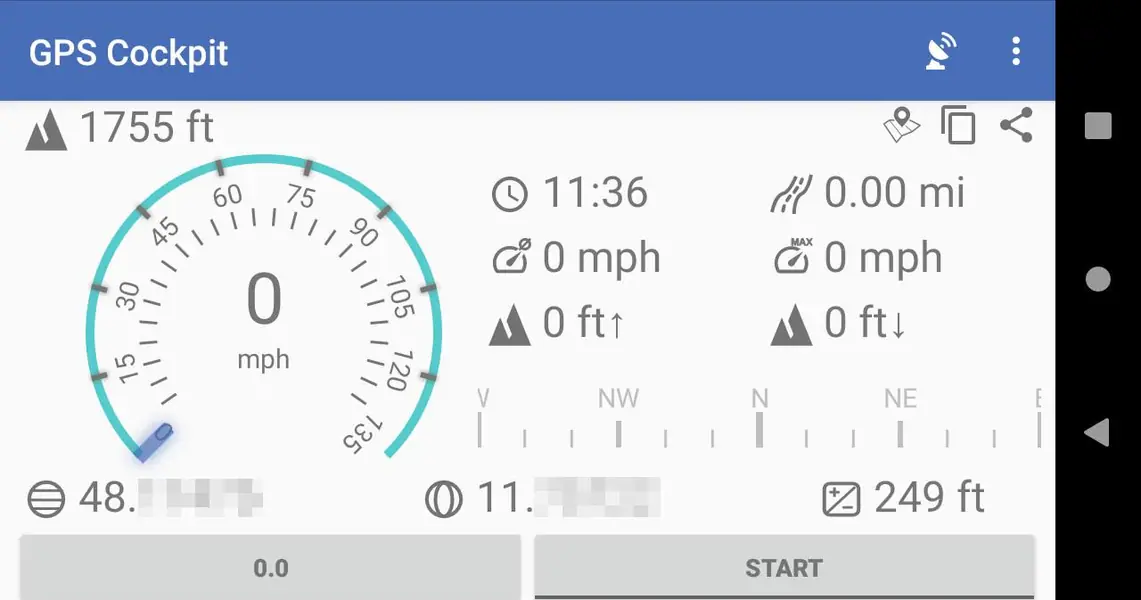
GPS Cockpit finds your device's location via GPS and shows most relevant data in a cockpit style. You can also see the list of visible satellites with their identifiers and signal quality. Location coordinates can be copied to clipboard, shared, or opened in a maps app, if installed. Clearing A-GPS aiding data is also supported. Speed range can be selected by clicking on the speedometer. A left swipe on the speedometer will show an altimeter instead. When the START button is pressed travel distance is recorded (horizontal movement and also accumulated up and down movements). A change is only recognized and added to the distance if the position changes by more than 2x GPS accuracy for horizontal movement and 3x GPS accuracy for vertical movements and only if accuracy is at least 15m. A flipped view for use as head-up display is also available.
A tile in quick settings allows you to enable/disable GPS lock.
Required permissions:
- GPS to access location
- REQUEST_IGNORE_BATTERY_OPTIMIZATIONS, WAKE_LOCK, FOREGROUND_SERVICE for keeping GPS active in background if requested by user ("LOCK GPS")
No ads, no trackers.
Novità della versione 3.0
GPS Service: increased update frequency to prevent GPS from going to sleep
Informazioni sul file APK
| Nome del pacchetto | org.woheller69.gpscockpit |
|---|---|
| Versione | 3.0 (codice 300) |
| Android minimo | Android 7.0 · pensata per Android 15 |
| Architetture | Tutte (universale) |
| SHA-256 | 5f78f6f9f2434626e29931c975f5bceb7838be7a32d710b04894b0b1dcb77816 |
| Firma | 6766b29e8dbea6a4a48e0f196dbcd6a9cb457c8d3a48aab14d8820a422ee3501 |
| Licenza | AGPL-3.0-or-later — licenza libera copyleft: il codice è pubblico e le versioni modificate devono restare libere |
| Codice sorgente | github.com/woheller69/gpscockpit |
Autorizzazioni richieste
- Posizione precisa (GPS) sensibile
- Posizione approssimativa sensibile
- Posizione in background sensibile
- Impedire lo standby
- Funzionare in background
- Mostrare notifiche
Altre 2 autorizzazioni tecniche
ACCESS_LOCATION_EXTRA_COMMANDS REQUEST_IGNORE_BATTERY_OPTIMIZATIONS
Versioni precedenti
- GPS Cockpit 3.029 ottobre 2026 · 2,2 MB
- GPS Cockpit 2.924 marzo 2026 · 2,2 MB
- GPS Cockpit 2.88 settembre 2025 · 2,2 MB
Come installare GPS Cockpit APK
- Tocca Scarica l'APK qui sopra, poi apri il file al termine del download.
- Se Android lo chiede, consenti al browser di installare app sconosciute.
- Tocca Installa. GPS Cockpit comparirà insieme alle altre app.
→ Come installare un file APK su Android (passo passo)
→ «App non installata»: cause e soluzioni
Domande frequenti
GPS Cockpit è gratis?
Sì. GPS Cockpit è distribuita con licenza AGPL-3.0-or-later: gratuita, senza abbonamento e con codice sorgente pubblico.
Questo file APK è sicuro?
Il file è quello compilato e pubblicato dal repository F-Droid a partire dal codice sorgente pubblico. L'impronta SHA-256 è indicata qui sopra: puoi confrontarla dopo il download. Un APK è pericoloso? Come verificare un file prima di installarlo
GPS Cockpit funziona sul mio telefono?
Serve almeno Android 7.0. L'app funziona anche senza i servizi Google, quindi anche sui telefoni Huawei recenti.





