
OpenSyncedLists APK
Sort, tag & sync your lists – encrypted on your own server.
Scarica l'APK v1.3.0 · 5,3 MB- Versione1.3.0
- Dimensione5,3 MB
- RichiedeAndroid 7.0
- Aggiornata09/06/2026
- LicenzaGPL-3.0-or-later
- PrezzoGratis
Informazioni su OpenSyncedLists
Descrizione fornita dallo sviluppatore (in inglese).
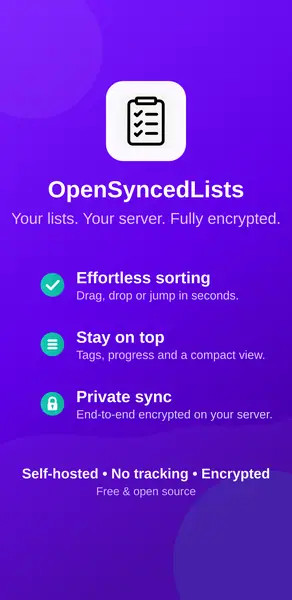
OpenSyncedLists is the fast, private way to keep every checklist, to-do and small project under control – synced across your devices and encrypted end-to-end.
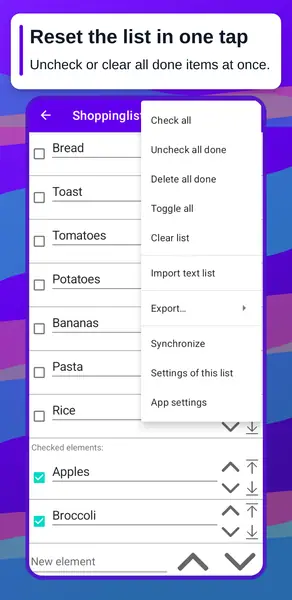
Whether it's the weekly shopping, a bucket list or the tasks for your next project: create a list in seconds, sort it your way and tick items off as you go. When you're done, reset the whole list with a single tap and start over.
WHY YOU'LL LOVE IT
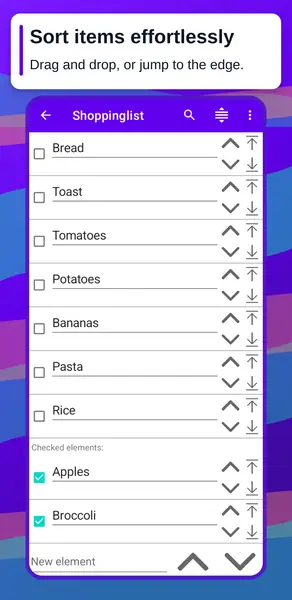
- Effortless sorting – drag and drop any item, or jump it straight to the top or bottom.
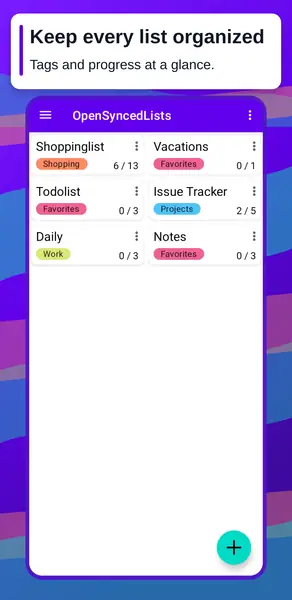
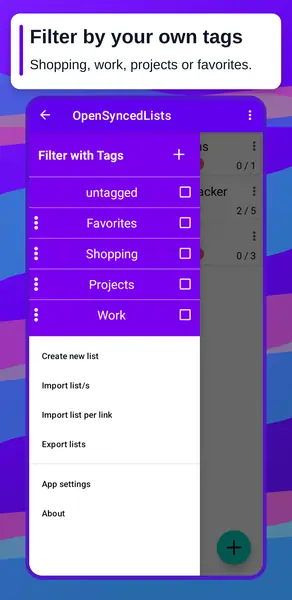
- Clear overview – tags, progress counters and a compact mode keep busy lists easy to scan.
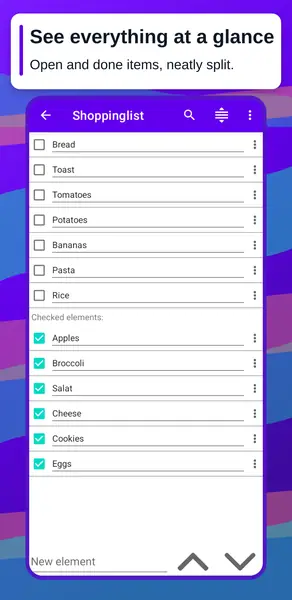
- Stays in order – checked items move aside but keep their place, ready to be reused.
- One-tap reset – clear all checkmarks at once and run the same list again.
- Perfect for small projects – group tasks with your own tags and track what's left.
PRIVACY BY DESIGN
- End-to-end encrypted sync – your lists are encrypted on your device.
- Self-hosted – run synchronization on your own server, a different one per list if you like.
- The server operator can never read your lists. No accounts, no tracking, no data collection.
MADE TO FIT YOU
- Left-handed mode and adjustable controls (with or without buttons).
- Adjustable font size for list elements.
- Share lists via URL.
- Export as Markdown, clipboard, message, JSON and more.
- Free and open source.
Your lists. Your server. Fully encrypted.
Novità della versione 1.3.0
- Safety checks before destructive actions
- Lots of new settings, with defaults you can apply to all lists
- Adjustable font size and more customization
- Edit items right from the overview
Informazioni sul file APK
| Nome del pacchetto | eu.schmidt.systems.opensyncedlists |
|---|---|
| Versione | 1.3.0 (codice 15) |
| Android minimo | Android 7.0 · pensata per Android 15 |
| Architetture | Tutte (universale) |
| SHA-256 | a354d1b3d61093cbd0404f1b7b2fc573fd96f2082a7a5974d9a4eea3d654b93d |
| Firma | bfcfb18d4fcfc7958e17e026ce9ca3948ce3996556c698ed841b171f778b039c |
| Licenza | GPL-3.0-or-later — licenza libera copyleft: il codice è pubblico e le versioni modificate devono restare libere |
| Codice sorgente | gitlab.com/gladion136/opensyncedlists |
| Sito ufficiale | schmidt-systems.eu/docs/opensyncedlists |
Autorizzazioni richieste
- Accesso a Internet
Versioni precedenti
- OpenSyncedLists 1.3.09 giugno 2026 · 5,3 MB
- OpenSyncedLists 1.2.05 aprile 2026 · 5,2 MB
- OpenSyncedLists 1.1.01 luglio 2025 · 5,2 MB
Come installare OpenSyncedLists APK
- Tocca Scarica l'APK qui sopra, poi apri il file al termine del download.
- Se Android lo chiede, consenti al browser di installare app sconosciute.
- Tocca Installa. OpenSyncedLists comparirà insieme alle altre app.
→ Come installare un file APK su Android (passo passo)
→ «App non installata»: cause e soluzioni
Domande frequenti
OpenSyncedLists è gratis?
Sì. OpenSyncedLists è distribuita con licenza GPL-3.0-or-later: gratuita, senza abbonamento e con codice sorgente pubblico.
Questo file APK è sicuro?
Il file è quello compilato e pubblicato dal repository F-Droid a partire dal codice sorgente pubblico. L'impronta SHA-256 è indicata qui sopra: puoi confrontarla dopo il download. Un APK è pericoloso? Come verificare un file prima di installarlo
OpenSyncedLists funziona sul mio telefono?
Serve almeno Android 7.0. L'app funziona anche senza i servizi Google, quindi anche sui telefoni Huawei recenti.





