
Tumblr Downloader APK
Download images, videos and whole blogs from Tumblr
Scarica l'APK v1.0.8 · 7,5 MB- Versione1.0.8
- Dimensione7,5 MB
- RichiedeAndroid 11
- Aggiornata20/11/2026
- LicenzaMIT
- PrezzoGratis

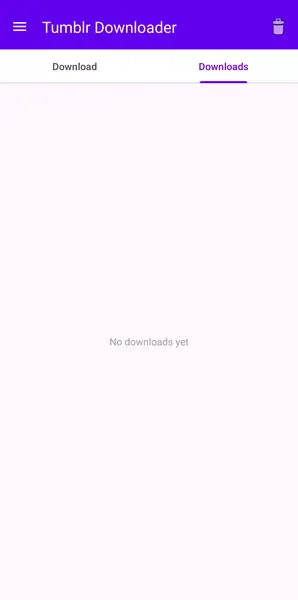
Informazioni su Tumblr Downloader
Descrizione fornita dallo sviluppatore (in inglese).
Tumblr Downloader is an Android app that lets you download images and videos from Tumblr posts, or entire blogs.
Features:
- Download media from Tumblr posts with a single link
- Pre-download media picker: preview every file of a post, keep or drop items one by one, select all images / videos / GIFs, then download the selection or skip everything
- Blog batch download: scan a whole blog and download its media, with per-blog progress cards, pause / resume / cancel and a resumable scan cursor
- Re-downloading the same blog reuses its existing card instead of creating a duplicate
- Automatic clipboard detection for Tumblr URLs
- Share from other apps to start downloading
- Configurable parallel downloads
- Video quality selection (480p / 720p / 1080p) when several renditions exist
- Configurable rate limit (speed cap and gap between tasks)
- Built-in WebView login to access private/restricted posts
- Persistent cookies for session reuse across restarts
- Download queue with pause/resume/retry support
- Download speed shown in the notification and the download list
- Notification actions: pause or cancel directly from the notification
- Download history with Room database persistence
- Built-in media viewer for images and videos
- Custom save directory via Storage Access Framework
- Multi-language support (English and Chinese)
- Material Design 3 UI with dark mode support
- Network-aware: auto-pauses on connection loss
- Adult content detection and filtering
Privacy:
- Login credentials are stored locally using Android Keystore
- No analytics or tracking
- No ads
- WebView blocks known third-party tracking domains during login
- Fully open source under MIT license
Support:
- If you find this app useful, consider buying me a coffee: https://ko-fi.com/E0C822IGF6
Requires Android 11 or later.
Novità della versione 1.0.8
- Blog batch download: one resumable card per blog — pause, resume, cancel
- Media picker: preview each file, keep/drop items, or skip the post
- "Auto-download all media" switch (off by default): download without asking
- Blog files saved in their own folder (blog name + short id)
- Settings split into a category menu with focused sub-screens
- Guide covers the picker and blog cards; sidebar "How to use"
- Fix: downloads at 0% (#24), blog scans freezing, empty-list hint
Informazioni sul file APK
| Nome del pacchetto | io.github.akarimarisa.tumblrdownloader |
|---|---|
| Versione | 1.0.8 (codice 9) |
| Android minimo | Android 11 · pensata per Android 14 |
| Architetture | Tutte (universale) |
| SHA-256 | f9b89bf362e1b6c2448f65b58fb05c8bffea300530ba8a2940bfe497a8710ea0 |
| Firma | b8519750de10b9c65519c0bbfa773eda01700aeb7e465f6609b4006d87d6e6f4 |
| Licenza | MIT — licenza libera permissiva: il codice sorgente è pubblico e riutilizzabile |
| Codice sorgente | github.com/AkariMarisa/Tumblr-Downloader |
Autorizzazioni richieste
- Accesso a Internet
- Mostrare notifiche
- Funzionare in background
- Vedere lo stato della rete
- Impedire lo standby
- Vedere lo stato del Wi-Fi
Versioni precedenti
- Tumblr Downloader 1.0.820 novembre 2026 · 7,5 MB
- Tumblr Downloader 1.0.727 settembre 2026 · 7,3 MB
- Tumblr Downloader 1.0.67 settembre 2026 · 7,3 MB
Come installare Tumblr Downloader APK
- Tocca Scarica l'APK qui sopra, poi apri il file al termine del download.
- Se Android lo chiede, consenti al browser di installare app sconosciute.
- Tocca Installa. Tumblr Downloader comparirà insieme alle altre app.
→ Come installare un file APK su Android (passo passo)
→ «App non installata»: cause e soluzioni
Domande frequenti
Tumblr Downloader è gratis?
Sì. Tumblr Downloader è distribuita con licenza MIT: gratuita, senza abbonamento e con codice sorgente pubblico.
Questo file APK è sicuro?
Il file è quello compilato e pubblicato dal repository F-Droid a partire dal codice sorgente pubblico. L'impronta SHA-256 è indicata qui sopra: puoi confrontarla dopo il download. Un APK è pericoloso? Come verificare un file prima di installarlo
Tumblr Downloader funziona sul mio telefono?
Serve almeno Android 11. L'app funziona anche senza i servizi Google, quindi anche sui telefoni Huawei recenti.