Tune Tangler APK
Enjoy your music — record, refine, remix, share.
Scarica l'APK v1.7.5 · 24,1 MB- Versione1.7.5
- Dimensione24,1 MB
- RichiedeAndroid 7.0
- Aggiornata27/05/2026
- LicenzaMIT
- PrezzoGratis
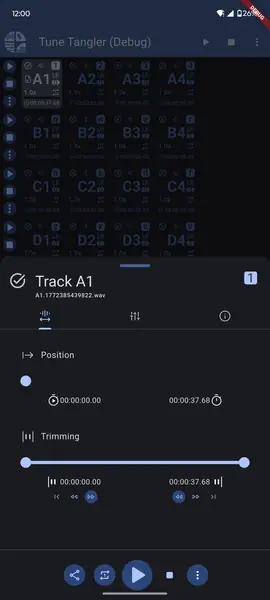
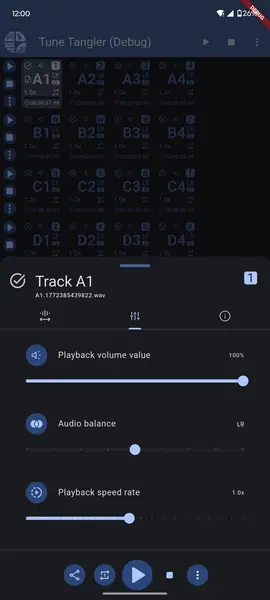
Informazioni su Tune Tangler
Descrizione fornita dallo sviluppatore (in inglese).
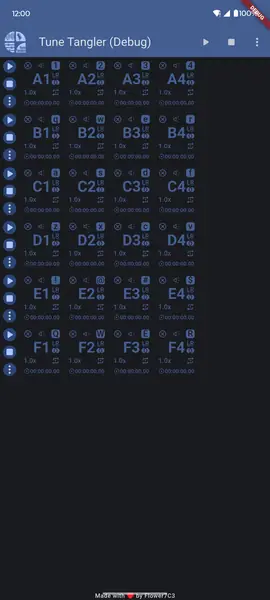
Tune Tangler is a simple grid for short musical ideas. Record with the built-in microphone or USB-connected audio hardware. You can also load a file from the device.
Play tracks together so they stay in time, or run them independently. Use looping or a single pass — whatever you need. All recordings and settings are kept after you close the app. You can share tracks or save the whole project as a ZIP file.
NAVIGATION
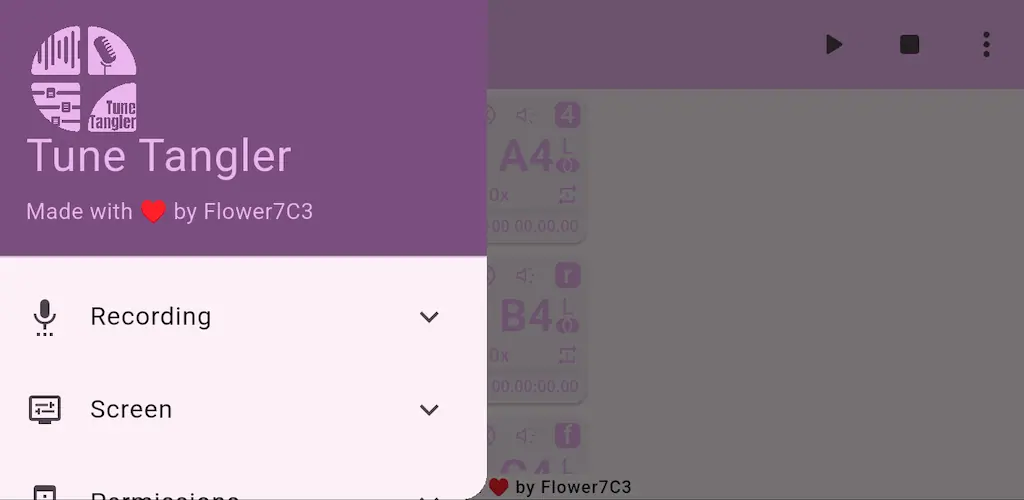
The top bar shows the app title: the logo on the left opens the side menu; on the right, start/stop all tracks and a “⋮” menu for actions for the whole grid at once — ZIP project export/import, shared playback tweaks, trim resets, and More settings… (which also opens the side menu). The side menu lists Help, Recording, Tracks & Grid (including keyboard shortcut presets), Screen, Permissions, the maintenance area, and profiles at the bottom.
WORKING THE GRID
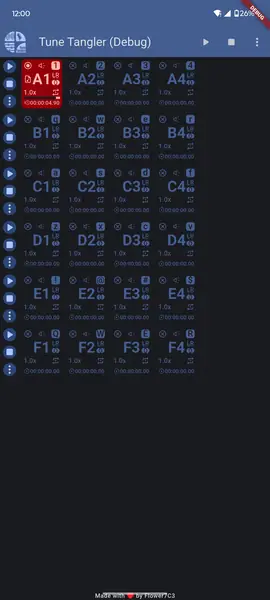
Each colored block is a quick control: tap it, or — with a keyboard connected — press the matching shortcut key. Want sliders and finer options? Hold the block — or, with an external keyboard connected, press your shortcut key together with Ctrl. Set each track’s shortcut in its details. Each grid row also has start/stop for that row and a “⋮” menu with bulk actions for every track in that row (playback mode, level, balance, speed, trim resets, delete that row’s recordings). In the side menu, pick a preset shortcut map for your keyboard: standard (PC-style, flexible grid) or the 24-key 6×4 layout.
INSIDE A TRACK
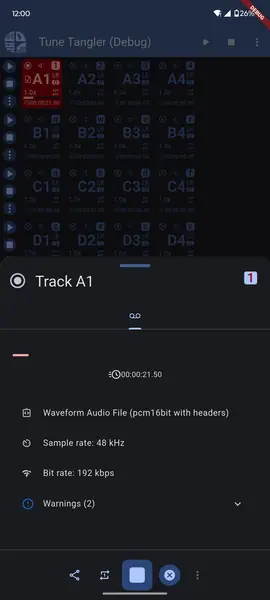
Trim the start and end, choose loop or single pass, set level and left/right balance, change playback speed, name the track, and assign a shortcut. Move the track on the grid, replace the audio with another file, share a recording, or clear the slot.
ICONS ON THE BLOCK
Icons show shortcuts, audio source, level, balance, trim, and loop mode. Open Help from the side menu for a full legend.
RECORDING QUALITY
Settings include file format, time resolution, bit rate (bitrate), mono or stereo, and — when the device supports it — automatic level control (AGC), less room echo, and quieter background noise.
SETTINGS PROFILES
Profiles store full setups: recording options plus language, light or dark theme, accent color, and keeping the screen on. Save several profiles, switch with a tap, remove one with a long press.
PROJECT ZIP EXPORT
One ZIP file holds the grid layout, every track’s settings, and the audio, with a short integrity check and a small summary (version, export time, grid size, and recording statistics). Import shows a preview and a warning before overwriting. The app rejects damaged or incomplete files.
PERMISSIONS
Microphone (and USB audio when the OS allows), storage for imports and exports, and optional Android notifications if you record while the app is in the background.
For a fuller guide to the icons and options, open Help in the side menu.
Informazioni sul file APK
| Nome del pacchetto | pro.kwiatek.tune_tangler |
|---|---|
| Versione | 1.7.5 (codice 73) |
| Android minimo | Android 7.0 · pensata per Android 16 |
| Architetture | x86_64 |
| SHA-256 | e2fe1cfa6f0e1a581c4e241a198e22d16802b4e49e2c308ebc1ebbde10e84ce4 |
| Firma | 6231f3d33332456d38ef5c7341eb56e90375f2f0e66b1368a81def8759f411c7 |
| Licenza | MIT — licenza libera permissiva: il codice sorgente è pubblico e riutilizzabile |
| Codice sorgente | github.com/Flower7C3/tune-tangler |
| Sito ufficiale | kwiatek.pro |
Autorizzazioni richieste
- Microfono sensibile
- Scrivere nell'archivio
- Leggere l'archivio
- Leggere la musica
- Mostrare notifiche
- Vibrare
Altre 1 autorizzazioni tecniche
MODIFY_AUDIO_SETTINGS
Versioni precedenti
- Tune Tangler 1.7.527 maggio 2026 · 24,1 MB
- Tune Tangler 1.7.527 maggio 2026 · 22,8 MB
- Tune Tangler 1.7.527 maggio 2026 · 20,8 MB
Come installare Tune Tangler APK
- Tocca Scarica l'APK qui sopra, poi apri il file al termine del download.
- Se Android lo chiede, consenti al browser di installare app sconosciute.
- Tocca Installa. Tune Tangler comparirà insieme alle altre app.
→ Come installare un file APK su Android (passo passo)
→ «App non installata»: cause e soluzioni
Domande frequenti
Tune Tangler è gratis?
Sì. Tune Tangler è distribuita con licenza MIT: gratuita, senza abbonamento e con codice sorgente pubblico.
Questo file APK è sicuro?
Il file è quello compilato e pubblicato dal repository F-Droid a partire dal codice sorgente pubblico. L'impronta SHA-256 è indicata qui sopra: puoi confrontarla dopo il download. Un APK è pericoloso? Come verificare un file prima di installarlo
Tune Tangler funziona sul mio telefono?
Serve almeno Android 7.0. L'app funziona anche senza i servizi Google, quindi anche sui telefoni Huawei recenti.





