
Veil APK
Private, local-first encrypted notes
Scarica l'APK v1.0.0-beta.9 · 25,6 MB- Versione1.0.0-beta.9
- Dimensione25,6 MB
- RichiedeAndroid 7.0
- Aggiornata15/10/2026
- LicenzaGPL-3.0-only
- PrezzoGratis
Informazioni su Veil
Descrizione fornita dallo sviluppatore (in inglese).
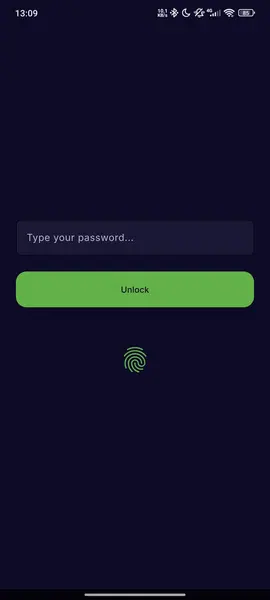
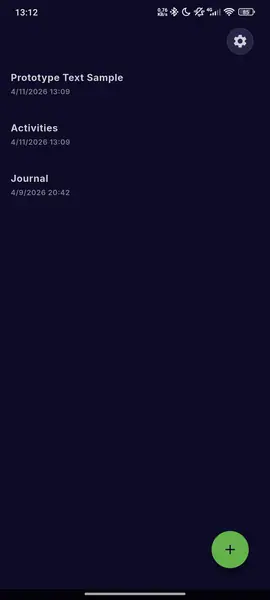
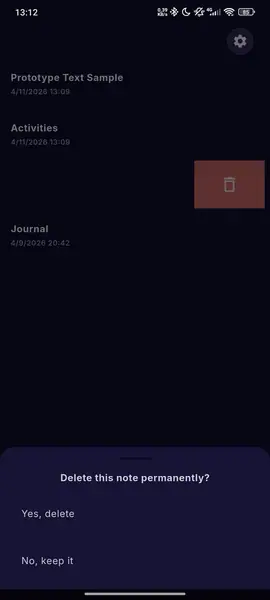
Veil is a local-first encrypted notes app for Android.
Keep your notes on your device without an account or cloud sync. Notes are encrypted locally before they are written to the app's private storage.
Features:
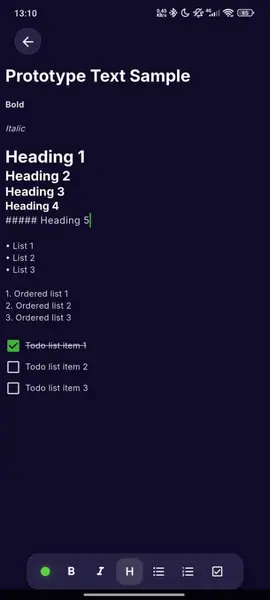
- Markdown editor
- Local OpenPGP-based encryption
- Password-protected vault with Argon2 key derivation
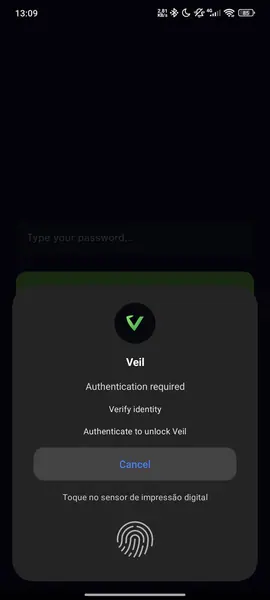
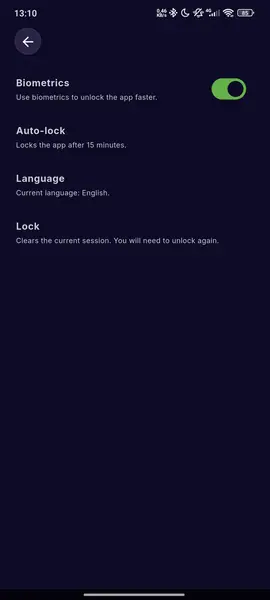
- Optional biometric unlock
- Automatic locking
- Password changes and encrypted note import and export
- Offline-first design
Veil is in beta. There is no password recovery or cloud backup. Keep a separate copy of critical data.
Veil is free and open-source software licensed under GPL-3.0-only. Contributions, bug reports, tests, documentation, accessibility improvements, and translations are welcome.
Novità della versione 1.0.0-beta.9
Beta 9
- Added password changes, encrypted note import and export, and an About screen.
- Improved biometric security and settings screens.
- Blocked Android printing and keyboard learning for notes.
- Enabled R8 code optimization and resource shrinking for smaller Android builds.
Informazioni sul file APK
| Nome del pacchetto | app.veil.veil |
|---|---|
| Versione | 1.0.0-beta.9 (codice 70123) |
| Android minimo | Android 7.0 · pensata per Android 16 |
| Architetture | x86_64 |
| SHA-256 | 65786e1faa7c985aa8075b09bfd6dfddce9f725f1d5f0f343a268f0b58810674 |
| Firma | 600008c667784b0d2b7c224784da2b14f962b9ab8c5c869be476cee813b3f643 |
| Licenza | GPL-3.0-only — licenza libera copyleft: il codice è pubblico e le versioni modificate devono restare libere |
| Codice sorgente | github.com/veil-notes/app |
Autorizzazioni richieste
- Impronta / biometria
- Impronta digitale
Versioni precedenti
- Veil 1.0.0-beta.915 ottobre 2026 · 25,6 MB
- Veil 1.0.0-beta.915 ottobre 2026 · 23,9 MB
- Veil 1.0.0-beta.915 ottobre 2026 · 21,8 MB
- Veil 1.0.0-beta.88 ottobre 2026 · 25,1 MB
- Veil 1.0.0-beta.88 ottobre 2026 · 23,3 MB
- Veil 1.0.0-beta.88 ottobre 2026 · 21,3 MB
Come installare Veil APK
- Tocca Scarica l'APK qui sopra, poi apri il file al termine del download.
- Se Android lo chiede, consenti al browser di installare app sconosciute.
- Tocca Installa. Veil comparirà insieme alle altre app.
→ Come installare un file APK su Android (passo passo)
→ «App non installata»: cause e soluzioni
Domande frequenti
Veil è gratis?
Sì. Veil è distribuita con licenza GPL-3.0-only: gratuita, senza abbonamento e con codice sorgente pubblico.
Questo file APK è sicuro?
Il file è quello compilato e pubblicato dal repository F-Droid a partire dal codice sorgente pubblico. L'impronta SHA-256 è indicata qui sopra: puoi confrontarla dopo il download. Un APK è pericoloso? Come verificare un file prima di installarlo
Veil funziona sul mio telefono?
Serve almeno Android 7.0. L'app funziona anche senza i servizi Google, quindi anche sui telefoni Huawei recenti.





