FreeOTP APK
二要素認証
APK をダウンロード v2.0.6 · 8.9 MB- バージョン2.0.6
- サイズ8.9 MB
- 必要環境Android 6.0
- 更新日2026/2/20
- ライセンスApache-2.0
- 価格無料
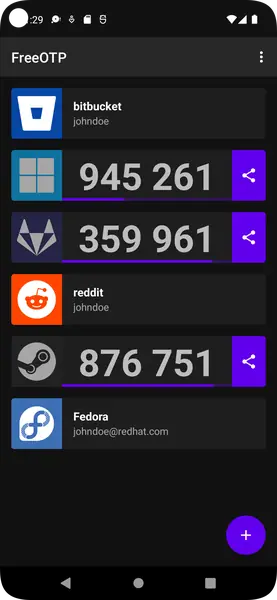
FreeOTP について
開発者による説明(英語)。
NOTE: Users reported issues with the backup & restore functionality, please test this whenever you install the app on a new device.
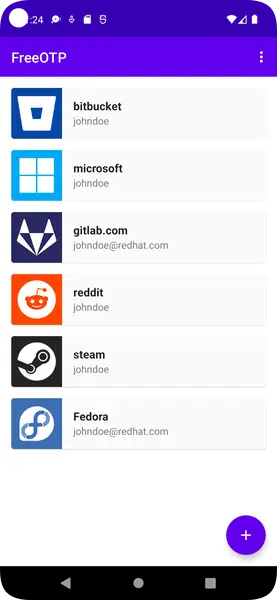
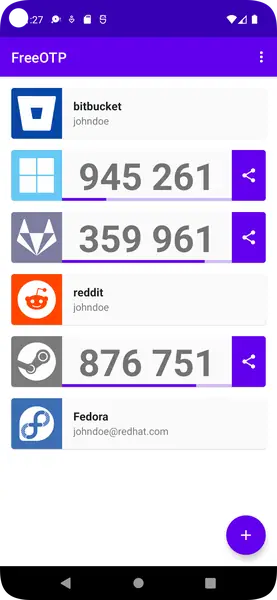
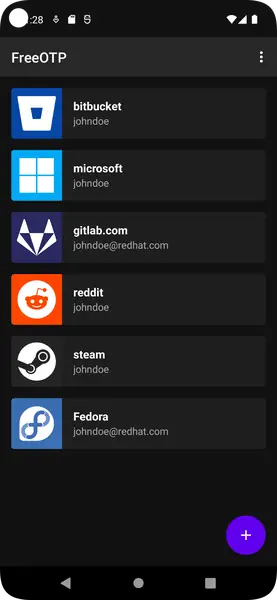
FreeOTP is a two-factor authentication (2FA) application for systems utilizing one-time password protocols (OTP). Tokens can be added easily by scanning a QR-code or by manually entering in the token configuration.
FreeOTP implements open standards. This means that no proprietary server-side component is necessary: use any server-side component that implements these standards - for example FreeIPA, which uses TOTP. Any standards-compliant implementation will work. Currently, FreeOTP provides implementations of HOTP (RFC 4226) and TOTP (RFC 6238).
APK ファイルの情報
| パッケージ名 | org.fedorahosted.freeotp |
|---|---|
| バージョン | 2.0.6 (コード 48) |
| 最低 Android バージョン | Android 6.0 · 対象 Android 15 |
| アーキテクチャ | arm64-v8a, armeabi-v7a, x86, x86_64 |
| SHA-256 | 48212d63dd3a3a8a8d6201b8d911f239efb1561f08472057b2c55a65ebb0a94f |
| 署名 | ec54f194f75c15dd1e466b6e0810c18fba7b6b34e0c3e3dda9845a4618c6957f |
| ライセンス | Apache-2.0 — 寛容型の自由ライセンス:ソースコードは公開され、再利用できます |
| ソースコード | github.com/freeotp/freeotp-android |
| 公式サイト | freeotp.github.io/ |
権限
- おおよその位置情報 要注意
- Bluetooth 接続
- 指紋
- Bluetooth 機器の検索
- Bluetooth
- インターネット接続
- バイブレーション
- カメラ 要注意
その他の技術的な権限(1 件)
BLUETOOTH_ADMIN
以前のバージョン
- FreeOTP 2.0.62026年2月20日 · 8.9 MB
- FreeOTP 2.0.52025年2月6日 · 6.8 MB
- FreeOTP 2.0.42024年6月17日 · 6.3 MB
FreeOTP APK のインストール方法
- 上のAPK をダウンロードをタップし、ダウンロード後にファイルを開きます。
- Android に確認されたら、ブラウザに不明なアプリのインストールを許可します。
- インストールをタップします。FreeOTP がほかのアプリと一緒に表示されます。
→ Android に APK ファイルをインストールする方法(手順付き)
→ 「アプリはインストールされていません」:原因と対処法
よくある質問
FreeOTP は無料ですか?
はい。FreeOTP は Apache-2.0 ライセンスで配布されており、無料・サブスクリプション不要で、ソースコードも公開されています。
この APK ファイルは安全ですか?
このファイルは F-Droid リポジトリが公開ソースコードからビルドして公開したものです。SHA-256 フィンガープリントを上に記載しているので、ダウンロード後に照合できます。 APK は危険?インストール前にファイルを確認する方法
FreeOTP は自分のスマホで動きますか?
Android 6.0 以上が必要です。Google サービスがなくても動作するため、最近の Huawei 端末でも使えます。





