
Pixelix APK
Pixelix: a user-friendly Pixelfed client for photo uploads, browsing, & sharing.
APK をダウンロード v5.2.2 · 9.0 MB- バージョン5.2.2
- サイズ9.0 MB
- 必要環境Android 8.0
- 更新日2026/9/22
- ライセンスGPL-3.0-only
- 価格無料
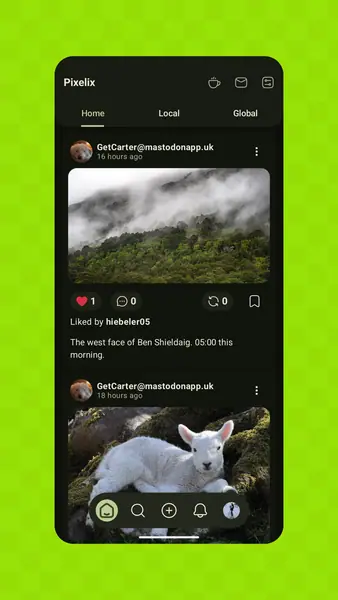
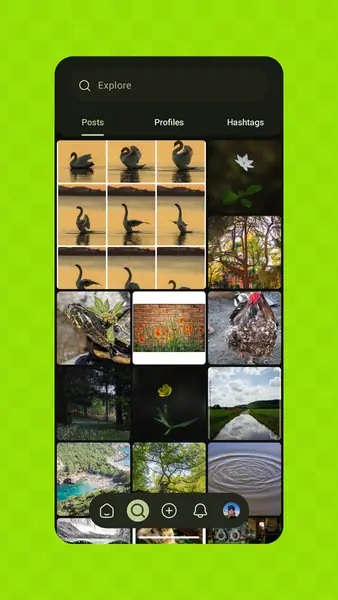
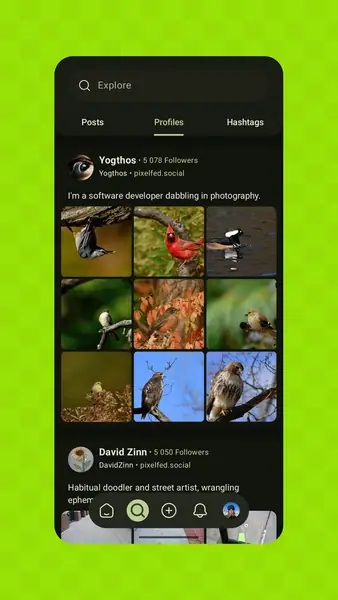
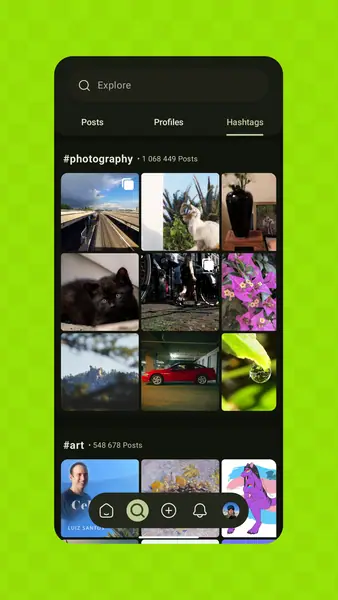
Pixelix について
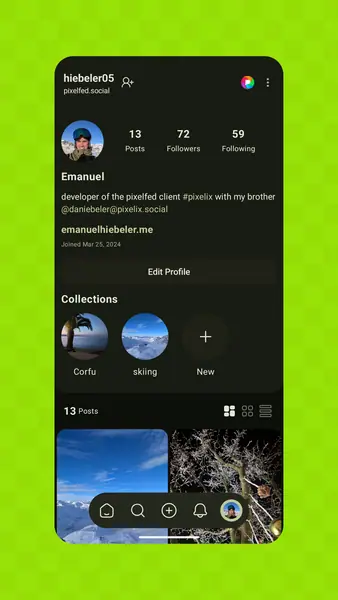
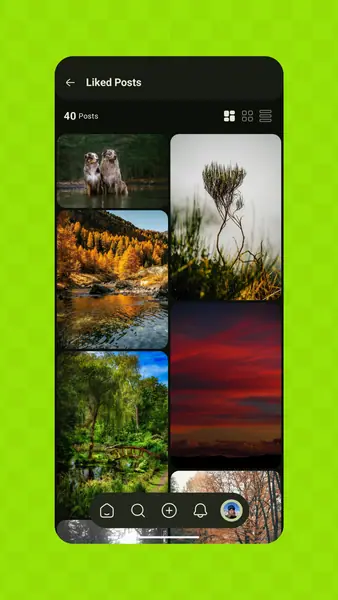
Pixelix provides a smooth and intuitive interface for interacting with Pixelfed, the federated image-sharing social network. Designed with user experience in mind, Pixelix makes it simple to connect to your Pixelfed instance, upload photos directly from your device, and browse through your feed with ease. Whether you're a seasoned Pixelfed user or just getting started, Pixelix offers a streamlined way to share and discover visual content.
バージョン 5.2.2 の新機能
- Add preference to enable/disable double tap to like
- Implement pinning of posts
- Show images and videos in private messages
- Add posts tab in search
- Upgrade navigation library
- Bug fixes
APK ファイルの情報
| パッケージ名 | com.daniebeler.pfpixelix |
|---|---|
| バージョン | 5.2.2 (コード 49) |
| 最低 Android バージョン | Android 8.0 · 対象 API 37 |
| アーキテクチャ | arm64-v8a, armeabi-v7a, x86, x86_64 |
| SHA-256 | e54dcd20d22b4ffcdfdafd7d4ef0a7a28646e8c8b0c34e9dc32ae7ee860949d3 |
| 署名 | 6a23d7a34702add1c069faf381b60f2049e238537ce76c6dcc89b7c636f59228 |
| ライセンス | GPL-3.0-only — コピーレフト型の自由ライセンス:コードは公開され、改変版も自由である必要があります |
| ソースコード | github.com/ghostbyte-dev/pixelix |
| 公式サイト | app.pixelix.social |
権限
- インターネット接続
- スリープの防止
- ネットワーク状態の確認
- 起動時に実行
- バックグラウンドで動作
以前のバージョン
- Pixelix 5.2.22026年9月22日 · 9.0 MB
- Pixelix 5.2.12026年9月1日 · 8.9 MB
- Pixelix 5.2.02026年8月31日 · 8.9 MB
Pixelix APK のインストール方法
- 上のAPK をダウンロードをタップし、ダウンロード後にファイルを開きます。
- Android に確認されたら、ブラウザに不明なアプリのインストールを許可します。
- インストールをタップします。Pixelix がほかのアプリと一緒に表示されます。
→ Android に APK ファイルをインストールする方法(手順付き)
→ 「アプリはインストールされていません」:原因と対処法
よくある質問
Pixelix は無料ですか?
はい。Pixelix は GPL-3.0-only ライセンスで配布されており、無料・サブスクリプション不要で、ソースコードも公開されています。
この APK ファイルは安全ですか?
このファイルは F-Droid リポジトリが公開ソースコードからビルドして公開したものです。SHA-256 フィンガープリントを上に記載しているので、ダウンロード後に照合できます。 APK は危険?インストール前にファイルを確認する方法
Pixelix は自分のスマホで動きますか?
Android 8.0 以上が必要です。Google サービスがなくても動作するため、最近の Huawei 端末でも使えます。





