
Grazer Linuxtage APK
Blader door de planner van "Grazer Linuxtage"
APK downloaden v1.8.29-glt-Edition · 8,6 MB- Versie1.8.29-glt-Edition
- Grootte8,6 MB
- VereistAndroid 5.0
- Bijgewerkt4-8-2026
- LicentieApache-2.0
- PrijsGratis
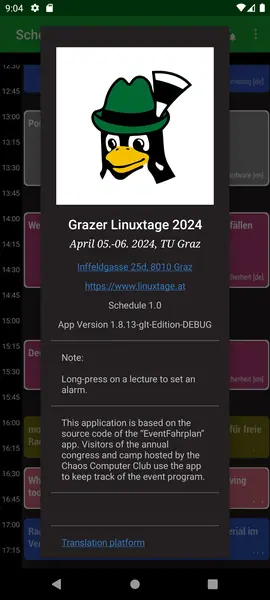
Over Grazer Linuxtage
Beschrijving van de ontwikkelaar (in het Engels).
Schedule application for the event Grazer Linuxtage (GLT)
The Grazer Linuxtage is an annual two-day conference about open-source, hardware and software. The GLT offers workshops on Fridays and talks and info booths on Saturday on a multitude of topics.
Grazer Linuxtage
App features:
- Upcoming and live events
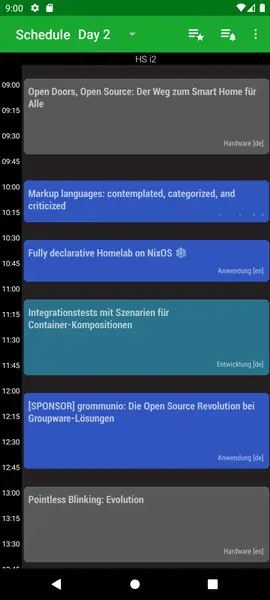
- View program by day and rooms (side by side)
- Custom grid layout for smartphones (try landscape mode) and tablets
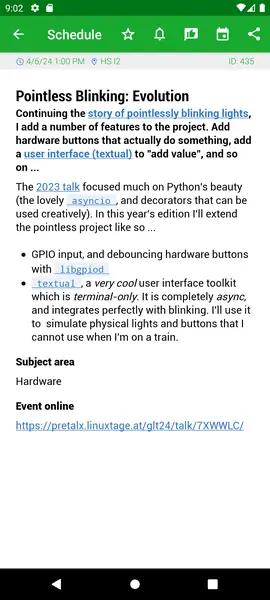
- Read detailed descriptions (speaker names, start time, room name, links, ...) of events
- Search through all events
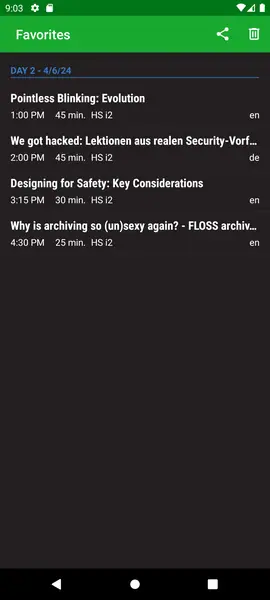
- Create your own customized schedule with favorites
- Share events by email, twitter, etc. with your colleagues and friends
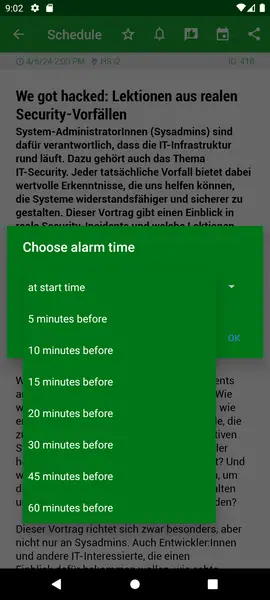
- Reminder for your favorite talks
- Offline support (Download the program)
- Add events to your personal calendar
- Keep track of program changes
- Automatic program updates (configurable in settings)
- Vote and leave comments on talks and workshops
🔤 Supported languages: (Event descriptions excluded)
- Danish
- Dutch
- English
- Finnish
- French
- German
- Italian
- Japanese
- Lithuanian
- Polish
- Portuguese (Brazil)
- Portuguese (Portugal)
- Russian
- Spanish
- Swedish
- Turkish
💡 Questions regarding the content can only be answered by the content team of the Grazer Linuxtage (GLT). This app simply offers a way to consume and personalize the conference schedule.
It's Open Source and available under the Apache-2.0 License. https://github.com/linuxtage/EventFahrplan
💣 Bug reports are very welcome. It would be awesome if you can describe how to reproduce the particular error. Please use the GitHub issue tracker https://github.com/linuxtage/EventFahrplan/issues
This App is based on the EventFahrplan: https://github.com/EventFahrplan/EventFahrplan
Informatie over het APK-bestand
| Pakketnaam | at.linuxtage.Eventfahrplan |
|---|---|
| Versie | 1.8.29-glt-Edition (code 1700029) |
| Minimaal Android | Android 5.0 · bedoeld voor Android 16 |
| Architecturen | arm64-v8a, armeabi-v7a, x86, x86_64 |
| SHA-256 | 3df246102fc871c0aba648d6bb1fd207cdbc3386d5f44ccd91a56c79d5f183c4 |
| Handtekening | 4fe6b5d9bbd9cea027b605d4162eaee005d103371d658b9d08af92c1f74ed6c4 |
| Licentie | Apache-2.0 — vrije, ruime licentie: de broncode is openbaar en herbruikbaar |
| Broncode | github.com/linuxtage/EventFahrplan |
| Officiële website | linuxtage.at |
Machtigingen
- Internettoegang
- Trillen
- Starten bij opstarten
- Netwerkstatus bekijken
- Slaapstand voorkomen
- Meldingen tonen
1 andere technische machtiging(en)
SCHEDULE_EXACT_ALARM
Oudere versies
- Grazer Linuxtage 1.8.29-glt-Edition4 augustus 2026 · 8,6 MB
- Grazer Linuxtage 1.8.28-glt-Edition10 april 2026 · 8,6 MB
- Grazer Linuxtage 1.8.27-glt-Edition18 februari 2026 · 8,6 MB
Grazer Linuxtage APK installeren
- Tik hierboven op APK downloaden en open het bestand als de download klaar is.
- Als Android erom vraagt, sta je browser toe om onbekende apps te installeren.
- Tik op Installeren. Grazer Linuxtage verschijnt dan bij je andere apps.
→ Een APK-bestand installeren op Android (stap voor stap)
→ “App niet geïnstalleerd”: oorzaken en oplossingen
Veelgestelde vragen
Is Grazer Linuxtage gratis?
Ja. Grazer Linuxtage wordt verspreid onder de licentie Apache-2.0: gratis, zonder abonnement en met openbare broncode.
Is dit APK-bestand veilig?
Het bestand is gebouwd en gepubliceerd door de F-Droid-repository op basis van de openbare broncode. De SHA-256-vingerafdruk staat hierboven, zodat je die na het downloaden kunt vergelijken. Is een APK gevaarlijk? Zo controleer je een bestand vóór installatie
Werkt Grazer Linuxtage op mijn telefoon?
Je hebt minimaal Android 5.0 nodig. De app werkt ook zonder Google-diensten, dus ook op recente Huawei-telefoons.