ConnectFour Studio APK
Connect Four with 15 levels, 20 boards, match mode and perfect analysis
Baixar APK v1.0.1 · 6,1 MB- Versão1.0.1
- Tamanho6,1 MB
- RequerAndroid 5.0
- Atualizado15/10/2026
- LicençaAGPL-3.0-only
- PreçoGrátis


Sobre o ConnectFour Studio
Descrição fornecida pelo desenvolvedor (em inglês).
ConnectFour Studio is a free, offline Connect Four program: play against the computer, analyse positions and run engine-versus-engine matches. It is the Android version of the desktop program of the same name, with the same engine, levels, help and texts.
Engine
- Perfect play: a Kotlin port of the BitBully solver by Markus Thill (bitboards, MTD(f), transposition table) with the 12-ply opening book with distances – identical results to the original C++ engine
- 15 levels: 0 Loser (joke level), 1 Random … 14 Perfect, defined by (p, s, w): share of perfect moves, loss guard and win guard
- Two custom levels User (1) and User (2) with your own (p, s, w)
Analysis
- Evaluation row under the board: win / draw / loss for every column and the number of stones until the end
- Permanent analysis after every move, one-off evaluation of all moves
- Info box with depth, value, nodes, time, speed and source (book or computed)
Game modes
- Human vs. computer (the computer can also open), two players, computer plays out the position
- Computer-computer match with up to 10,000 games, colour swap, three speeds, Elo difference and copyable result
- Session score human vs. computer per level with Elo estimate
- Random start positions with 1–9 stones and a chosen result
More
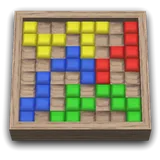
- 20 boards with matching stones, ghost stone, drop animation, last move and winning line marked
- Load and save positions as .4gp files (compatible with the desktop version), quick save
- Detailed help with search and zoom, user interface in English, German, French, Spanish, Dutch and Italian
- Portrait and landscape, phones and tablets, keyboard shortcuts with a hardware keyboard
- No permissions, no internet access, no ads, no tracking
License: GNU AGPL v3. Engine: BitBully by Markus Thill (AGPL v3), opening book: bitbully-databases (MIT).
Novidades da versão 1.0.1
Fix for Android 15 and newer: the top row of the board and the status line were hidden behind the title bar and the system bars (edge-to-edge display).
Informações do arquivo APK
| Nome do pacote | io.github.patrickric.connectfourstudio |
|---|---|
| Versão | 1.0.1 (código 2) |
| Android mínimo | Android 5.0 · feito para API 37 |
| Arquiteturas | Todas (universal) |
| SHA-256 | 988b136573a7d0376ed79d379f962b1c0971a5fc1f81023c3a1f5d7895057a95 |
| Assinatura | 0290aabc0607b5ba98d1fbf67e8f03b166d04f2d6545634f99030278c60546a1 |
| Licença | AGPL-3.0-only — licença livre copyleft: o código é público e versões modificadas devem continuar livres |
| Código-fonte | github.com/Patrick-Ric/connectfour-studio-android |
Permissões solicitadas
Nenhuma permissão especial.
Como instalar o ConnectFour Studio APK
- Toque em Baixar APK acima e abra o arquivo quando o download terminar.
- Se o Android pedir, permita que o navegador instale apps desconhecidos.
- Toque em Instalar. O ConnectFour Studio aparecerá junto aos seus outros apps.
→ Como instalar um arquivo APK no Android (passo a passo)
→ "App não instalado": causas e soluções
Perguntas frequentes
O ConnectFour Studio é grátis?
Sim. O ConnectFour Studio é distribuído sob a licença AGPL-3.0-only: grátis, sem assinatura e com código-fonte público.
Este arquivo APK é seguro?
O arquivo é o compilado e publicado pelo repositório F-Droid a partir do código-fonte público. A impressão digital SHA-256 aparece acima para você comparar depois do download. APK é perigoso? Como verificar um arquivo antes de instalar
O ConnectFour Studio funciona no meu celular?
É preciso ter pelo menos Android 5.0. O app também funciona sem os serviços do Google, inclusive em celulares Huawei recentes.