
Caffeinate APK
keep your phone's screen On while developing
APK herunterladen v2.2.0 · 2,1 MB- Version2.2.0
- Größe2,1 MB
- BenötigtAndroid 7.0
- Aktualisiert9.12.2025
- LizenzGPL-3.0-only
- PreisKostenlos
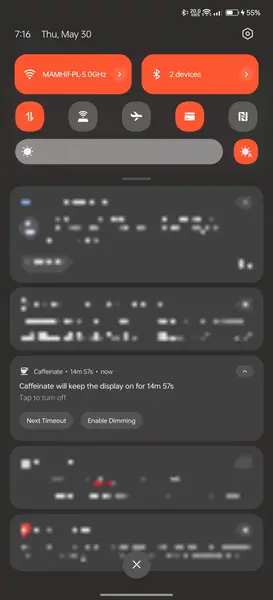
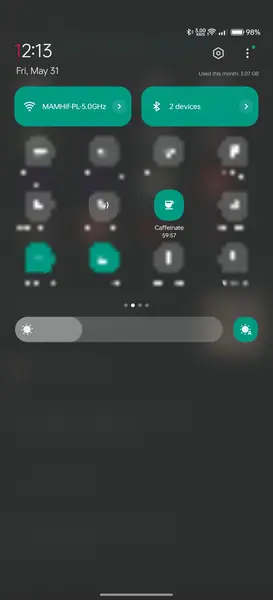
Über Caffeinate
Beschreibung des Entwicklers (auf Englisch).
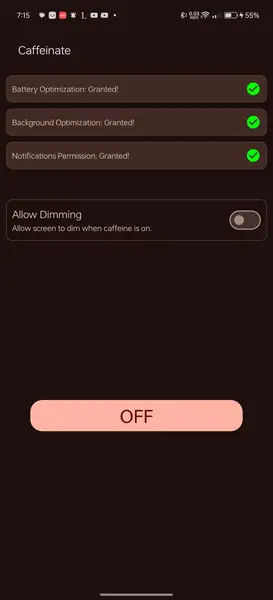
Caffeinate is an App that helps android developers to keep their phone's display awake without having to change the device settings. It can be toggled at various places:
- a tile in the quick settings, the place that holds the toggles for e.g. Wi-Fi and Bluetooth. Requires Android 7 or higher.
- a button in the app itself
Features
- Uses android's WakeLock Class with either SCREEN_DIM_WAKE_LOCK or SCREEN_BRIGHT_WAKE_LOCK lock level based on user settings
- Timeout period is configurable
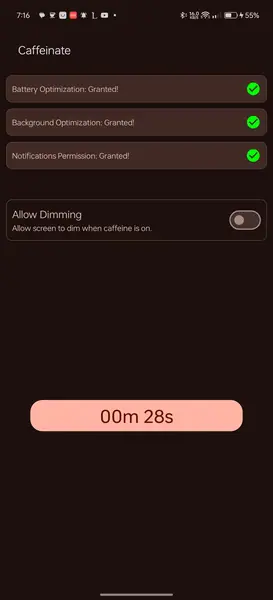
- Switch timeouts from the quick settings tile or the button in the app. clicking them, selects the next timeout and after 1 second the timeout will start, if the quick settings tile or the button are clicked after starting, the timeout will stop.
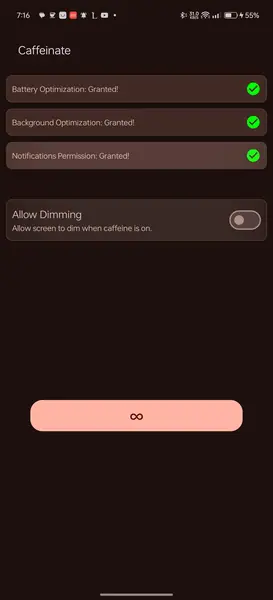
- Available timeouts are [30 seconds, 05 minutes, 10 minutes, 15 minutes, 30 minutes, 60 minutes, Ꝏ]
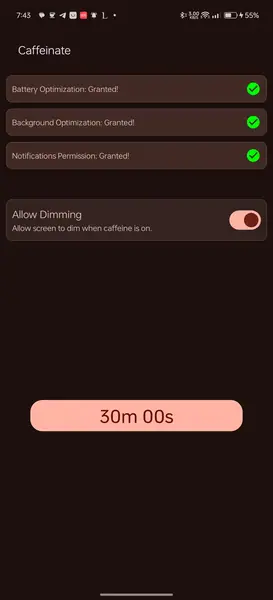
- An option to enable the screen to dim while the WakeLock is acquired
- An option to enable holding the WakeLock if the screen is locked, so that the screen will keep on after unlocking, default behaviour is that the WakeLock is released when the screen is locked
- Multiple theming options [light, dark, system default and material you]
Neu in Version 2.2.0
- bump app version to 2.2.0
> - New Crowdin updates (#94) > - New translations strings.xml (Arabic) > - New translations strings.xml (Polish) > - New translations strings.xml (Russian) > - New translations strings.xml (Arabic, Egypt)
- New Crowdin updates (#94)
> - New translations strings.xml (Arabic) > - New translations strings.xml (Polish) > - New translations strings.xml (Russian) > - New translations strings.xml (Arabic, Egypt)
- feat: Show application status in
Informationen zur APK-Datei
| Paketname | com.hifnawy.caffeinate |
|---|---|
| Version | 2.2.0 (Code 36) |
| Mindestens | Android 7.0 · ausgelegt für Android 15 |
| Architekturen | Alle (universell) |
| SHA-256 | 3336b43a04cf7e4776449b2ae4eaa4420237f4ad1a479c31718a3dc68ad87a44 |
| Signatur | 950a5bf98a6c43769d800aac371e83b8a632b55de98349c01dc5419e90edb1ab |
| Lizenz | GPL-3.0-only — freie Copyleft-Lizenz: Der Code ist öffentlich und veränderte Versionen müssen frei bleiben |
| Quellcode | github.com/abdalmoniem/Caffeinate |
Berechtigungen
- Ruhezustand verhindern
- Im Hintergrund laufen
- Benachrichtigungen anzeigen
- Über anderen Apps anzeigen sensibel
2 weitere technische Berechtigung(en)
REQUEST_IGNORE_BATTERY_OPTIMIZATIONS ACTION_MANAGE_OVERLAY_PERMISSION
Ältere Versionen
- Caffeinate 2.2.09. Dezember 2025 · 2,1 MB
- Caffeinate 2.1.029. Dezember 2024 · 2,1 MB
- Caffeinate 1.8.016. November 2024 · 4,9 MB
So installieren Sie Caffeinate APK
- Tippen Sie oben auf APK herunterladen und öffnen Sie die Datei nach dem Download.
- Wenn Android fragt, erlauben Sie Ihrem Browser, unbekannte Apps zu installieren.
- Tippen Sie auf Installieren. Caffeinate erscheint dann bei Ihren anderen Apps.
→ APK-Datei auf Android installieren (Schritt für Schritt)
→ „App nicht installiert“: Ursachen und Lösungen
Häufige Fragen
Ist Caffeinate kostenlos?
Ja. Caffeinate steht unter der Lizenz GPL-3.0-only: kostenlos, ohne Abo, und der Quellcode ist öffentlich.
Ist diese APK-Datei sicher?
Die Datei wurde vom F-Droid-Repository aus dem öffentlichen Quellcode erstellt und veröffentlicht. Ihr SHA-256-Fingerabdruck steht oben, Sie können ihn nach dem Download vergleichen. Ist eine APK gefährlich? So prüfen Sie eine Datei vor der Installation
Läuft Caffeinate auf meinem Handy?
Sie benötigen mindestens Android 7.0. Die App funktioniert auch ohne Google-Dienste, also auch auf aktuellen Huawei-Handys.





