
Caffeinate APK
keep your phone's screen On while developing
Download APK v2.2.0 · 2.1 MB- Version2.2.0
- Size2.1 MB
- RequiresAndroid 7.0
- Updated12/9/2025
- LicenceGPL-3.0-only
- PriceFree
About Caffeinate
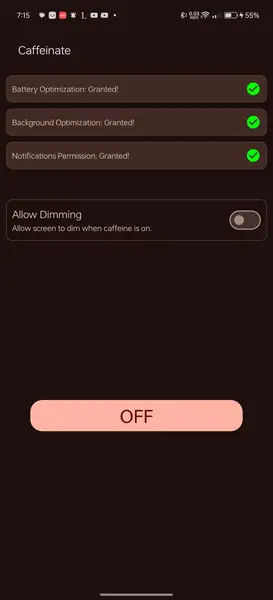
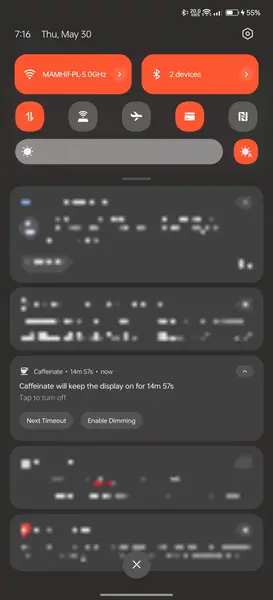
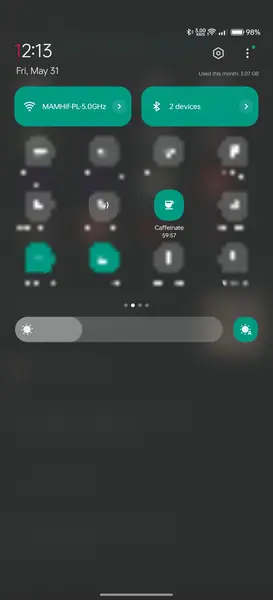
Caffeinate is an App that helps android developers to keep their phone's display awake without having to change the device settings. It can be toggled at various places:
- a tile in the quick settings, the place that holds the toggles for e.g. Wi-Fi and Bluetooth. Requires Android 7 or higher.
- a button in the app itself
Features
- Uses android's WakeLock Class with either SCREEN_DIM_WAKE_LOCK or SCREEN_BRIGHT_WAKE_LOCK lock level based on user settings
- Timeout period is configurable
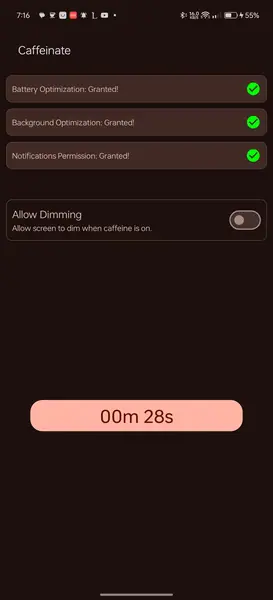
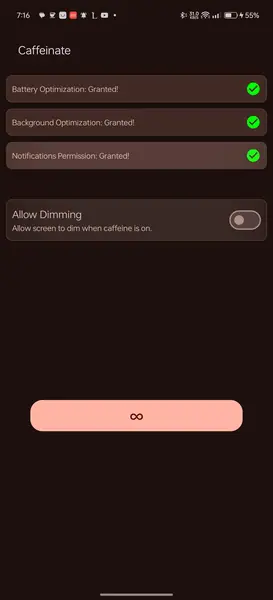
- Switch timeouts from the quick settings tile or the button in the app. clicking them, selects the next timeout and after 1 second the timeout will start, if the quick settings tile or the button are clicked after starting, the timeout will stop.
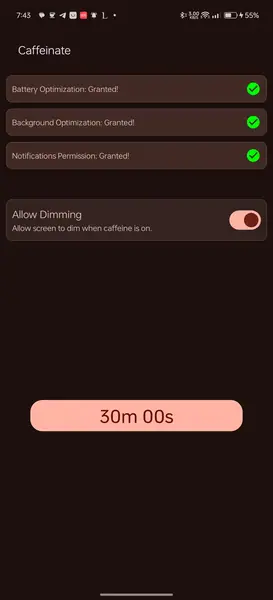
- Available timeouts are [30 seconds, 05 minutes, 10 minutes, 15 minutes, 30 minutes, 60 minutes, Ꝏ]
- An option to enable the screen to dim while the WakeLock is acquired
- An option to enable holding the WakeLock if the screen is locked, so that the screen will keep on after unlocking, default behaviour is that the WakeLock is released when the screen is locked
- Multiple theming options [light, dark, system default and material you]
What's new in version 2.2.0
- bump app version to 2.2.0
> - New Crowdin updates (#94) > - New translations strings.xml (Arabic) > - New translations strings.xml (Polish) > - New translations strings.xml (Russian) > - New translations strings.xml (Arabic, Egypt)
- New Crowdin updates (#94)
> - New translations strings.xml (Arabic) > - New translations strings.xml (Polish) > - New translations strings.xml (Russian) > - New translations strings.xml (Arabic, Egypt)
- feat: Show application status in
APK file information
| Package name | com.hifnawy.caffeinate |
|---|---|
| Version | 2.2.0 (code 36) |
| Minimum Android | Android 7.0 · targets Android 15 |
| Architectures | All (universal) |
| SHA-256 | 3336b43a04cf7e4776449b2ae4eaa4420237f4ad1a479c31718a3dc68ad87a44 |
| Signature | 950a5bf98a6c43769d800aac371e83b8a632b55de98349c01dc5419e90edb1ab |
| Licence | GPL-3.0-only — copyleft free licence: the code is public and modified versions must stay free |
| Source code | github.com/abdalmoniem/Caffeinate |
Permissions
- Keep the device awake
- Run in the background
- Show notifications
- Draw over other apps sensitive
2 other technical permission(s)
REQUEST_IGNORE_BATTERY_OPTIMIZATIONS ACTION_MANAGE_OVERLAY_PERMISSION
Older versions
- Caffeinate 2.2.0December 9, 2025 · 2.1 MB
- Caffeinate 2.1.0December 29, 2024 · 2.1 MB
- Caffeinate 1.8.0November 16, 2024 · 4.9 MB
How to install Caffeinate APK
- Tap Download APK above, then open the file once the download has finished.
- If Android asks, allow your browser to install unknown apps.
- Tap Install. Caffeinate then appears with your other apps.
Having trouble? Read our guides how to install an APK on Android and "App not installed": how to fix it.
Frequently asked questions
Is Caffeinate free?
Yes. Caffeinate is distributed under the GPL-3.0-only licence: free, no subscription, and its source code is public.
Is this APK file safe?
The file is the one built and published by the F-Droid repository from the public source code. Its SHA-256 fingerprint is shown above, so you can compare it after downloading. How to check an APK.
Will Caffeinate work on my phone?
You need at least Android 7.0. The app also works without Google services, so it runs on recent Huawei phones too.





