Cantonese Keyboard APK
Cantonese Keyboard - Jyutping
Easy-to-use Cantonese input method with pronunciation lookup and dictionary.
APK herunterladen v0.68.0 · 45,9 MB- Version0.68.0
- Größe45,9 MB
- BenötigtAndroid 13
- Aktualisiert17.11.2026
- LizenzCC0-1.0
- PreisKostenlos
Über Cantonese Keyboard
Beschreibung des Entwicklers (auf Englisch).
Jyutping is a Cantonese input method that is intuitive and efficient—making typing fast, accurate, and effortless. Type Cantonese just as you speak it — naturally and fluently. Every input reinforces your pronunciation. The more you use Jyutping, the more familiar you become with Cantonese.
Ready to use right out of the box, with virtually no complicated setup. Open source, ad-free, and fully offline — no privacy concerns.
Based on the Jyutping romanization scheme developed by the Linguistic Society of Hong Kong (LSHK), and compatible with various spelling habits. You can perform reverse lookup of Jyutping using Mandarin Pinyin, Cangjie, Quick (Sucheng), Stroke input, and character decomposition. Detailed explanations are available within the app.
Keyboard feature highlights:
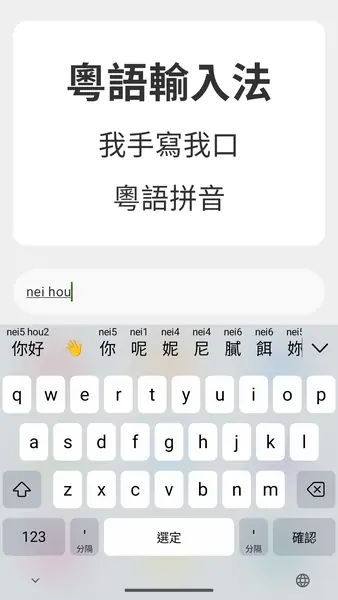
- Standard Jyutping input, e.g. neihou → 你好
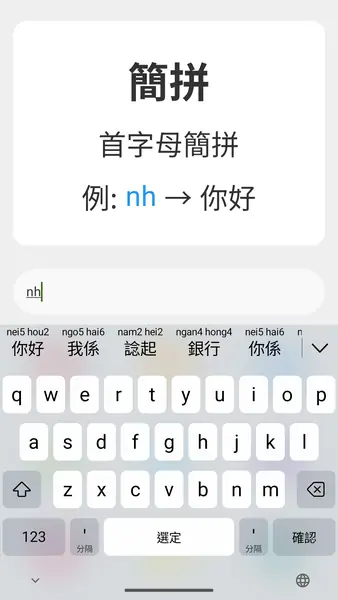
- Abbreviated Jyutping input, e.g. nh / nhou / neih → 你好
- Tone input support for greater accuracy, helping learners master Cantonese tones and pronunciation
- Candidate words display corresponding Jyutping syllables, making typing easier while reinforcing correct pronunciation
- Supports both Traditional and Simplified Chinese characters, with Traditional characters distinguishing between Hong Kong and Taiwan standards
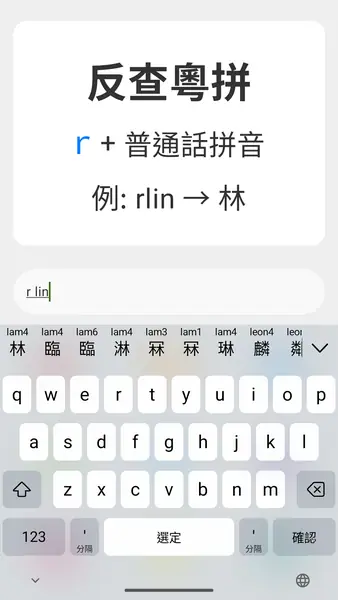
- Reverse lookup via Mandarin Pinyin: prefix with R (e.g. rlin → 林)
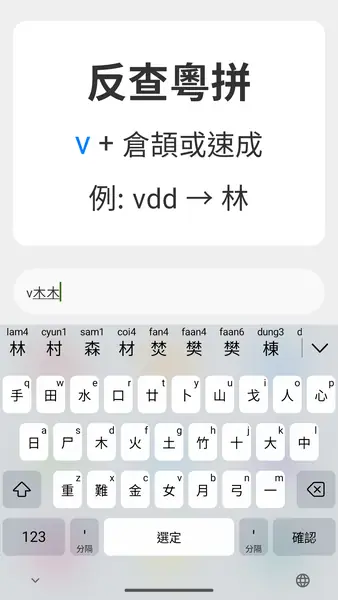
- Reverse lookup via Cangjie or Quick (Sucheng): prefix with V (e.g. vdd → 林)
- Reverse lookup via stroke input: prefix with X (e.g. xwsad → 木)
- Reverse lookup via character decomposition: prefix with Q (e.g. qmukmuk → 林)
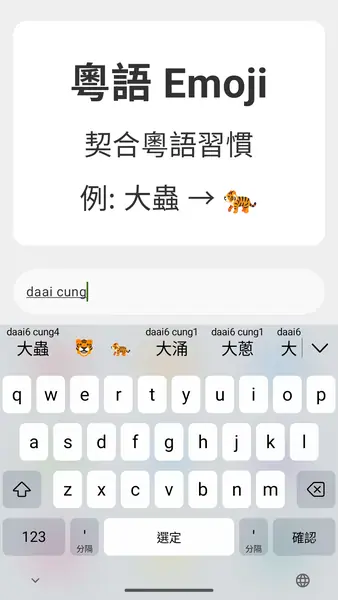
- Emoji suggestions that match Cantonese expressions, e.g. daai cung (大蟲) suggests the tiger emoji
- A rich vocabulary tailored to Cantonese usage and grammar for smooth, natural typing
- Includes common English vocabulary for seamless bilingual input
- Multiple keyboard layouts available: 26-key QWERTY, 26-key triple-spell, 9-key (T9), etc.
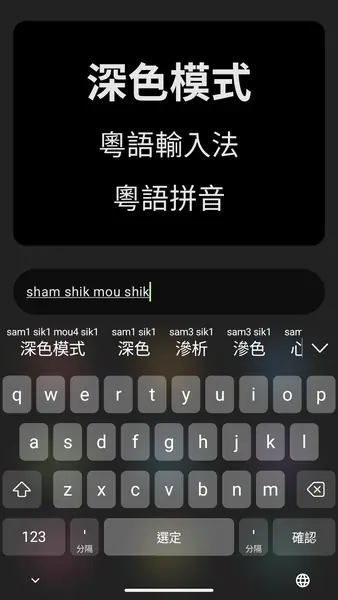
- Fully supports light and dark modes, with adjustable keyboard height
- Convenient editing tools: copy, cut, paste, and cursor movement
- Optional sound and haptic feedback for key presses
The main app provides extensive Cantonese resources for convenient learning and reference:
- Detailed guides for using all Jyutping keyboard functions
- Jyutping scheme tables of initials, finals, and tones
- Common Cantonese phrases and expressions
- Pronunciations of commonly used Cantonese words
- Cantonese pronunciation lookup and dictionary search
- Text-to-Jyutping conversion
- Cantonese text-to-speech
We respect user privacy and do not collect any personal information.
This app is fully open source on GitHub: https://github.com/yuetyam/jyutping-android
To learn more about Jyutping and Cantonese keyboards, visit our official website: https://jyutping.app
Neu in Version 0.68.0
Added more reverse lookup methods for Jyutping on the 9-key keyboard, including Cangjie, Quick (Sucheng), Stroke, and character decomposition.
Informationen zur APK-Datei
| Paketname | org.jyutping.jyutping |
|---|---|
| Version | 0.68.0 (Code 73) |
| Mindestens | Android 13 · ausgelegt für API 37 |
| Architekturen | arm64-v8a, armeabi-v7a, x86, x86_64 |
| SHA-256 | 0c7029f7b7bd3fa7d0339a4e7d8813f7f2d02dcc5b1fbf8239093abbf16357ae |
| Signatur | 88de4725b0025558227b9e762b32bbaf1441688b39b191e98d7101206b1b4404 |
| Lizenz | CC0-1.0 — freie, freizügige Lizenz: Der Quellcode ist öffentlich und wiederverwendbar |
| Quellcode | github.com/yuetyam/jyutping-android |
| Offizielle Website | jyutping.app |
Berechtigungen
- Vibrieren
Ältere Versionen
- Cantonese Keyboard 0.68.017. November 2026 · 45,9 MB
- Cantonese Keyboard 0.67.013. November 2026 · 45,9 MB
- Cantonese Keyboard 0.66.02. Oktober 2026 · 45,9 MB
So installieren Sie Cantonese Keyboard APK
- Tippen Sie oben auf APK herunterladen und öffnen Sie die Datei nach dem Download.
- Wenn Android fragt, erlauben Sie Ihrem Browser, unbekannte Apps zu installieren.
- Tippen Sie auf Installieren. Cantonese Keyboard erscheint dann bei Ihren anderen Apps.
→ APK-Datei auf Android installieren (Schritt für Schritt)
→ „App nicht installiert“: Ursachen und Lösungen
Häufige Fragen
Ist Cantonese Keyboard kostenlos?
Ja. Cantonese Keyboard steht unter der Lizenz CC0-1.0: kostenlos, ohne Abo, und der Quellcode ist öffentlich.
Ist diese APK-Datei sicher?
Die Datei wurde vom F-Droid-Repository aus dem öffentlichen Quellcode erstellt und veröffentlicht. Ihr SHA-256-Fingerabdruck steht oben, Sie können ihn nach dem Download vergleichen. Ist eine APK gefährlich? So prüfen Sie eine Datei vor der Installation
Läuft Cantonese Keyboard auf meinem Handy?
Sie benötigen mindestens Android 13. Die App funktioniert auch ohne Google-Dienste, also auch auf aktuellen Huawei-Handys.