
Cantonese Keyboard APK
Cantonese Keyboard - Jyutping
Easy-to-use Cantonese input method with pronunciation lookup and dictionary.
Download APK v0.68.0 · 45.9 MB- Version0.68.0
- Size45.9 MB
- RequiresAndroid 13
- Updated11/17/2026
- LicenceCC0-1.0
- PriceFree
About Cantonese Keyboard
Jyutping is a Cantonese input method that is intuitive and efficient—making typing fast, accurate, and effortless. Type Cantonese just as you speak it — naturally and fluently. Every input reinforces your pronunciation. The more you use Jyutping, the more familiar you become with Cantonese.
Ready to use right out of the box, with virtually no complicated setup. Open source, ad-free, and fully offline — no privacy concerns.
Based on the Jyutping romanization scheme developed by the Linguistic Society of Hong Kong (LSHK), and compatible with various spelling habits. You can perform reverse lookup of Jyutping using Mandarin Pinyin, Cangjie, Quick (Sucheng), Stroke input, and character decomposition. Detailed explanations are available within the app.
Keyboard feature highlights:
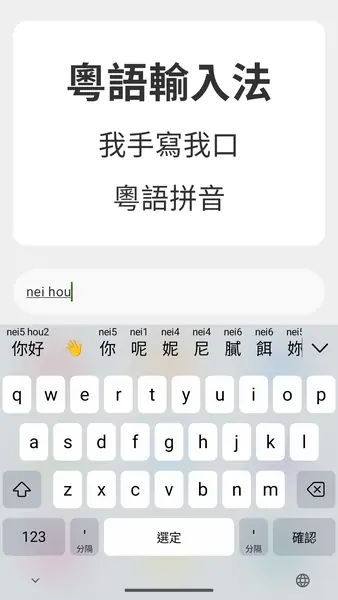
- Standard Jyutping input, e.g. neihou → 你好
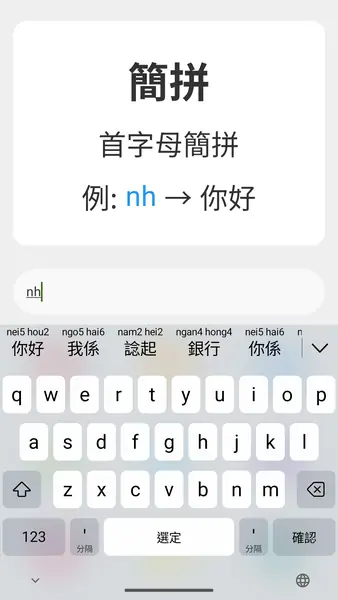
- Abbreviated Jyutping input, e.g. nh / nhou / neih → 你好
- Tone input support for greater accuracy, helping learners master Cantonese tones and pronunciation
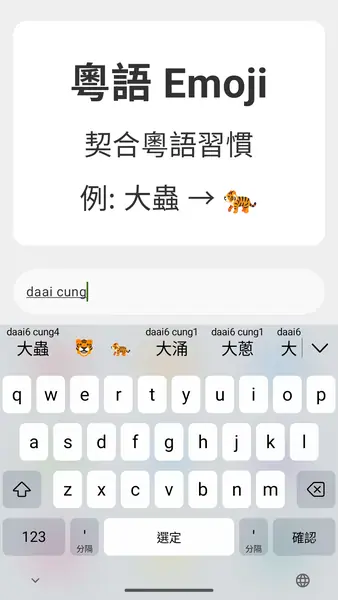
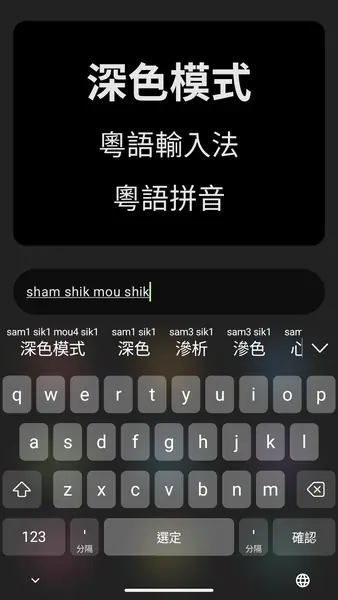
- Candidate words display corresponding Jyutping syllables, making typing easier while reinforcing correct pronunciation
- Supports both Traditional and Simplified Chinese characters, with Traditional characters distinguishing between Hong Kong and Taiwan standards
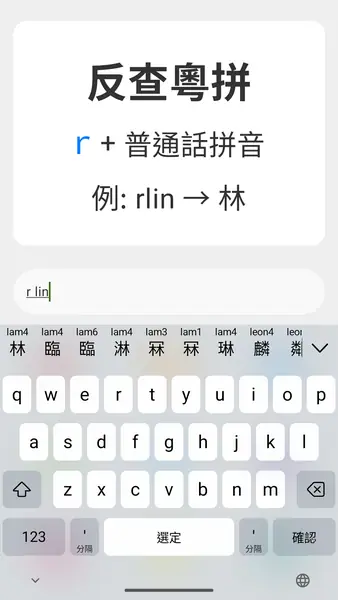
- Reverse lookup via Mandarin Pinyin: prefix with R (e.g. rlin → 林)
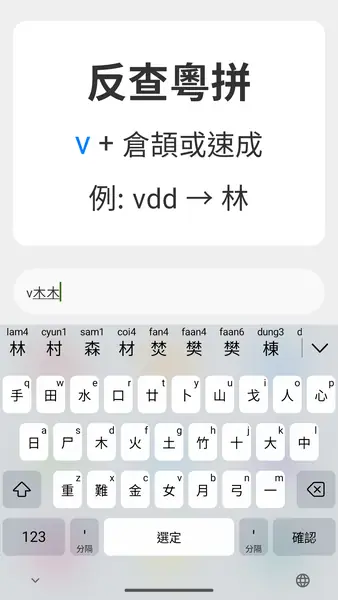
- Reverse lookup via Cangjie or Quick (Sucheng): prefix with V (e.g. vdd → 林)
- Reverse lookup via stroke input: prefix with X (e.g. xwsad → 木)
- Reverse lookup via character decomposition: prefix with Q (e.g. qmukmuk → 林)
- Emoji suggestions that match Cantonese expressions, e.g. daai cung (大蟲) suggests the tiger emoji
- A rich vocabulary tailored to Cantonese usage and grammar for smooth, natural typing
- Includes common English vocabulary for seamless bilingual input
- Multiple keyboard layouts available: 26-key QWERTY, 26-key triple-spell, 9-key (T9), etc.
- Fully supports light and dark modes, with adjustable keyboard height
- Convenient editing tools: copy, cut, paste, and cursor movement
- Optional sound and haptic feedback for key presses
The main app provides extensive Cantonese resources for convenient learning and reference:
- Detailed guides for using all Jyutping keyboard functions
- Jyutping scheme tables of initials, finals, and tones
- Common Cantonese phrases and expressions
- Pronunciations of commonly used Cantonese words
- Cantonese pronunciation lookup and dictionary search
- Text-to-Jyutping conversion
- Cantonese text-to-speech
We respect user privacy and do not collect any personal information.
This app is fully open source on GitHub: https://github.com/yuetyam/jyutping-android
To learn more about Jyutping and Cantonese keyboards, visit our official website: https://jyutping.app
What's new in version 0.68.0
Added more reverse lookup methods for Jyutping on the 9-key keyboard, including Cangjie, Quick (Sucheng), Stroke, and character decomposition.
APK file information
| Package name | org.jyutping.jyutping |
|---|---|
| Version | 0.68.0 (code 73) |
| Minimum Android | Android 13 · targets API 37 |
| Architectures | arm64-v8a, armeabi-v7a, x86, x86_64 |
| SHA-256 | 0c7029f7b7bd3fa7d0339a4e7d8813f7f2d02dcc5b1fbf8239093abbf16357ae |
| Signature | 88de4725b0025558227b9e762b32bbaf1441688b39b191e98d7101206b1b4404 |
| Licence | CC0-1.0 — permissive free licence: the source code is public and reusable |
| Source code | github.com/yuetyam/jyutping-android |
| Official website | jyutping.app |
Permissions
- Vibrate
Older versions
- Cantonese Keyboard 0.68.0November 17, 2026 · 45.9 MB
- Cantonese Keyboard 0.67.0November 13, 2026 · 45.9 MB
- Cantonese Keyboard 0.66.0October 2, 2026 · 45.9 MB
How to install Cantonese Keyboard APK
- Tap Download APK above, then open the file once the download has finished.
- If Android asks, allow your browser to install unknown apps.
- Tap Install. Cantonese Keyboard then appears with your other apps.
Having trouble? Read our guides how to install an APK on Android and "App not installed": how to fix it.
Frequently asked questions
Is Cantonese Keyboard free?
Yes. Cantonese Keyboard is distributed under the CC0-1.0 licence: free, no subscription, and its source code is public.
Is this APK file safe?
The file is the one built and published by the F-Droid repository from the public source code. Its SHA-256 fingerprint is shown above, so you can compare it after downloading. How to check an APK.
Will Cantonese Keyboard work on my phone?
You need at least Android 13. The app also works without Google services, so it runs on recent Huawei phones too.