
ClipRecorder APK
A privacy-friendly video recorder with clip management, effects, and merging
APK herunterladen v1.0-fdroid · 4,5 MB- Version1.0-fdroid
- Größe4,5 MB
- BenötigtAndroid 10
- Aktualisiert14.10.2026
- LizenzApache-2.0
- PreisKostenlos
Über ClipRecorder
Beschreibung des Entwicklers (auf Englisch).
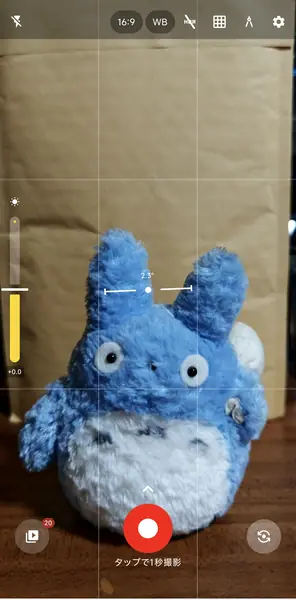
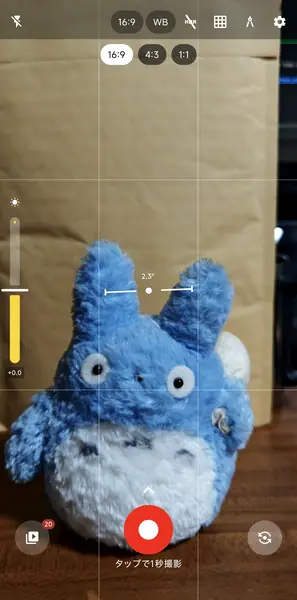
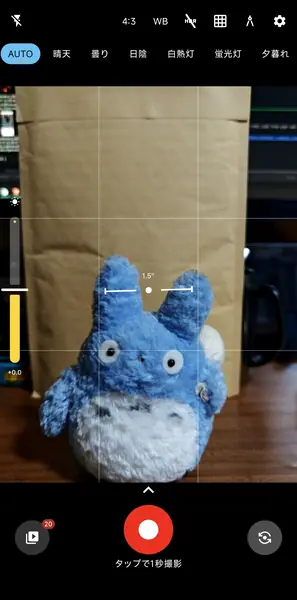
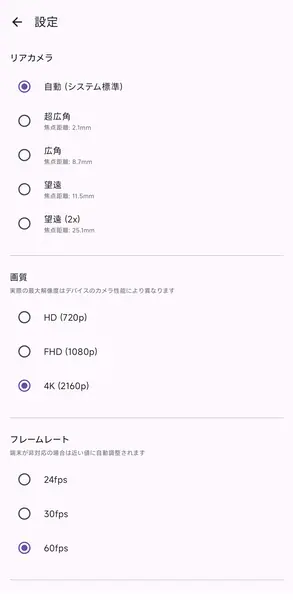
ClipRecorder is a free and open-source video recorder for Android that focuses on clip management and editing — with no ads, no tracking, and no cloud dependency.
Recording
- Portrait and landscape recording
- Slow motion and timelapse modes
- Countdown timer before recording starts
- Optional GPS tagging in video metadata
- Home screen widget to start recording instantly
Clip Management
- List and grid thumbnail views with duration display
- Drag-and-drop reordering
- Correct portrait/landscape thumbnail orientation
Editing
- 16 video effects: Grayscale, Sepia, Brightness, Contrast, Saturation, Warm, Cool, Vivid, Matte, Film Grain, Chromatic Aberration, Vignette, Cinematic, Ken Burns, Fade In/Out
- Background music (BGM) mixing
- GIF export
Title Cards
- Generate video title cards with custom text, subtitle, and background color
- Configure duration (1–15 sec), orientation, and text color
- Add generated title cards to the clip list, reorder and merge them
Merging
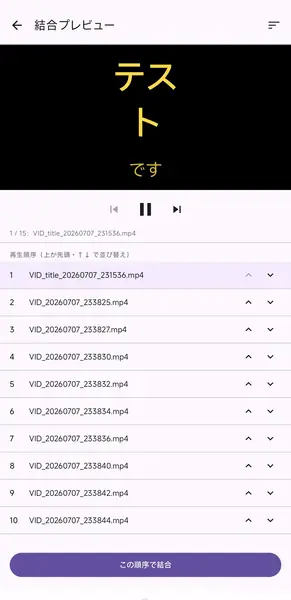
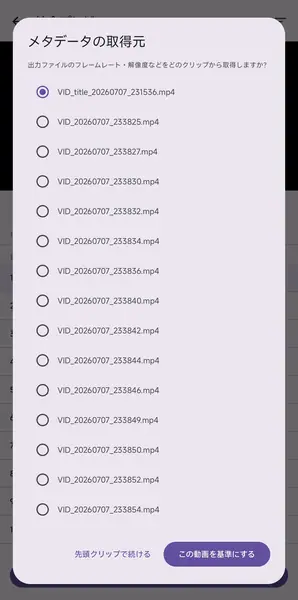
- Merge multiple clips in a custom order
- Preview clips before merging
- Reorder with timeline reset
Privacy
- No internet permission
- No analytics or crash reporting
- All processing done on-device
Note: The app interface is currently available in Japanese only.
Neu in Version 1.0-fdroid
Initial release.
Informationen zur APK-Datei
| Paketname | io.github.udonnko.cliprecorder |
|---|---|
| Version | 1.0-fdroid (Code 1) |
| Mindestens | Android 10 · ausgelegt für Android 15 |
| Architekturen | arm64-v8a, armeabi-v7a, x86, x86_64 |
| SHA-256 | b7b5f3840727b8adcb7586974782eb80fae51b1ea9e0c5f6e2881f3191c62524 |
| Signatur | 825e2f79f1e0788fc760e4700d32796fc992612c29ef9d5acee88d7ccaff47ef |
| Lizenz | Apache-2.0 — freie, freizügige Lizenz: Der Quellcode ist öffentlich und wiederverwendbar |
| Quellcode | github.com/udonnko/ClipRecorder |
Berechtigungen
- Kamera sensibel
- Mikrofon sensibel
- Videos lesen
- Genauer Standort (GPS) sensibel
So installieren Sie ClipRecorder APK
- Tippen Sie oben auf APK herunterladen und öffnen Sie die Datei nach dem Download.
- Wenn Android fragt, erlauben Sie Ihrem Browser, unbekannte Apps zu installieren.
- Tippen Sie auf Installieren. ClipRecorder erscheint dann bei Ihren anderen Apps.
→ APK-Datei auf Android installieren (Schritt für Schritt)
→ „App nicht installiert“: Ursachen und Lösungen
Häufige Fragen
Ist ClipRecorder kostenlos?
Ja. ClipRecorder steht unter der Lizenz Apache-2.0: kostenlos, ohne Abo, und der Quellcode ist öffentlich.
Ist diese APK-Datei sicher?
Die Datei wurde vom F-Droid-Repository aus dem öffentlichen Quellcode erstellt und veröffentlicht. Ihr SHA-256-Fingerabdruck steht oben, Sie können ihn nach dem Download vergleichen. Ist eine APK gefährlich? So prüfen Sie eine Datei vor der Installation
Läuft ClipRecorder auf meinem Handy?
Sie benötigen mindestens Android 10. Die App funktioniert auch ohne Google-Dienste, also auch auf aktuellen Huawei-Handys.





