
ClipRecorder APK
A privacy-friendly video recorder with clip management, effects, and merging
Download APK v1.0-fdroid · 4.5 MB- Version1.0-fdroid
- Size4.5 MB
- RequiresAndroid 10
- Updated10/14/2026
- LicenceApache-2.0
- PriceFree
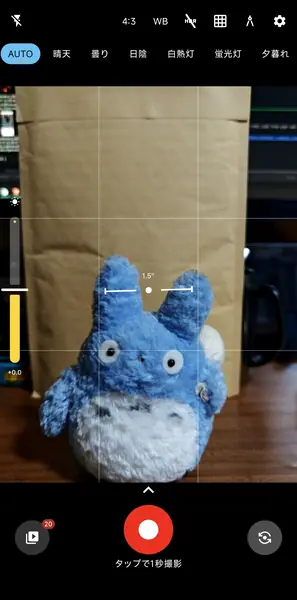
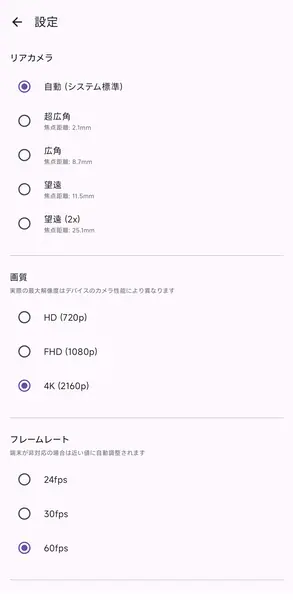
About ClipRecorder
ClipRecorder is a free and open-source video recorder for Android that focuses on clip management and editing — with no ads, no tracking, and no cloud dependency.
Recording
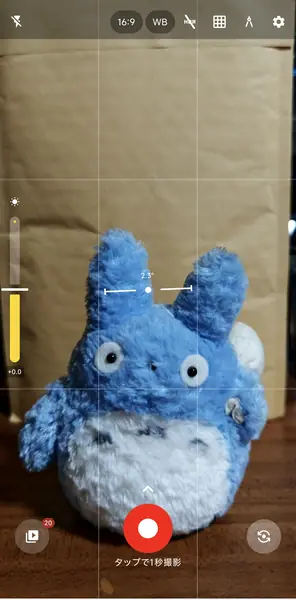
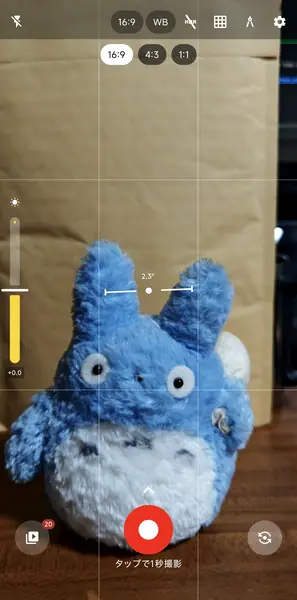
- Portrait and landscape recording
- Slow motion and timelapse modes
- Countdown timer before recording starts
- Optional GPS tagging in video metadata
- Home screen widget to start recording instantly
Clip Management
- List and grid thumbnail views with duration display
- Drag-and-drop reordering
- Correct portrait/landscape thumbnail orientation
Editing
- 16 video effects: Grayscale, Sepia, Brightness, Contrast, Saturation, Warm, Cool, Vivid, Matte, Film Grain, Chromatic Aberration, Vignette, Cinematic, Ken Burns, Fade In/Out
- Background music (BGM) mixing
- GIF export
Title Cards
- Generate video title cards with custom text, subtitle, and background color
- Configure duration (1–15 sec), orientation, and text color
- Add generated title cards to the clip list, reorder and merge them
Merging
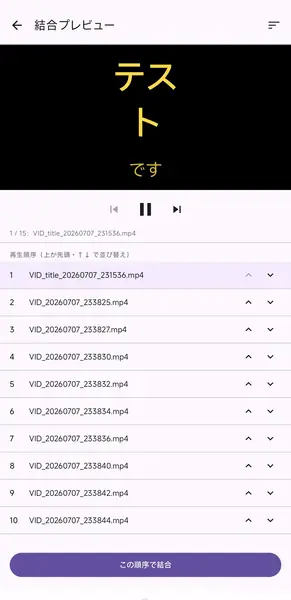
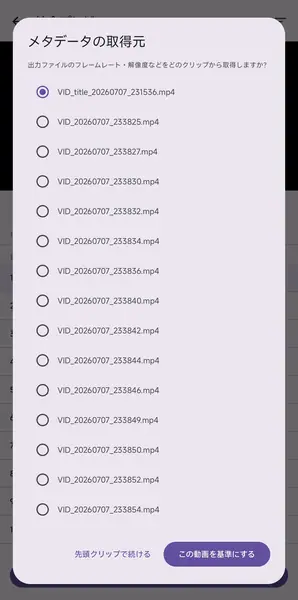
- Merge multiple clips in a custom order
- Preview clips before merging
- Reorder with timeline reset
Privacy
- No internet permission
- No analytics or crash reporting
- All processing done on-device
Note: The app interface is currently available in Japanese only.
What's new in version 1.0-fdroid
Initial release.
APK file information
| Package name | io.github.udonnko.cliprecorder |
|---|---|
| Version | 1.0-fdroid (code 1) |
| Minimum Android | Android 10 · targets Android 15 |
| Architectures | arm64-v8a, armeabi-v7a, x86, x86_64 |
| SHA-256 | b7b5f3840727b8adcb7586974782eb80fae51b1ea9e0c5f6e2881f3191c62524 |
| Signature | 825e2f79f1e0788fc760e4700d32796fc992612c29ef9d5acee88d7ccaff47ef |
| Licence | Apache-2.0 — permissive free licence: the source code is public and reusable |
| Source code | github.com/udonnko/ClipRecorder |
Permissions
- Camera sensitive
- Microphone sensitive
- Read videos
- Precise location (GPS) sensitive
How to install ClipRecorder APK
- Tap Download APK above, then open the file once the download has finished.
- If Android asks, allow your browser to install unknown apps.
- Tap Install. ClipRecorder then appears with your other apps.
Having trouble? Read our guides how to install an APK on Android and "App not installed": how to fix it.
Frequently asked questions
Is ClipRecorder free?
Yes. ClipRecorder is distributed under the Apache-2.0 licence: free, no subscription, and its source code is public.
Is this APK file safe?
The file is the one built and published by the F-Droid repository from the public source code. Its SHA-256 fingerprint is shown above, so you can compare it after downloading. How to check an APK.
Will ClipRecorder work on my phone?
You need at least Android 10. The app also works without Google services, so it runs on recent Huawei phones too.





