Edge Roll APK
Tumble a cube across a crumbling tile bridge. One-thumb 3D arcade.
APK herunterladen v1.1.2 · 6,8 MB- Version1.1.2
- Größe6,8 MB
- BenötigtAndroid 9
- Aktualisiert15.7.2026
- LizenzGPL-3.0-only
- PreisKostenlos


Über Edge Roll
Beschreibung des Entwicklers (auf Englisch).
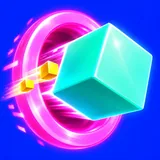
Edge Roll is a minimalist one-thumb arcade game. Swipe to tumble a cube end over end along a narrow bridge of floating tiles suspended over an abyss.
Every tile you step off begins to crumble and drops away a second or two later — and that grace period shrinks the higher you climb, so hesitation is fatal. The bridge wanders left and right, splits into branches, and is dotted with gem spurs worth bonus points and gaps that end the run if you roll into them.
Score one point for every new tile you reach; gems are worth three. The whole world drifts through the colour spectrum as you progress, and a single misjudged roll sends the cube spinning off into the dark.
Features:
- One-thumb controls: swipe to roll, tap to roll forward.
- A procedurally generated bridge — no two runs are alike.
- Tight, tactile feedback with synchronised sound and haptics.
- A local high score. No accounts, no ads, no tracking, no network access.
- Tiny download and fully playable offline.
Edge Roll is built with libGDX and is free and open-source software, licensed under the GNU General Public License v3.0.
Neu in Version 1.1.2
- Smoother background gradient — fixed the colour banding (stair-step lines) that showed in darker scenes
- Gems now fade in with their tile instead of popping in at the edge of the view
Informationen zur APK-Datei
| Paketname | edge.roll |
|---|---|
| Version | 1.1.2 (Code 11) |
| Mindestens | Android 9 · ausgelegt für Android 15 |
| Architekturen | arm64-v8a, armeabi-v7a, x86, x86_64 |
| SHA-256 | 799c651be1333741dae66c43bf97774b273b0b4e9439f5ff37f26e153159f640 |
| Signatur | 2fe09f50180d92e3b3204992ffc9a8c598087b9a7bac0b12d3f23a1e3687fd7f |
| Lizenz | GPL-3.0-only — freie Copyleft-Lizenz: Der Code ist öffentlich und veränderte Versionen müssen frei bleiben |
| Quellcode | github.com/Eve-146T/edge-roll |
Berechtigungen
- Vibrieren
Ältere Versionen
- Edge Roll 1.1.215. Juli 2026 · 6,8 MB
- Edge Roll 1.1.112. Juli 2026 · 6,8 MB
- Edge Roll 1.1.1-beta411. Juli 2026 · 6,8 MB
So installieren Sie Edge Roll APK
- Tippen Sie oben auf APK herunterladen und öffnen Sie die Datei nach dem Download.
- Wenn Android fragt, erlauben Sie Ihrem Browser, unbekannte Apps zu installieren.
- Tippen Sie auf Installieren. Edge Roll erscheint dann bei Ihren anderen Apps.
→ APK-Datei auf Android installieren (Schritt für Schritt)
→ „App nicht installiert“: Ursachen und Lösungen
Häufige Fragen
Ist Edge Roll kostenlos?
Ja. Edge Roll steht unter der Lizenz GPL-3.0-only: kostenlos, ohne Abo, und der Quellcode ist öffentlich.
Ist diese APK-Datei sicher?
Die Datei wurde vom F-Droid-Repository aus dem öffentlichen Quellcode erstellt und veröffentlicht. Ihr SHA-256-Fingerabdruck steht oben, Sie können ihn nach dem Download vergleichen. Ist eine APK gefährlich? So prüfen Sie eine Datei vor der Installation
Läuft Edge Roll auf meinem Handy?
Sie benötigen mindestens Android 9. Die App funktioniert auch ohne Google-Dienste, also auch auf aktuellen Huawei-Handys.