Edge Roll APK
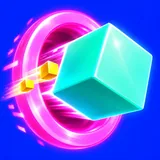
Tumble a cube across a crumbling tile bridge. One-thumb 3D arcade.
Download APK v1.1.2 · 6.8 MB- Version1.1.2
- Size6.8 MB
- RequiresAndroid 9
- Updated7/15/2026
- LicenceGPL-3.0-only
- PriceFree


About Edge Roll
Edge Roll is a minimalist one-thumb arcade game. Swipe to tumble a cube end over end along a narrow bridge of floating tiles suspended over an abyss.
Every tile you step off begins to crumble and drops away a second or two later — and that grace period shrinks the higher you climb, so hesitation is fatal. The bridge wanders left and right, splits into branches, and is dotted with gem spurs worth bonus points and gaps that end the run if you roll into them.
Score one point for every new tile you reach; gems are worth three. The whole world drifts through the colour spectrum as you progress, and a single misjudged roll sends the cube spinning off into the dark.
Features:
- One-thumb controls: swipe to roll, tap to roll forward.
- A procedurally generated bridge — no two runs are alike.
- Tight, tactile feedback with synchronised sound and haptics.
- A local high score. No accounts, no ads, no tracking, no network access.
- Tiny download and fully playable offline.
Edge Roll is built with libGDX and is free and open-source software, licensed under the GNU General Public License v3.0.
What's new in version 1.1.2
- Smoother background gradient — fixed the colour banding (stair-step lines) that showed in darker scenes
- Gems now fade in with their tile instead of popping in at the edge of the view
APK file information
| Package name | edge.roll |
|---|---|
| Version | 1.1.2 (code 11) |
| Minimum Android | Android 9 · targets Android 15 |
| Architectures | arm64-v8a, armeabi-v7a, x86, x86_64 |
| SHA-256 | 799c651be1333741dae66c43bf97774b273b0b4e9439f5ff37f26e153159f640 |
| Signature | 2fe09f50180d92e3b3204992ffc9a8c598087b9a7bac0b12d3f23a1e3687fd7f |
| Licence | GPL-3.0-only — copyleft free licence: the code is public and modified versions must stay free |
| Source code | github.com/Eve-146T/edge-roll |
Permissions
- Vibrate
Older versions
- Edge Roll 1.1.2July 15, 2026 · 6.8 MB
- Edge Roll 1.1.1July 12, 2026 · 6.8 MB
- Edge Roll 1.1.1-beta4July 11, 2026 · 6.8 MB
How to install Edge Roll APK
- Tap Download APK above, then open the file once the download has finished.
- If Android asks, allow your browser to install unknown apps.
- Tap Install. Edge Roll then appears with your other apps.
Having trouble? Read our guides how to install an APK on Android and "App not installed": how to fix it.
Frequently asked questions
Is Edge Roll free?
Yes. Edge Roll is distributed under the GPL-3.0-only licence: free, no subscription, and its source code is public.
Is this APK file safe?
The file is the one built and published by the F-Droid repository from the public source code. Its SHA-256 fingerprint is shown above, so you can compare it after downloading. How to check an APK.
Will Edge Roll work on my phone?
You need at least Android 9. The app also works without Google services, so it runs on recent Huawei phones too.