
MidnightBeam APK
Screen dimmer and warm filter for Android TV, with phone remote and schedule
APK herunterladen v1.14.0 · 441 KB- Version1.14.0
- Größe441 KB
- BenötigtAndroid 8.0
- Aktualisiert23.11.2026
- LizenzMIT
- PreisKostenlos
Über MidnightBeam
Beschreibung des Entwicklers (auf Englisch).
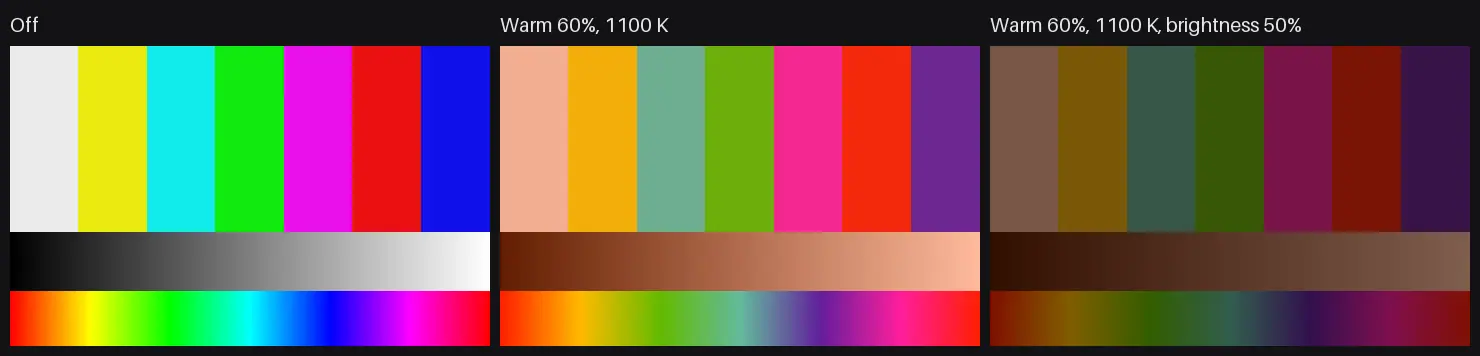
Less blue light, more comfortable movie nights. MidnightBeam is a warm (red) filter and screen dimmer for Android TV boxes, projectors, TVs and phones.
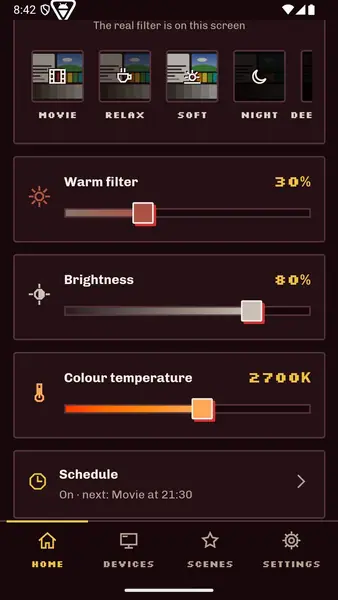
It draws a click-through overlay above everything, video included. Filter strength, brightness and colour temperature change live, with no flash to full brightness. Made for the many LED projectors and TV boxes that cannot lower their own light.
On the TV
- a settings screen that needs only the D-pad and OK, with a clearly visible focus highlight
- a QR code to control it from a phone (the phone remote is on by default on TVs, on the local network only, protected by a pairing code; the TV announces itself there over mDNS so the phone app can find it)
- an "Android app" button with a QR code to download the app on a phone
- the schedule shown as a timeline at the bottom of the screen
On a phone or tablet
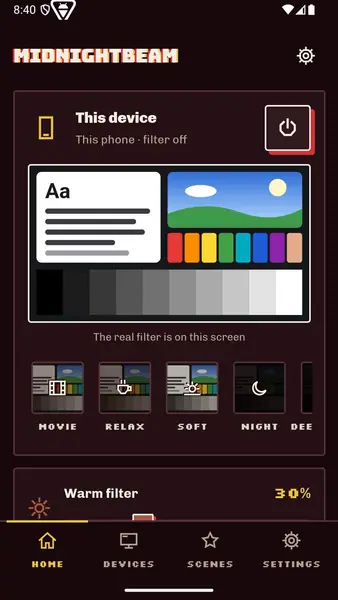
- use the filter on the phone itself, or control your TVs and projectors
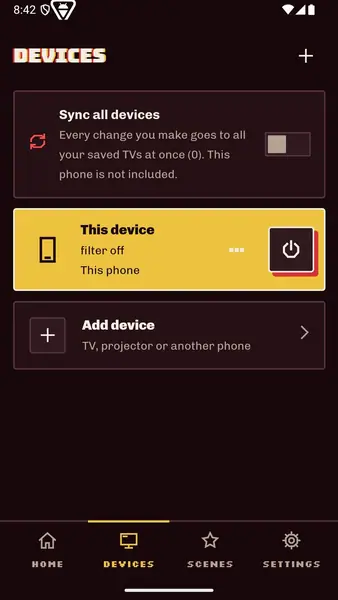
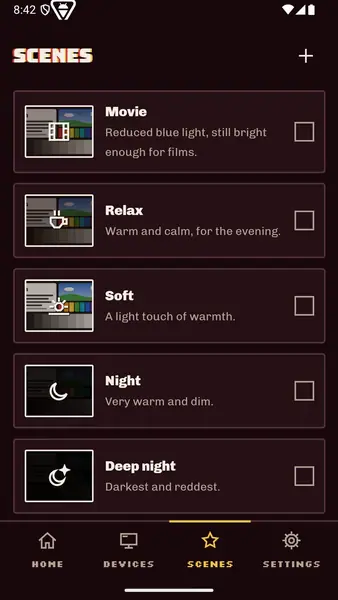
- scenes (Movie, Relax, Night…) and your own, a power button and the state of every device
- add a TV by scanning its QR code or by hand (address and code); the device type is detected
- a guided setup for the permissions Android needs
- no app at all is needed for a quick try: the QR code opens the same controls in the phone browser
Audio (optional) Volume, equalizer, presets, bass boost, surround and loudness of the device from the phone, with an on-screen display on the TV, on devices whose audio supports the standard Android effects.
Schedule Daily or weekly time slots, dragged on a timeline, with gradual transitions between them; the TV applies them by itself, even with the phone off. A manual change lasts until the next slot.
Automation
- adb shell: am start-foreground-service -n dev.midnightbeam/.DimService --ei red 60 --ei bright 40 --ei temp 1100
- Home Assistant, through the Android Debug Bridge integration (example package and dashboard in the source repository)
- a small HTTP API on the local network
The last setting is restored early at boot. The service can only be controlled by the app itself and from adb shell, not by other apps.
Plain Java, about 420 KB (mostly artwork), no trackers, no ads, no data collected, no internet connections: the network is used only on your local network, for the phone remote (port 8765) and to reach the TVs you paired.
The optional accessibility service is used only to draw the dimming overlay above everything on Android 12+; it reads no content.
On a TV box without a touch screen, the overlay permission can be granted with adb shell appops set dev.midnightbeam SYSTEM_ALERT_WINDOW allow, or in Settings, Special app access, Display over other apps.
Neu in Version 1.14.0
- Sleep timer: optional webhook called with a POST when the timer ends, before the box goes to sleep, e.g. a Home Assistant webhook that turns off the TV where HDMI-CEC cannot (Fire TV)
Informationen zur APK-Datei
| Paketname | dev.midnightbeam |
|---|---|
| Version | 1.14.0 (Code 39) |
| Mindestens | Android 8.0 · ausgelegt für Android 15 |
| Architekturen | Alle (universell) |
| SHA-256 | 3657b9fd963eae4d84ae2408683d2b35c4661d80a1ceec1561e762508b59e141 |
| Signatur | db1532e7d7fdba97943b047d00ae209a03b9d1ada0eaac400b457a5a0c4fdbfb |
| Lizenz | MIT — freie, freizügige Lizenz: Der Quellcode ist öffentlich und wiederverwendbar |
| Quellcode | github.com/MadeinTaly/midnightbeam |
Berechtigungen
- Über anderen Apps anzeigen sensibel
- Im Hintergrund laufen
- Beim Start ausführen
- Internetzugriff
4 weitere technische Berechtigung(en)
CHANGE_WIFI_MULTICAST_STATE WRITE_SECURE_SETTINGS DUMP MODIFY_AUDIO_SETTINGS
Ältere Versionen
- MidnightBeam 1.14.023. November 2026 · 441 KB
- MidnightBeam 1.12.113. November 2026 · 429 KB
- MidnightBeam 1.12.06. November 2026 · 429 KB
So installieren Sie MidnightBeam APK
- Tippen Sie oben auf APK herunterladen und öffnen Sie die Datei nach dem Download.
- Wenn Android fragt, erlauben Sie Ihrem Browser, unbekannte Apps zu installieren.
- Tippen Sie auf Installieren. MidnightBeam erscheint dann bei Ihren anderen Apps.
→ APK-Datei auf Android installieren (Schritt für Schritt)
→ „App nicht installiert“: Ursachen und Lösungen
Häufige Fragen
Ist MidnightBeam kostenlos?
Ja. MidnightBeam steht unter der Lizenz MIT: kostenlos, ohne Abo, und der Quellcode ist öffentlich.
Ist diese APK-Datei sicher?
Die Datei wurde vom F-Droid-Repository aus dem öffentlichen Quellcode erstellt und veröffentlicht. Ihr SHA-256-Fingerabdruck steht oben, Sie können ihn nach dem Download vergleichen. Ist eine APK gefährlich? So prüfen Sie eine Datei vor der Installation
Läuft MidnightBeam auf meinem Handy?
Sie benötigen mindestens Android 8.0. Die App funktioniert auch ohne Google-Dienste, also auch auf aktuellen Huawei-Handys.





