
MidnightBeam APK
Screen dimmer and warm filter for Android TV, with phone remote and schedule
Download APK v1.14.0 · 441 KB- Version1.14.0
- Size441 KB
- RequiresAndroid 8.0
- Updated11/23/2026
- LicenceMIT
- PriceFree
About MidnightBeam
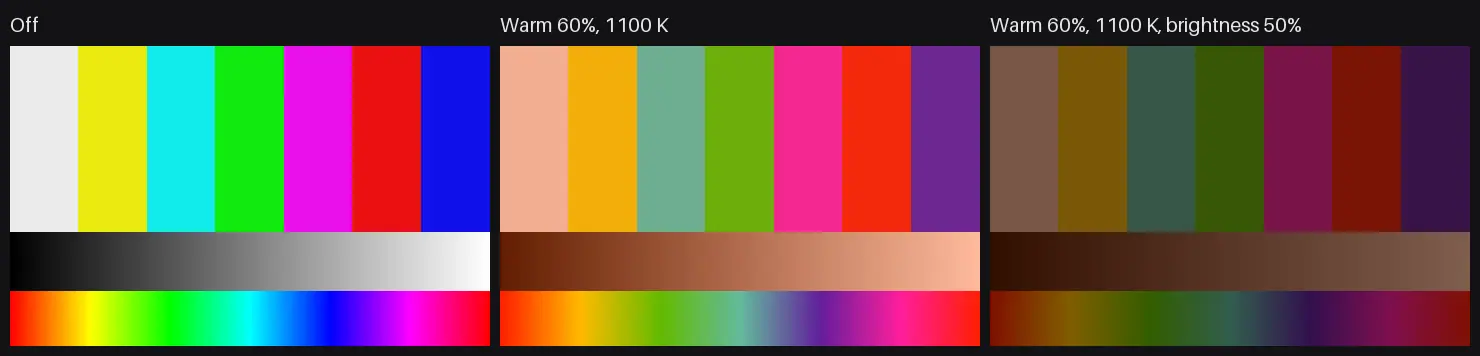
Less blue light, more comfortable movie nights. MidnightBeam is a warm (red) filter and screen dimmer for Android TV boxes, projectors, TVs and phones.
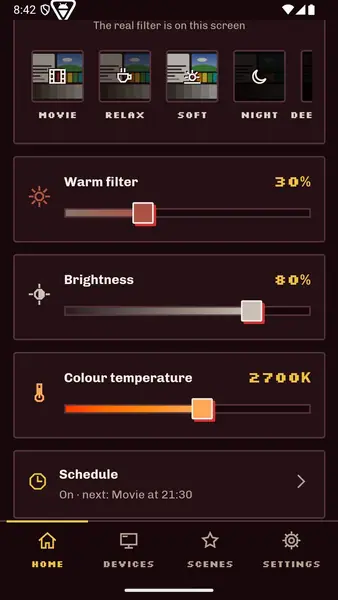
It draws a click-through overlay above everything, video included. Filter strength, brightness and colour temperature change live, with no flash to full brightness. Made for the many LED projectors and TV boxes that cannot lower their own light.
On the TV
- a settings screen that needs only the D-pad and OK, with a clearly visible focus highlight
- a QR code to control it from a phone (the phone remote is on by default on TVs, on the local network only, protected by a pairing code; the TV announces itself there over mDNS so the phone app can find it)
- an "Android app" button with a QR code to download the app on a phone
- the schedule shown as a timeline at the bottom of the screen
On a phone or tablet
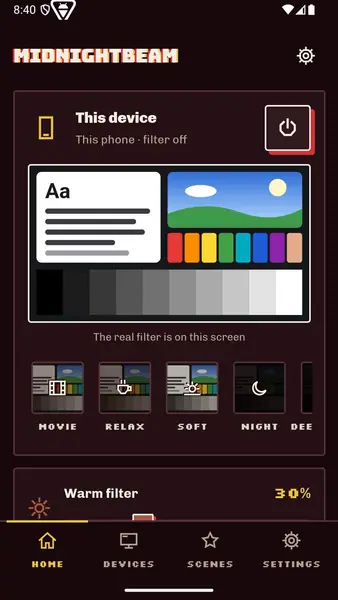
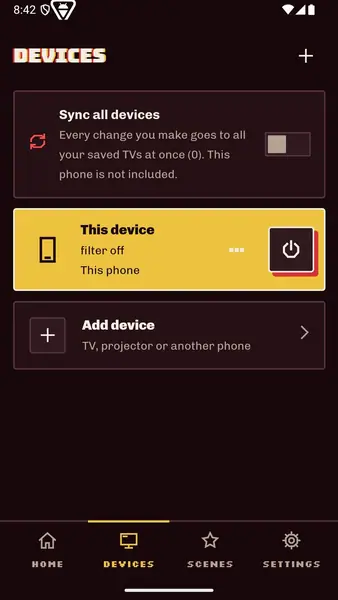
- use the filter on the phone itself, or control your TVs and projectors
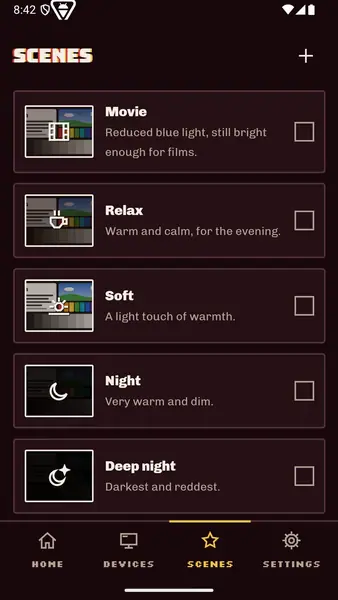
- scenes (Movie, Relax, Night…) and your own, a power button and the state of every device
- add a TV by scanning its QR code or by hand (address and code); the device type is detected
- a guided setup for the permissions Android needs
- no app at all is needed for a quick try: the QR code opens the same controls in the phone browser
Audio (optional) Volume, equalizer, presets, bass boost, surround and loudness of the device from the phone, with an on-screen display on the TV, on devices whose audio supports the standard Android effects.
Schedule Daily or weekly time slots, dragged on a timeline, with gradual transitions between them; the TV applies them by itself, even with the phone off. A manual change lasts until the next slot.
Automation
- adb shell: am start-foreground-service -n dev.midnightbeam/.DimService --ei red 60 --ei bright 40 --ei temp 1100
- Home Assistant, through the Android Debug Bridge integration (example package and dashboard in the source repository)
- a small HTTP API on the local network
The last setting is restored early at boot. The service can only be controlled by the app itself and from adb shell, not by other apps.
Plain Java, about 420 KB (mostly artwork), no trackers, no ads, no data collected, no internet connections: the network is used only on your local network, for the phone remote (port 8765) and to reach the TVs you paired.
The optional accessibility service is used only to draw the dimming overlay above everything on Android 12+; it reads no content.
On a TV box without a touch screen, the overlay permission can be granted with adb shell appops set dev.midnightbeam SYSTEM_ALERT_WINDOW allow, or in Settings, Special app access, Display over other apps.
What's new in version 1.14.0
- Sleep timer: optional webhook called with a POST when the timer ends, before the box goes to sleep, e.g. a Home Assistant webhook that turns off the TV where HDMI-CEC cannot (Fire TV)
APK file information
| Package name | dev.midnightbeam |
|---|---|
| Version | 1.14.0 (code 39) |
| Minimum Android | Android 8.0 · targets Android 15 |
| Architectures | All (universal) |
| SHA-256 | 3657b9fd963eae4d84ae2408683d2b35c4661d80a1ceec1561e762508b59e141 |
| Signature | db1532e7d7fdba97943b047d00ae209a03b9d1ada0eaac400b457a5a0c4fdbfb |
| Licence | MIT — permissive free licence: the source code is public and reusable |
| Source code | github.com/MadeinTaly/midnightbeam |
Permissions
- Draw over other apps sensitive
- Run in the background
- Start at boot
- Internet access
4 other technical permission(s)
CHANGE_WIFI_MULTICAST_STATE WRITE_SECURE_SETTINGS DUMP MODIFY_AUDIO_SETTINGS
Older versions
- MidnightBeam 1.14.0November 23, 2026 · 441 KB
- MidnightBeam 1.12.1November 13, 2026 · 429 KB
- MidnightBeam 1.12.0November 6, 2026 · 429 KB
How to install MidnightBeam APK
- Tap Download APK above, then open the file once the download has finished.
- If Android asks, allow your browser to install unknown apps.
- Tap Install. MidnightBeam then appears with your other apps.
Having trouble? Read our guides how to install an APK on Android and "App not installed": how to fix it.
Frequently asked questions
Is MidnightBeam free?
Yes. MidnightBeam is distributed under the MIT licence: free, no subscription, and its source code is public.
Is this APK file safe?
The file is the one built and published by the F-Droid repository from the public source code. Its SHA-256 fingerprint is shown above, so you can compare it after downloading. How to check an APK.
Will MidnightBeam work on my phone?
You need at least Android 8.0. The app also works without Google services, so it runs on recent Huawei phones too.





