
MJ PDF APK
A simple PDF viewer
APK herunterladen v3.1.0 · 8,7 MB- Version3.1.0
- Größe8,7 MB
- BenötigtAndroid 6.0
- Aktualisiert19.8.2026
- LizenzGPL-3.0-only
- PreisKostenlos
Über MJ PDF
Beschreibung des Entwicklers (auf Englisch).
MJ PDF is a fast, simply, yet powerful and totally free PDF reader. It pairs a powerful reader with a full library manager, and it respects your privacy.
Library
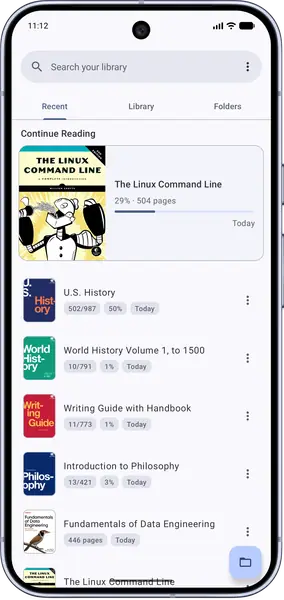
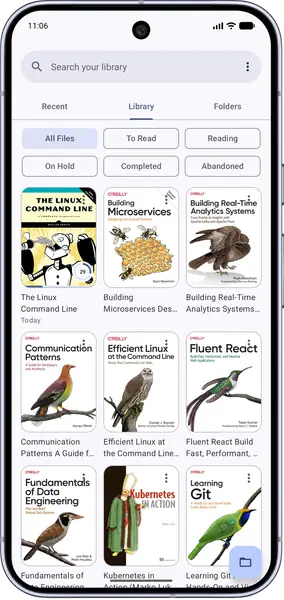
- Home screen with Recent, Library and Folders tabs.
- Continue reading right where you left off, with a detailed reading history.
- Organize with reading statuses (to-read, reading, completed and more).
- Browse your device like a file manager, including SD cards.
- Search every PDF on your device.
Reader
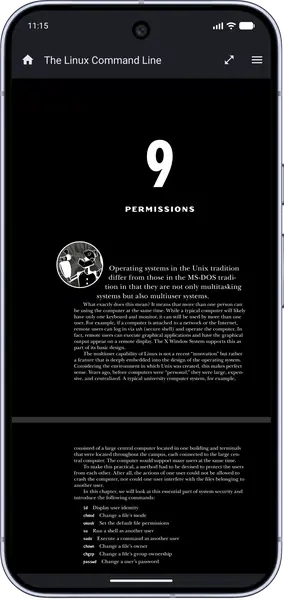
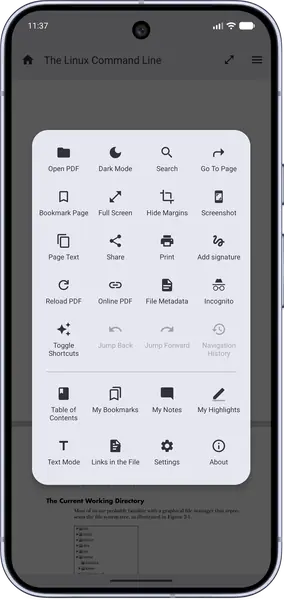
- Fast and smooth, with dark mode for the app and the PDF itself.
- True full screen with configurable shortcut buttons.
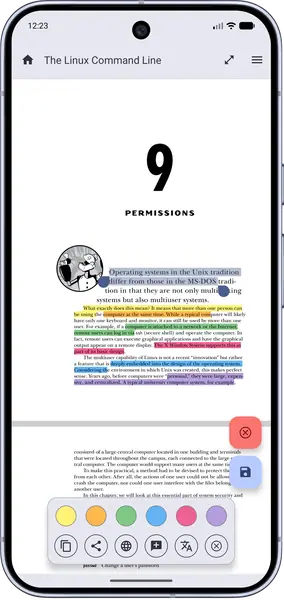
- Highlight text, add notes, and save them into the PDF.
- Draw handwritten signatures and save them into the PDF as sharp vector strokes.
- Fill PDF forms.
- Select text with copy, share, web search, translate, and dictionary actions.
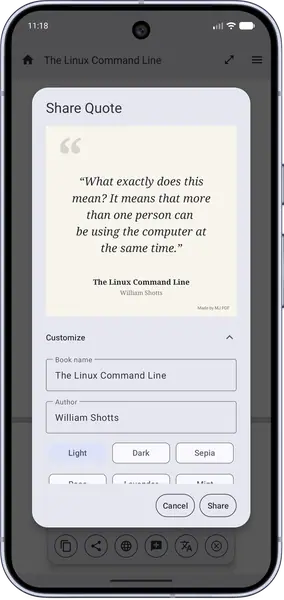
- Share quotes as images, with the book's name and a choice of themes.
- Text Mode: read any PDF like an e-book, with reflow, fonts and themes.
- Dual page mode that pairs pages like an open book.
- Powerful search with live results and next/previous navigation inside the reader.
- Table of contents, user bookmarks, embedded links, and browser-like navigation history.
- Right-to-left reading, hide margins, auto-scroll, brightness control, zoom lock.
- Open password-protected and online PDFs, share and print.
- Incognito mode that saves nothing about what you read.
- Backup and restore your settings and reading progress.
Permissions and privacy
This app does not collect any data. The following permissions are required to provide specific features in the app:
- Internet: for opening PDFs through links.
- Storage / all-files access: to scan, open and manage the PDFs on your device.
Links
- Official page: https://mudlej.com/projects/mj-pdf
- Source code: https://gitlab.com/mudlej_android/mj_pdf_reader
- Issues and requests: https://github.com/mudlej/mj_pdf/
Author
- MJ PDF is made by Mudlej (https://mudlej.com).
License
MJ PDF uses the GPLv3 license.
Informationen zur APK-Datei
| Paketname | com.gitlab.mudlej.MjPdfReader |
|---|---|
| Version | 3.1.0 (Code 5804) |
| Mindestens | Android 6.0 · ausgelegt für Android 16 |
| Architekturen | x86_64 |
| SHA-256 | 026d0a38638f2680f75f30b40720eb9fa71e823f6e3d6b4812aff313a9fdaf98 |
| Signatur | 61f9981ba0d6f5d775758ec83231375ffdaefb59367984bf24b3dab5c864a9d1 |
| Lizenz | GPL-3.0-only — freie Copyleft-Lizenz: Der Code ist öffentlich und veränderte Versionen müssen frei bleiben |
| Quellcode | gitlab.com/mudlej_android/mj_pdf_reader |
| Offizielle Website | mudlej.com/projects/mj-pdf |
Berechtigungen
- Speicher lesen
- Zugriff auf alle Dateien sensibel
- Auf Speicher schreiben
- Internetzugriff
- Ruhezustand verhindern
- Netzwerkstatus sehen
- Beim Start ausführen
- Im Hintergrund laufen
Ältere Versionen
- MJ PDF 3.1.019. August 2026 · 8,7 MB
- MJ PDF 3.1.019. August 2026 · 8,8 MB
- MJ PDF 3.1.019. August 2026 · 8,5 MB
- MJ PDF 3.1.019. August 2026 · 8,1 MB
So installieren Sie MJ PDF APK
- Tippen Sie oben auf APK herunterladen und öffnen Sie die Datei nach dem Download.
- Wenn Android fragt, erlauben Sie Ihrem Browser, unbekannte Apps zu installieren.
- Tippen Sie auf Installieren. MJ PDF erscheint dann bei Ihren anderen Apps.
→ APK-Datei auf Android installieren (Schritt für Schritt)
→ „App nicht installiert“: Ursachen und Lösungen
Häufige Fragen
Ist MJ PDF kostenlos?
Ja. MJ PDF steht unter der Lizenz GPL-3.0-only: kostenlos, ohne Abo, und der Quellcode ist öffentlich.
Ist diese APK-Datei sicher?
Die Datei wurde vom F-Droid-Repository aus dem öffentlichen Quellcode erstellt und veröffentlicht. Ihr SHA-256-Fingerabdruck steht oben, Sie können ihn nach dem Download vergleichen. Ist eine APK gefährlich? So prüfen Sie eine Datei vor der Installation
Läuft MJ PDF auf meinem Handy?
Sie benötigen mindestens Android 6.0. Die App funktioniert auch ohne Google-Dienste, also auch auf aktuellen Huawei-Handys.





