
MJ PDF APK
A simple PDF viewer
Baixar APK v3.1.0 · 8,7 MB- Versão3.1.0
- Tamanho8,7 MB
- RequerAndroid 6.0
- Atualizado19/08/2026
- LicençaGPL-3.0-only
- PreçoGrátis
Sobre o MJ PDF
Descrição fornecida pelo desenvolvedor (em inglês).
MJ PDF is a fast, simply, yet powerful and totally free PDF reader. It pairs a powerful reader with a full library manager, and it respects your privacy.
Library
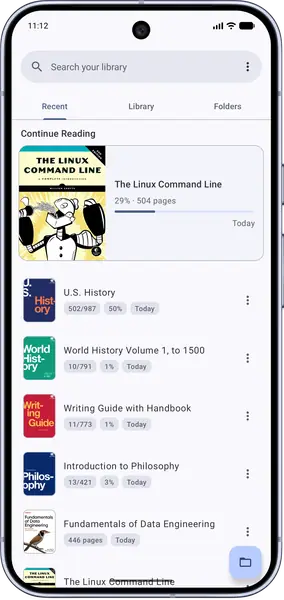
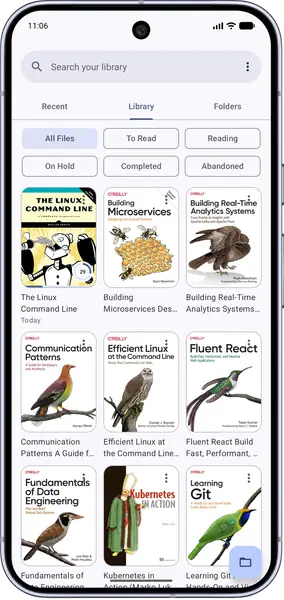
- Home screen with Recent, Library and Folders tabs.
- Continue reading right where you left off, with a detailed reading history.
- Organize with reading statuses (to-read, reading, completed and more).
- Browse your device like a file manager, including SD cards.
- Search every PDF on your device.
Reader
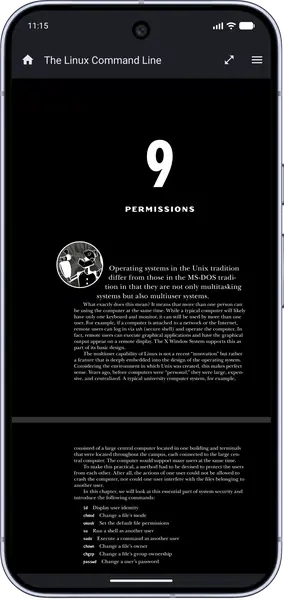
- Fast and smooth, with dark mode for the app and the PDF itself.
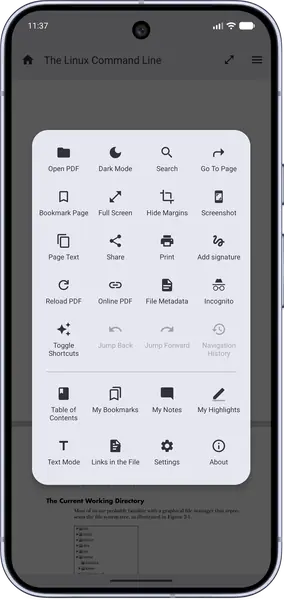
- True full screen with configurable shortcut buttons.
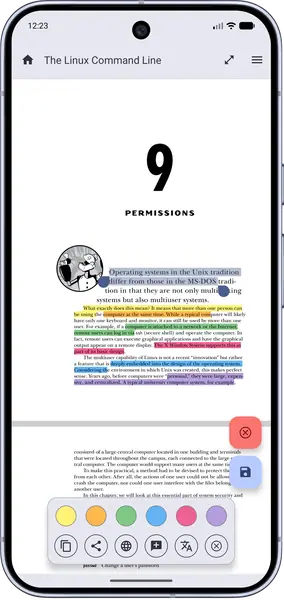
- Highlight text, add notes, and save them into the PDF.
- Draw handwritten signatures and save them into the PDF as sharp vector strokes.
- Fill PDF forms.
- Select text with copy, share, web search, translate, and dictionary actions.
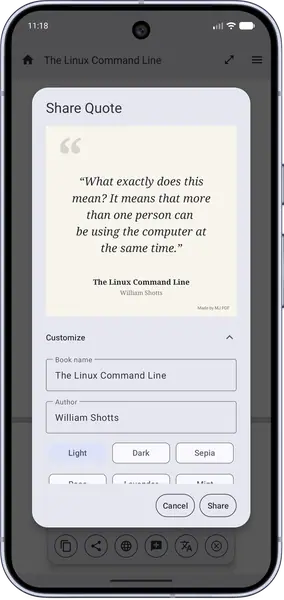
- Share quotes as images, with the book's name and a choice of themes.
- Text Mode: read any PDF like an e-book, with reflow, fonts and themes.
- Dual page mode that pairs pages like an open book.
- Powerful search with live results and next/previous navigation inside the reader.
- Table of contents, user bookmarks, embedded links, and browser-like navigation history.
- Right-to-left reading, hide margins, auto-scroll, brightness control, zoom lock.
- Open password-protected and online PDFs, share and print.
- Incognito mode that saves nothing about what you read.
- Backup and restore your settings and reading progress.
Permissions and privacy
This app does not collect any data. The following permissions are required to provide specific features in the app:
- Internet: for opening PDFs through links.
- Storage / all-files access: to scan, open and manage the PDFs on your device.
Links
- Official page: https://mudlej.com/projects/mj-pdf
- Source code: https://gitlab.com/mudlej_android/mj_pdf_reader
- Issues and requests: https://github.com/mudlej/mj_pdf/
Author
- MJ PDF is made by Mudlej (https://mudlej.com).
License
MJ PDF uses the GPLv3 license.
Informações do arquivo APK
| Nome do pacote | com.gitlab.mudlej.MjPdfReader |
|---|---|
| Versão | 3.1.0 (código 5804) |
| Android mínimo | Android 6.0 · feito para Android 16 |
| Arquiteturas | x86_64 |
| SHA-256 | 026d0a38638f2680f75f30b40720eb9fa71e823f6e3d6b4812aff313a9fdaf98 |
| Assinatura | 61f9981ba0d6f5d775758ec83231375ffdaefb59367984bf24b3dab5c864a9d1 |
| Licença | GPL-3.0-only — licença livre copyleft: o código é público e versões modificadas devem continuar livres |
| Código-fonte | gitlab.com/mudlej_android/mj_pdf_reader |
| Site oficial | mudlej.com/projects/mj-pdf |
Permissões solicitadas
- Ler o armazenamento
- Acesso a todos os arquivos sensível
- Gravar no armazenamento
- Acesso à internet
- Impedir o modo de espera
- Ver o estado da rede
- Iniciar com o sistema
- Funcionar em segundo plano
Versões anteriores
- MJ PDF 3.1.019 de agosto de 2026 · 8,7 MB
- MJ PDF 3.1.019 de agosto de 2026 · 8,8 MB
- MJ PDF 3.1.019 de agosto de 2026 · 8,5 MB
- MJ PDF 3.1.019 de agosto de 2026 · 8,1 MB
Como instalar o MJ PDF APK
- Toque em Baixar APK acima e abra o arquivo quando o download terminar.
- Se o Android pedir, permita que o navegador instale apps desconhecidos.
- Toque em Instalar. O MJ PDF aparecerá junto aos seus outros apps.
→ Como instalar um arquivo APK no Android (passo a passo)
→ "App não instalado": causas e soluções
Perguntas frequentes
O MJ PDF é grátis?
Sim. O MJ PDF é distribuído sob a licença GPL-3.0-only: grátis, sem assinatura e com código-fonte público.
Este arquivo APK é seguro?
O arquivo é o compilado e publicado pelo repositório F-Droid a partir do código-fonte público. A impressão digital SHA-256 aparece acima para você comparar depois do download. APK é perigoso? Como verificar um arquivo antes de instalar
O MJ PDF funciona no meu celular?
É preciso ter pelo menos Android 6.0. O app também funciona sem os serviços do Google, inclusive em celulares Huawei recentes.