Nebula HDR screensaver APK
GPU-accelerated HDR nebula fly-through screensaver
APK herunterladen v4.12.0 · 205 KB- Version4.12.0
- Größe205 KB
- BenötigtAndroid 5.0
- Aktualisiert29.7.2026
- LizenzGPL-3.0-only
- PreisKostenlos
Über Nebula HDR screensaver
Beschreibung des Entwicklers (auf Englisch).
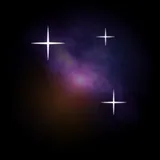
A deep-space nebula rendered in real-time volumetric raymarching on the GPU. The camera flies through translucent clouds of emissive gas, sculpted by a tiling 3D noise field with Worley erosion and lit by gradient relief, shell halos, and ionization-front rims.
The palette centres on deep violet and indigo, with magenta and cool-blue accents. Foreground masses occlude background stars with true depth. Dense star clusters glow as pointillistic distant galaxies, and the brightest stars throw subtle aperiodic HDR flares with four-point diffraction spikes.
A split-resolution pipeline keeps stars pin-sharp at native resolution while the gas runs at an adaptive lower resolution. Each screensaver activation randomises the camera path, nebula formation, and star field so no two sessions look alike.
Features:
- Volumetric raymarching through a 3D noise field
- HDR output with automatic SDR fallback
- Configurable render resolution, frame rate, and zoom speed
- Burn-in safe: every element moves or cross-fades, so no pixel holds a static image
- No network access, no ads, no tracking
Optimized for the NVIDIA Shield and HDR displays, but runs on any Android phone or TV with a sufficiently powerful GPU.
Neu in Version 4.12.0
Dust, reflected starlight, and a camera that goes somewhere:
- Dust lanes carve dark channels through the clouds, and dense foreground dust now reaches real opacity, cutting silhouettes out of the star field behind it
- The gas is filamentary instead of billowing — masses gather into streamers and sheets rather than round lumps
- The brightest stars light the gas they sit in, with a blue-white reflection glow that only appears where there is cloud to scatter it
- The camera reads the sky ahead
Informationen zur APK-Datei
| Paketname | com.jordanadema.nebula |
|---|---|
| Version | 4.12.0 (Code 32) |
| Mindestens | Android 5.0 · ausgelegt für Android 15 |
| Architekturen | Alle (universell) |
| SHA-256 | 923d783c5d3b476ad92b4dfb16bb7a45081bb1d4fad1fb9131afcd7276a169c2 |
| Signatur | 878ec6cee21525482bd880c97bde14e1be71a27d581502f7326457daf6693639 |
| Lizenz | GPL-3.0-only — freie Copyleft-Lizenz: Der Code ist öffentlich und veränderte Versionen müssen frei bleiben |
| Quellcode | github.com/jordanade/Nebula |
Berechtigungen
Keine besonderen Berechtigungen.
Ältere Versionen
- Nebula HDR screensaver 4.12.029. Juli 2026 · 205 KB
- Nebula HDR screensaver 4.11.126. Juli 2026 · 197 KB
- Nebula HDR screensaver 4.11.023. Juli 2026 · 121 KB
So installieren Sie Nebula HDR screensaver APK
- Tippen Sie oben auf APK herunterladen und öffnen Sie die Datei nach dem Download.
- Wenn Android fragt, erlauben Sie Ihrem Browser, unbekannte Apps zu installieren.
- Tippen Sie auf Installieren. Nebula HDR screensaver erscheint dann bei Ihren anderen Apps.
→ APK-Datei auf Android installieren (Schritt für Schritt)
→ „App nicht installiert“: Ursachen und Lösungen
Häufige Fragen
Ist Nebula HDR screensaver kostenlos?
Ja. Nebula HDR screensaver steht unter der Lizenz GPL-3.0-only: kostenlos, ohne Abo, und der Quellcode ist öffentlich.
Ist diese APK-Datei sicher?
Die Datei wurde vom F-Droid-Repository aus dem öffentlichen Quellcode erstellt und veröffentlicht. Ihr SHA-256-Fingerabdruck steht oben, Sie können ihn nach dem Download vergleichen. Ist eine APK gefährlich? So prüfen Sie eine Datei vor der Installation
Läuft Nebula HDR screensaver auf meinem Handy?
Sie benötigen mindestens Android 5.0. Die App funktioniert auch ohne Google-Dienste, also auch auf aktuellen Huawei-Handys.